SD700 – TOUCH-GRAPHIC DISPLAY
POWER ELECTRONICS
54
SMS SERVICE
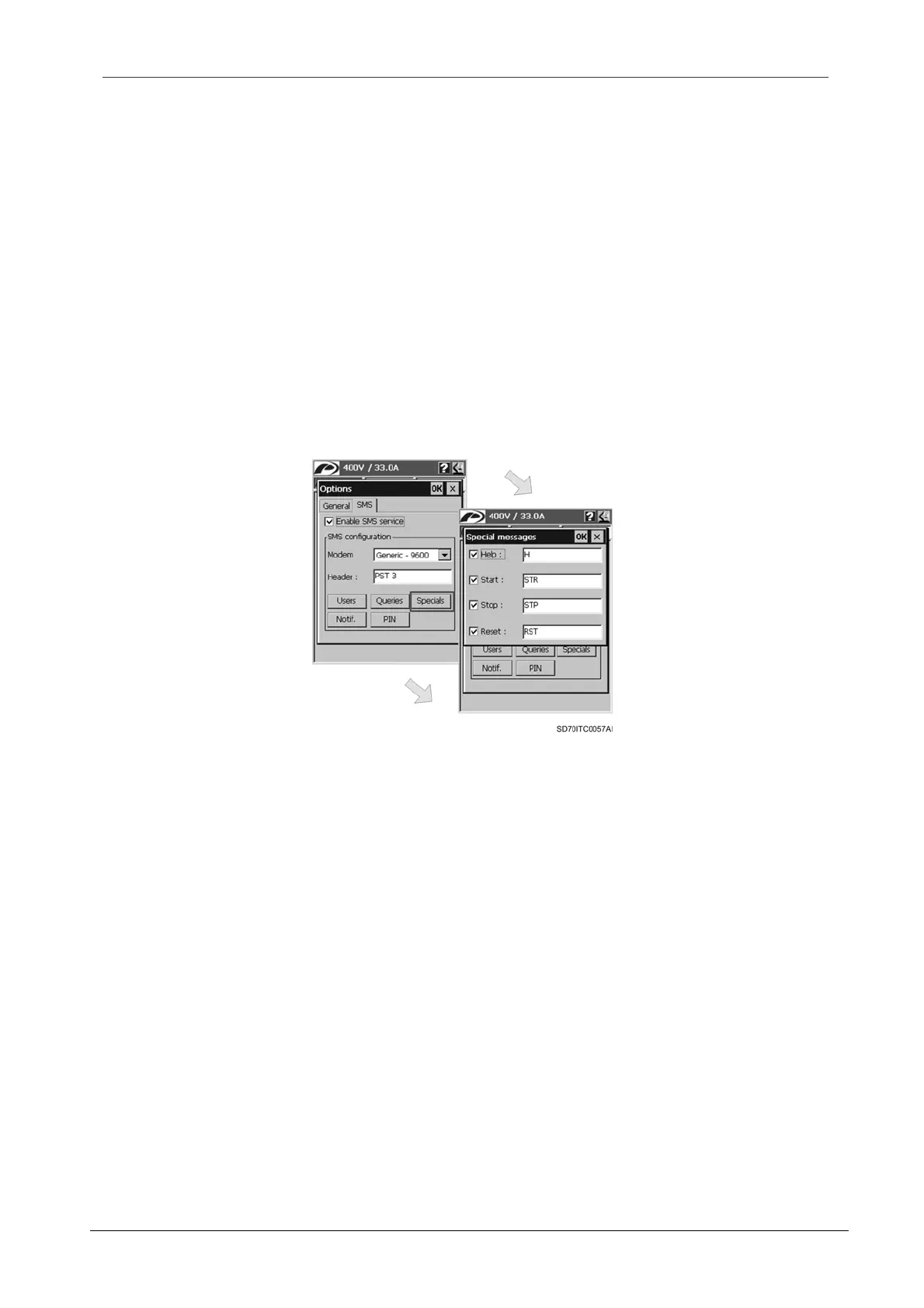
3.3.5. Special Messages Configuration
The ‘Special messages’ configuration dialogue will appear when the user taps on the ‘Specials’
button from the main configuration dialogue for the SMS service.
The dialogue has a check box and an edit box for every message type. The four types of special
messages are: help, start, stop and reset messages.
When a check box is activated, the corresponding message type is activated. By checking or
activating the check box, the associated edit box is also enabled. The user should write the text
label that user will send to the graphic display in order to execute the action.
In order to accept the special messages configuration, the user should tap on ‘OK’ button. After
this, the dialogue is closed and the main configuration dialogue for the SMS service is shown
again. To cancel the configuration, tap on ‘X’ button and the changes will be discarded.
Note: To obtain further information about special messages, see section ‘3.1.2. Special
Messages’.
Figure 3.18 ‘Special messages’ configuration dialogue window
3.3.6. Notification Messages Configuration
The ‘Notification messages’ configuration dialogue will appear when the user taps on the ‘Notif.’
button from the main configuration dialogue for the SMS service.
The dialogue has the same format than ‘Special messages’ configuration dialogue. There are
three check boxes with their corresponding edit boxes. Each check box corresponds with one of
the notification message types. The three types of notification messages are: fault, started and
stopped.
When a check box is activated, the corresponding message type is activated. By checking or
activating the check box, the associated edit box is also enabled. The user should write the text
label that user wants to receive in the notification message when the associated event occurs.
In order to accept the notification messages configuration, the user should tap on ‘OK’ button.
After this, the dialogue is closed and the main configuration dialogue for the SMS service is
shown again. To cancel the configuration, tap on ‘X’ button and the changes will be discarded.
Note: To obtain further information about notification messages, see section ‘3.1.3. Notification
Messages’.



 To Next Page
 Loading...

