5
© All rights reserved. All trademarks are property of their respective owners.
5. UPS Monitoring Connection
To monitor the UPS status and perform some simple UPS self-test, it is required to connect the
UPS to the computer or the internet.
5.1 Connect UPS to Computer with USB / RS232 port
Refer to Chapter 4.4, find the USB / RS232 port at the rear of UPS.
Connect UPS and Computer with the communication cable provided with UPS.
Make sure the computer supports the power management software and install the power
management software in the Computer.
!!Notice!! Either USB port or RS232 port, only one port will function at a time.
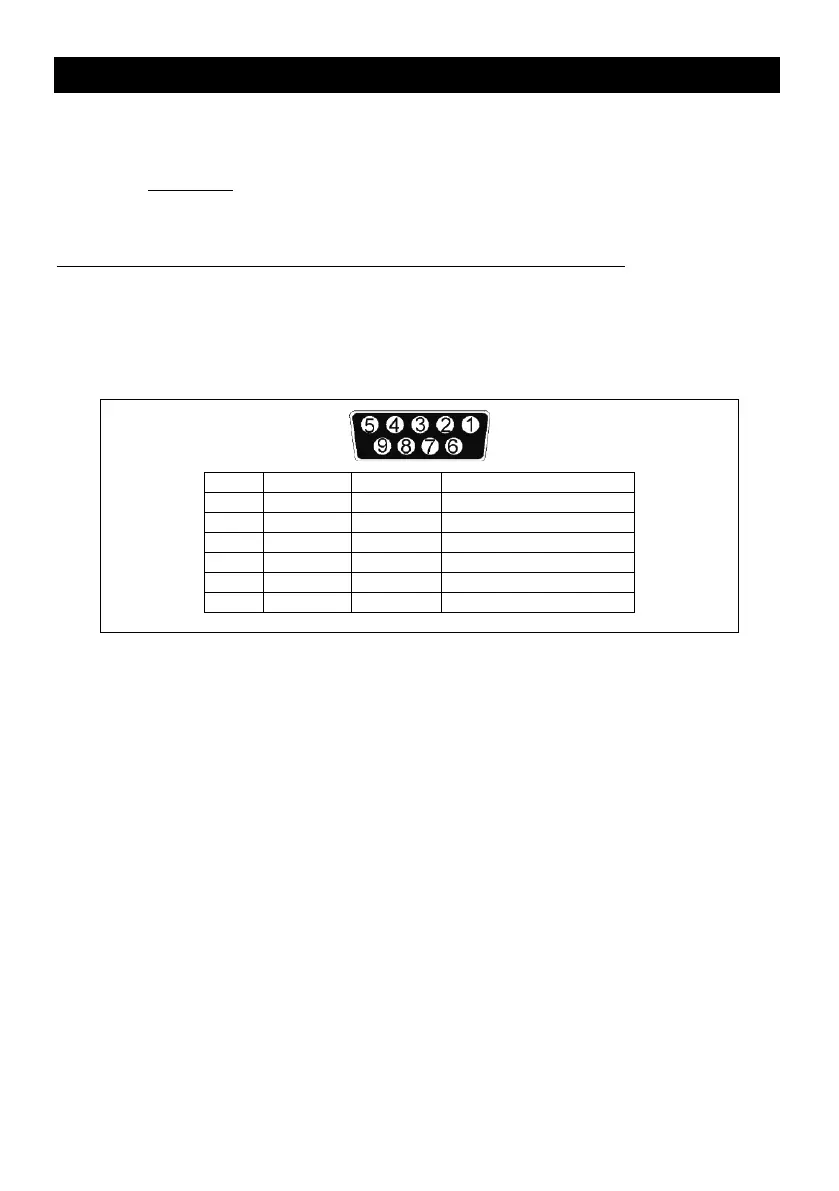
5.2 Connect UPS with RS232 port
The RS-232 interface uses a 9-pin female D-sub connector.
The RS-232 port carries the data about utility, load and the UPS.
The interface port pins and their functions are identified in the following table.
Caution! Max rated values 12VDC
5.3 Connect UPS with interface slot (Option)
SNMP card allows UPS management and monitoring over a network or internet.
AS400 card allows voltage free relay contacts.
For more information, please contact for technical assistance.
5.4 EPO port (Emergency Power Off) (Option)
A customer-supplied switch located remotely can be used to open the EPO connection and
allows UPS output receptacles to be switched off. Since the EPO shuts down the equipment
immediately, orderly shutdown procedures are not followed and not by any power management
software. The UPS will have to be manually restarted in order to regain power to the outlets.



 To Next Page