19
3 OPERATIONS continued
Interface Setting
The frequency may be set in battery mode:
BAT 50: sets output frequency to 50Hz
BAT 60: sets output frequency to 60Hz
If converter mode is enabled, output frequency can be
selected:
CF 50: sets output frequency to 50Hz
CF 60: sets output frequency to 60Hz
Interface Setting
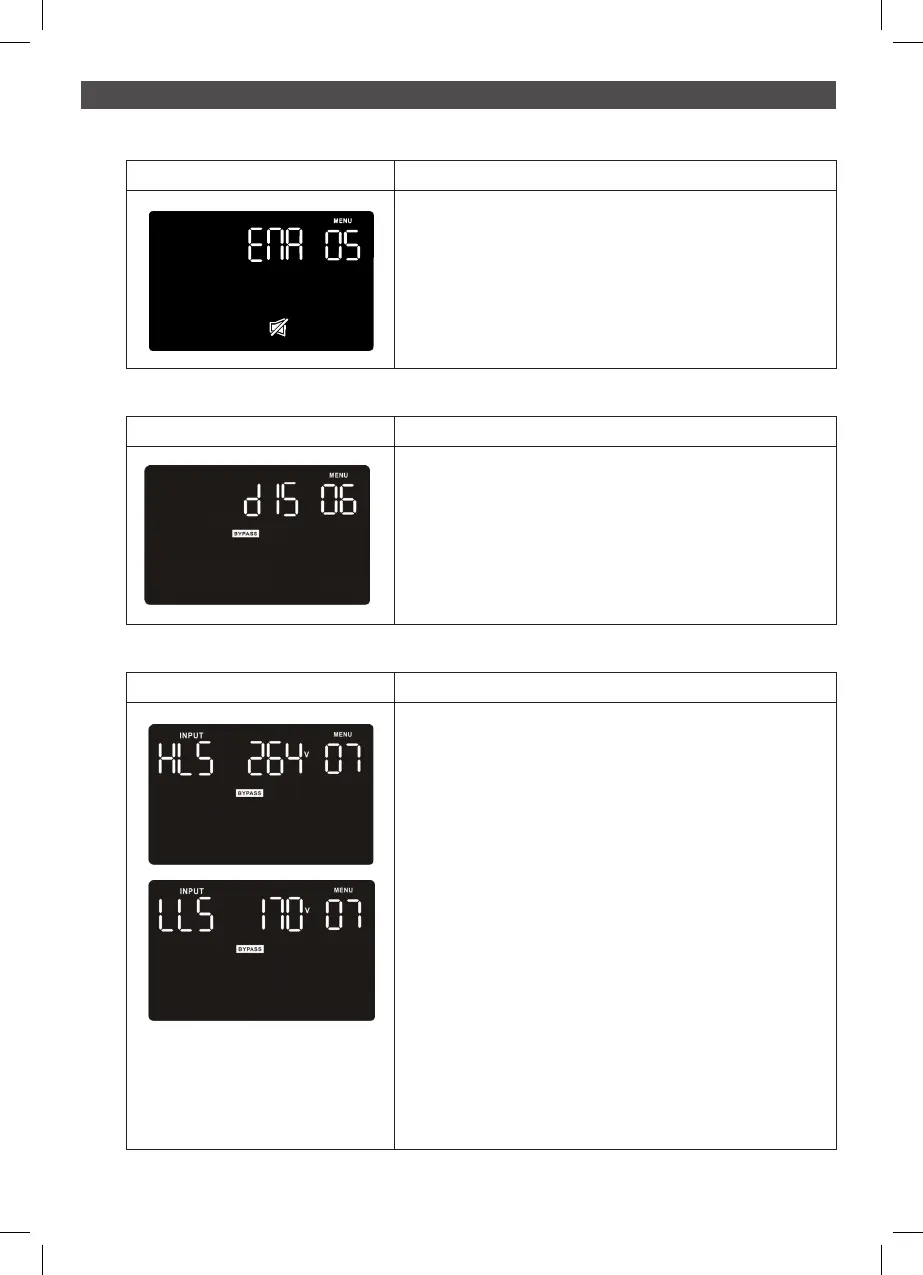
Parameter 2: Enable or disable ECO function.
You may choose the following two options.
ENA: ECO mode enable
DIS: ECO mode disable (Default)
Interface Setting
Parameter 2: Enable or disable buzzer function.
You may choose the following two options.
ENA: buzzer enable(Default)
DIS: buzzer disable
05: Buzzer enable/disable
Interface Setting
Parameter 2: Set the acceptable high voltage point and
acceptable low voltage point for Bypass mode by pressing
the Down key or Up key.
HLS: Bypass high voltage point.
For 220 VAC models, there are four options, 231V, 242V,
256V and 264V
For 230 VAC models, there are four options, 242V, 253V,
265V and 276V
For 240 VAC models, there are four options, 252V, 264V,
276V and 288V (Default: 276V)
LLS: Bypass low voltage point
For 220 VAC models, there are four options, 187V, 176V,
165V and 154V
For 230 VAC models, there are four options, 196V, 184V,
173V and 161V
For 240 VAC models, there are four options, 204V, 192V,
180V and 168V (Default: 184V)
07: Bypass voltage range setting
Interface Setting
Parameter 2: Enable or disable Bypass function.
You may choose the following two options.
ENA: Bypass enable
DIS: Bypass disable (Default)
06: Bypass enable/disable when UPS is off



 To Next Page