Button Function
ON/MUTE Button • Turn on the UPS: Press and hold ON/Mute button for at least 2
seconds to turn on the UPS.
• Mute the alarm: After the UPS is turned on in battery mode, press
and hold this button for at least 3 seconds to disable or enable the
alarm system. But it’s not applied to the situations when warnings
or errors occur.
• Up key: Press this button to display previous selection in UPS
setting mode.
• Switch to UPS self-test mode: Press and hold ON/Mute button for 3
seconds to enter UPS self-testing while in AC mode
OFF/ENTER Button • Turn off the UPS: Press and hold this button at least 2 seconds to
turn off the UPS
• Confirm selection key: Press this button to confirm selection in UPS
setting mode
SELECT Button • Switch LCD message: Press this button to change the LCD message
for input voltage, input frequency, battery voltage, battery capacity,
ambient temperature, output voltage, output frequency, load
current and load percentage
• Setting mode: Press and hold this button for 3 seconds to enter UPS
setting mode when UPS is off
• Down key: Press this button to display next selection in UPS setting
mode
Display Function
Backup Time Information
Indicates the backup time in numbers.
HRS: hours, MIN: minutes, SEC: seconds
3 OPERATIONS
3-1. Button Operation
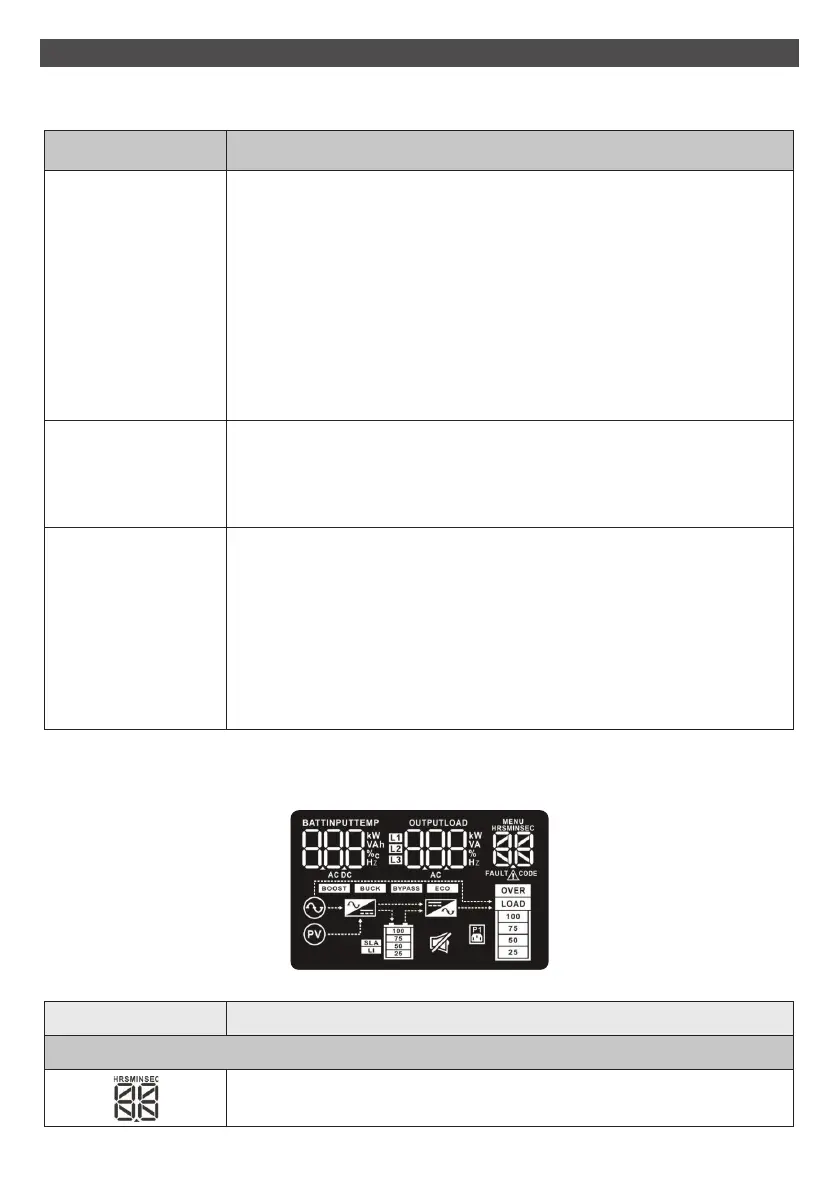
3-2. LCD Panel
11



 To Next Page