3 OPERATIONS continued
3-5. UPS Setting
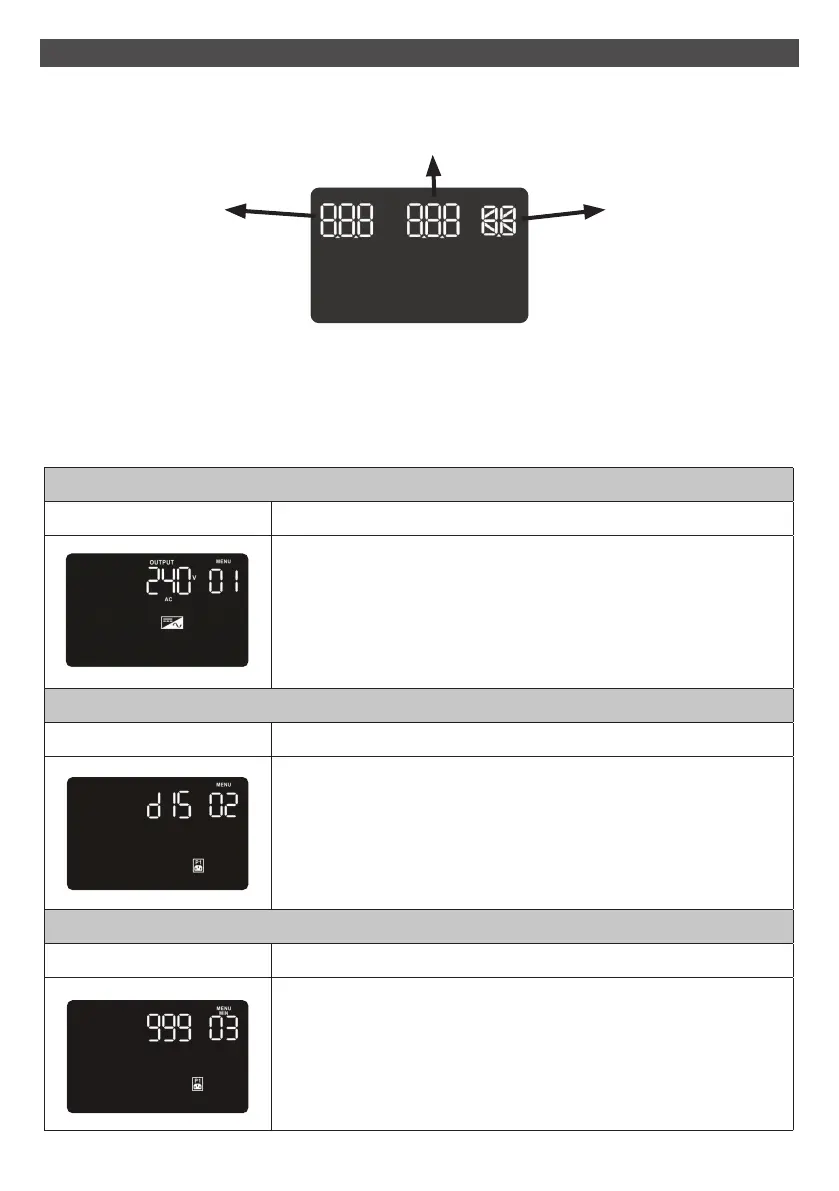
There are three parameters to set up the UPS.
Parameter 1: For program alternatives. Refer to below table.
Parameter 2 & 3: The setting options or values for program.
01 Output voltage setting
Interface Setting
For 208/220/230/240 VAC models, you may choose the following
output voltage:
208: presents output voltage is 208Vac
220: presents output voltage is 220Vac
230: presents output voltage is 230Vac
240: presents output voltage is 240Vac (Default setting)
02 Programmable outlets enable/disable
Interface Setting
ENA: Programmable outlets enable
DIS: Programmable outlets disable (Default setting)
03 Programmable outlets setting
Interface Setting
Set up the backup time limits in minutes from 0-999 for
programmable outlets which connect to non-critical devices on
battery mode. (Default setting: 999)
14
Parameter 2 Parameter 1
Parameter 3



 To Next Page