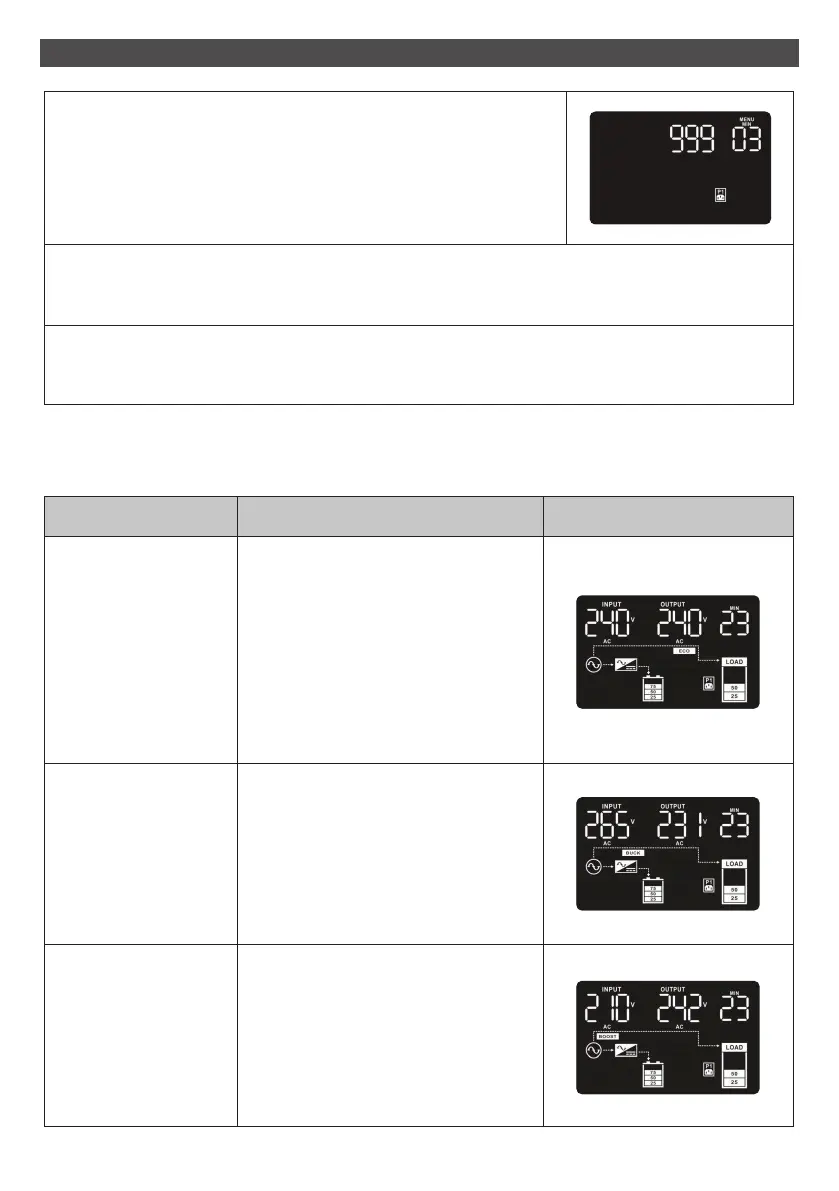
Operating Mode Description LCD Display
ECO mode When the input voltage is within
voltage regulated range, UPS will
power the output directly from the
mains. ECO is an abbreviation of
Efficiency Corrective Optimizer
mode.
In this mode, when battery is fully
charged, the fan will stop working for
energy saving.
Buck mode when AC is
normal.
When the input voltage is higher
than the voltage regulation range but
lower than high loss point, the buck
AVR will be activated.
Boost mode when AC
is normal.
When the input voltage is lower than
the voltage regulation range but
higher than low loss point, the boost
AVR will be activated.
3 OPERATIONS continued
Step 4
Press the “Up“ button (ON/MUTE) again to switch to “03” of
program list. Then press “Enter“ button for setting programmable
outlet time. Push “Up” button to change the value of backup time
according your demand. Then press “Enter” to confirm the setting.
Step 5
Press “Up“ button (ON/MUTE) to switch to “00” of program list. Then press “Enter” button to
exit setting menu.
Step 6
Disconnect AC input and wait until the LCD display is off. The new setting will be activated when
turning on the UPS again.
3-6. Operating Mode Description
17



 To Next Page