3 OPERATIONS continued
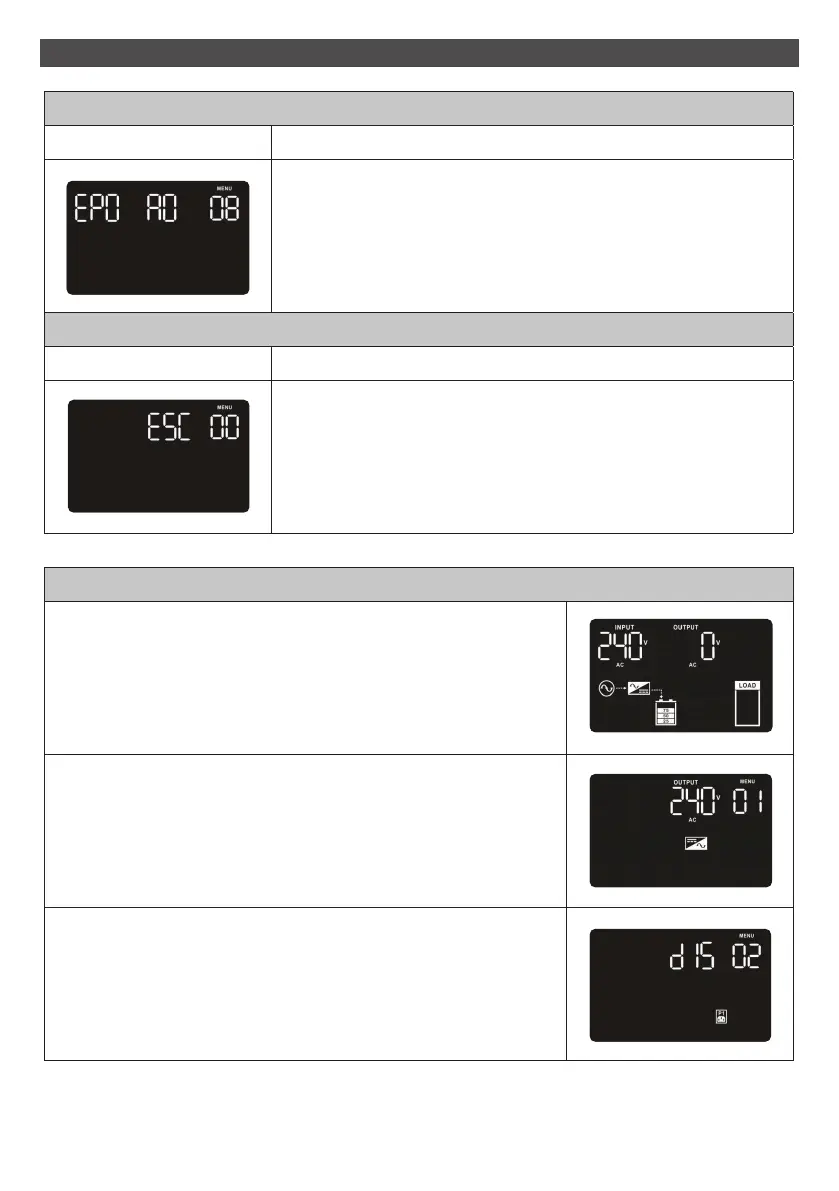
08 EPO logic setting
Interface Setting
Set up the EPO function control logic.
AO: Active Open. When AO is selected as EPO logic, it will activate
EPO function with Pin 1 and Pin 2 in open status.
(Default setting)
AC: Active Close. When AC is selected as EPO logic, it will activate
EPO function with Pin 1 and Pin 2 in close status.
00 Exit setting
Interface Setting
Exit the setting mode.
Steps for setting programmable outlet (White Coloured Outlets)
Step 1
Before entering setting mode, the UPS should be in Stand-by mode
(off-charging) and make sure the battery is connected.
The LCD display is shown as right.
Step 2
Press and hold the “Selection” button for 5 seconds to enter
Setting mode.
Step 3
Press the “Up“ button (ON/MUTE) to switch to “02” of program
list. Then press “Enter“ button to enter value setting of parameter
2. Press the “Up” button to change the value to “ENA” to enable
the programmable outlet function. Then press “Enter” button
again to confirm the setting.
16



 To Next Page