3 OPERATIONS continued
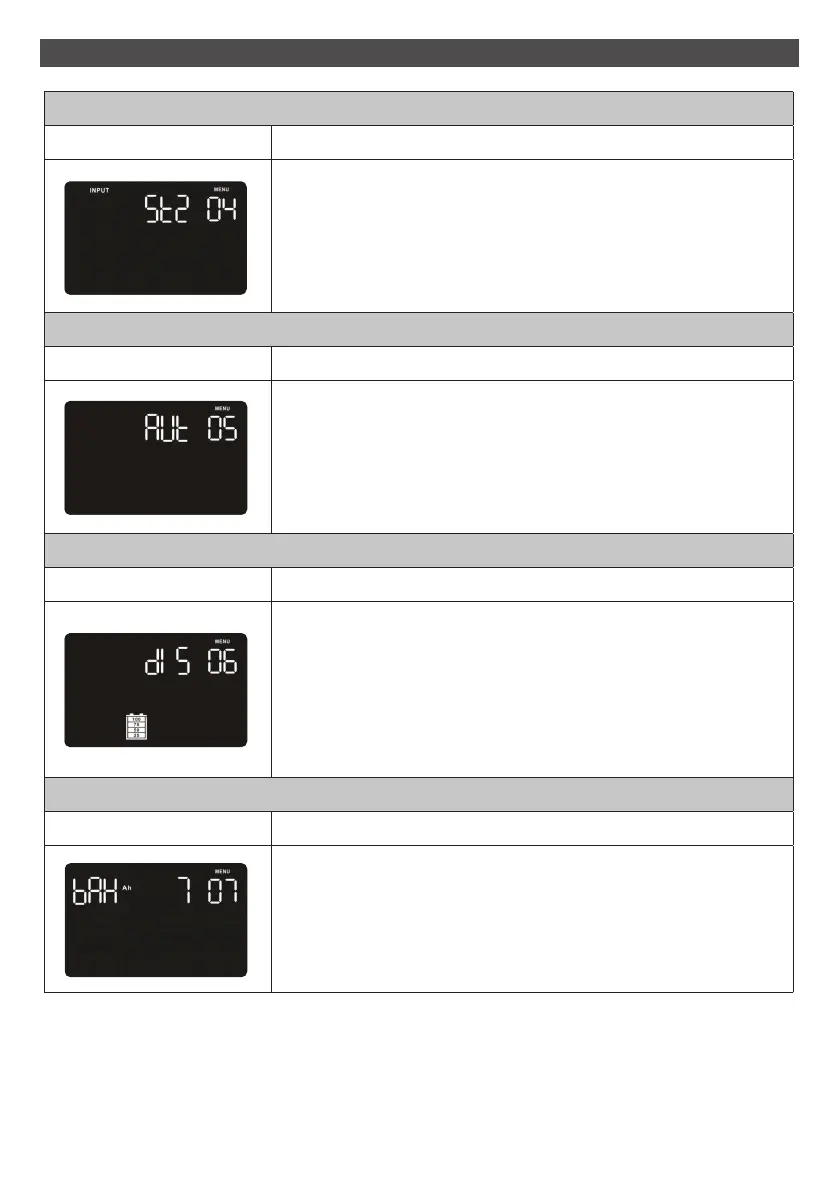
04 Input Waveform Sensitivity setting
Interface Setting
Set up input waveform sensitivity.
St1: Input voltage waveform detection is highly sensitive.
St2: Input voltage waveform detection is middle sensitive.
(Default setting)
St3: Input voltage waveform detection is low sensitive.
05 LCD display backlight setting
Interface Setting
Set up the working mode for the LCD display backlight.
Aon: LCD display backlight is on all the time
Aut: LCD display backlight will be off after pressing the buttons 60
seconds. (Default setting)
06 Autonomy limitation setting
Interface Setting
Set up backup time on battery mode for general outlets.
0-999: setting the backup time in minutes from 0-999 for general
outlets on battery mode.
DIS: Disable the autonomy limitation and the backup time will
depend on battery capacity. (Default setting)
Note: When setting as “0”, the backup time will be only 10
seconds.
07 Battery total AH setting
Interface Setting
Set up the battery total AH of the UPS.
7-999: setting the battery total capacity from 7-999 in AH.
Please set the correct battery total capacity if external battery
bank is connected.
15



 To Next Page