19
Powerware 9315 (200 kVA---300 kVA) Operation
164201036 Rev. D 041500
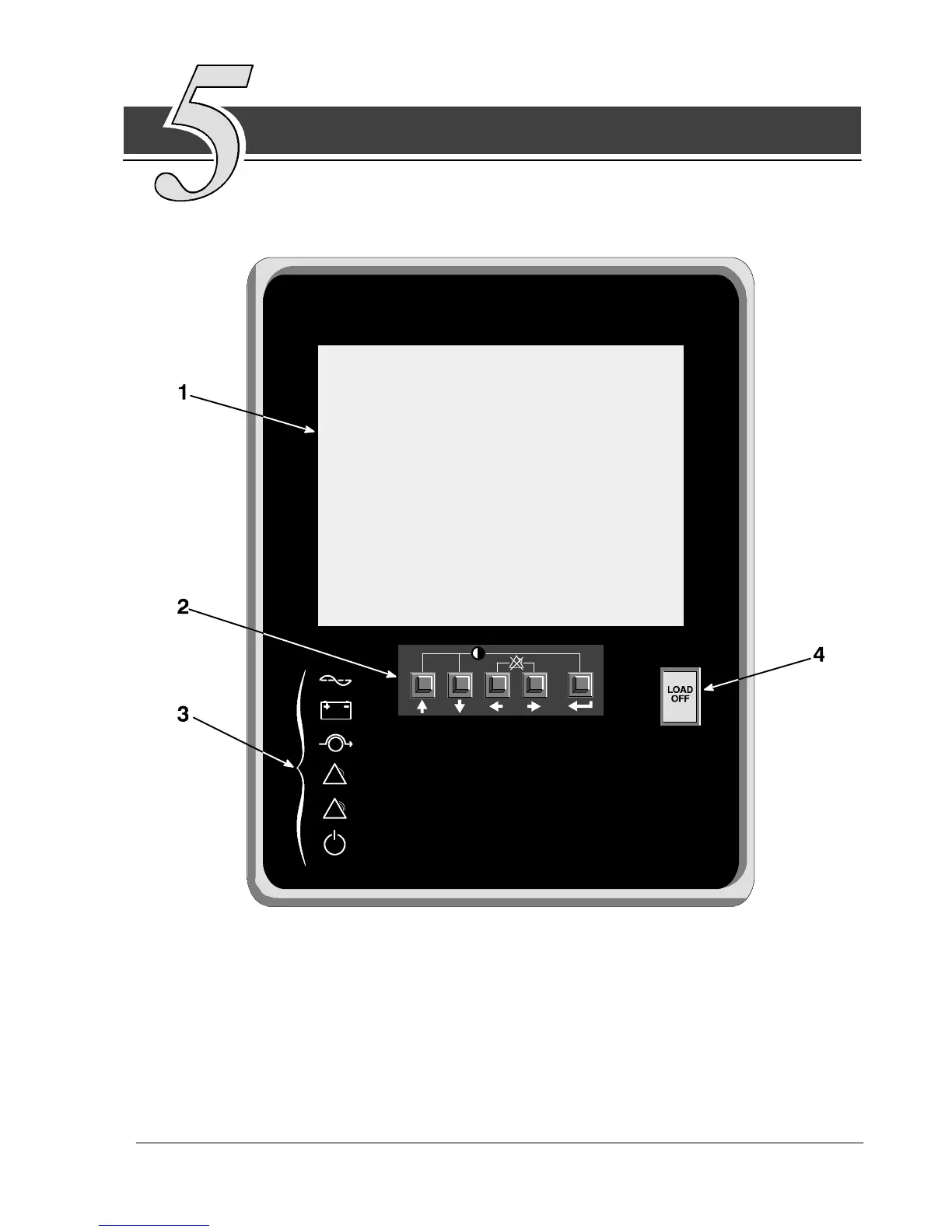
Using the Monitor Panel
This chapter describes the Monitor Panel and how to monitor and control
UPS operation. The Monitor Panel is a black rectangular area on the front of
the UPS (see Figure 8).
Figure 8. UPS Monitor Panel
The Monitor Panel contains a flat liquid crystal display (LCD) screen (1), a horizontal
row of pushbuttons (2), a vertical column of backlit status indicators (3), and the red
LOAD OFF pushbutton (4). A quick reference label describing how to use the Monitor
Panel is located inside the UPS above the Control Panel. The following sections
describe the Monitor Panel in detail.












 To Next Page