40
Powerware 9315 (200 kVA---300 kVA) Operation
164201036 Rev. D 041500
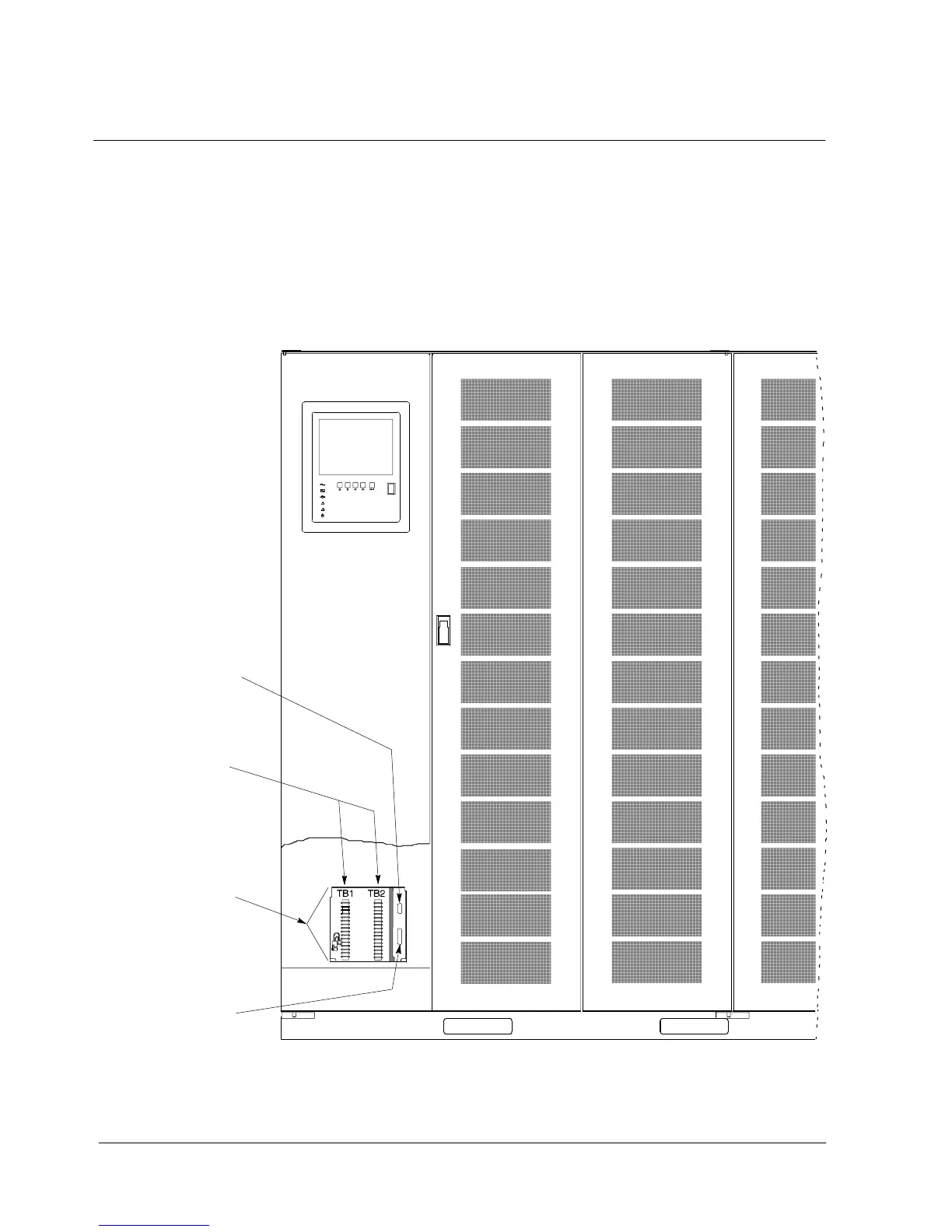
Locating the Communications Panel
The Communications Panel inside the UPS contains two serial communications
ports, one DE---9 and one DB---25. The ports provide a computer interface to a
Remote Monitor Panel (RMP), Relay Interface Module (RIM), or remote terminal
and/or printer. The Communications Panel also contains terminals (TB1 and TB2)
for connecting your equipment to the UPS. Figure 23 shows the location of these
items inside the UPS.
R S --- 4 8 5
R S --- 2 3 2
Connection
Connection
P O R T 1 ( D E --- 9 F )
P O R T 2 ( D B --- 2 5 F )
TB1 a nd TB2
COMMUNICATIONS
PANEL
Figure 23. Location of Communications Ports on the UPS (Powerware 9315 300)












 To Next Page