45
Powerware
®
PrestigeSeriesInstallationand Operator’s ManualforIBM Applications (6000 VA)Uncontrolled Copy
CHAPTER 4
UPS OPERATION
This chapter covers the operationof the UPS including front panel
functions, operating modes, using the Battery Start feature, shutting
down the UPS, and using the PowerPass Distribution Module.
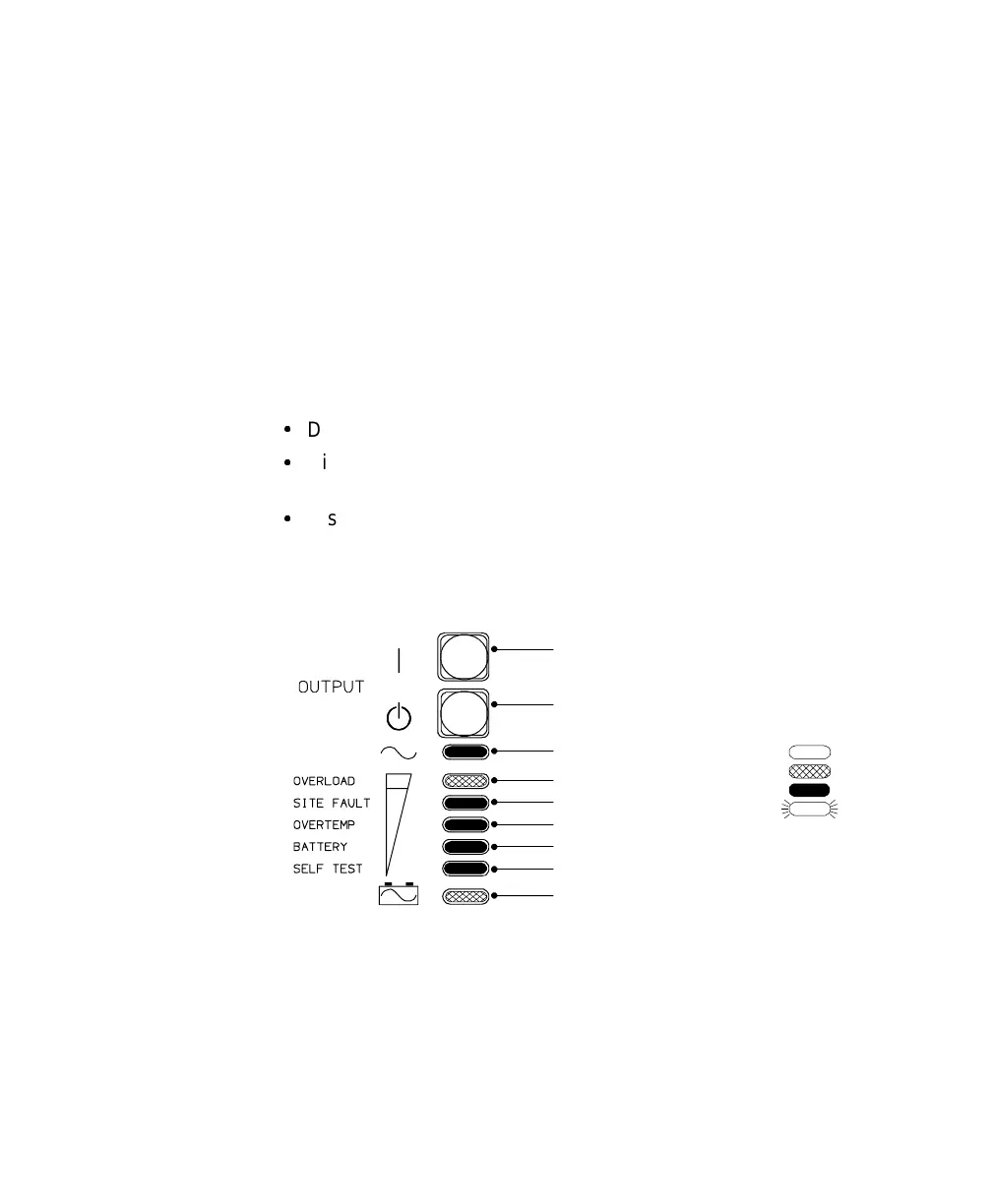
UPS Front Panel
The UPS front panel has three distinct functions:
:
Displays the UPS operational mode (Normal,Bypass, or Battery).
:
Displays any alarm conditions present during operation (the
indicators flash).
:
Displays the loading percentage during Normal mode and the battery
capacity during Battery mode.
You can also use the front panel to configure UPS communication
options. See “Front Panel Communications Access” on page 56.
Overload Indicator
Site Fault Indicator
Overtemp Indicator
Battery Fault Indicator
Self Test Indicator
Unlit
Amber
Green
Flashing
IndicatorLegend
OutputOnButton
(UPS on, load online)
Battery Online Indicator
Sine Wave Indicator
OutputOffButton
(UPS off, load offline)
Figure 13. UPS Front Panel













 To Next Page