Communication
56
Powerware
®
PrestigeSeriesInstallationand Operator’s ManualforIBM Applications (6000 VA)Uncontrolled Copy
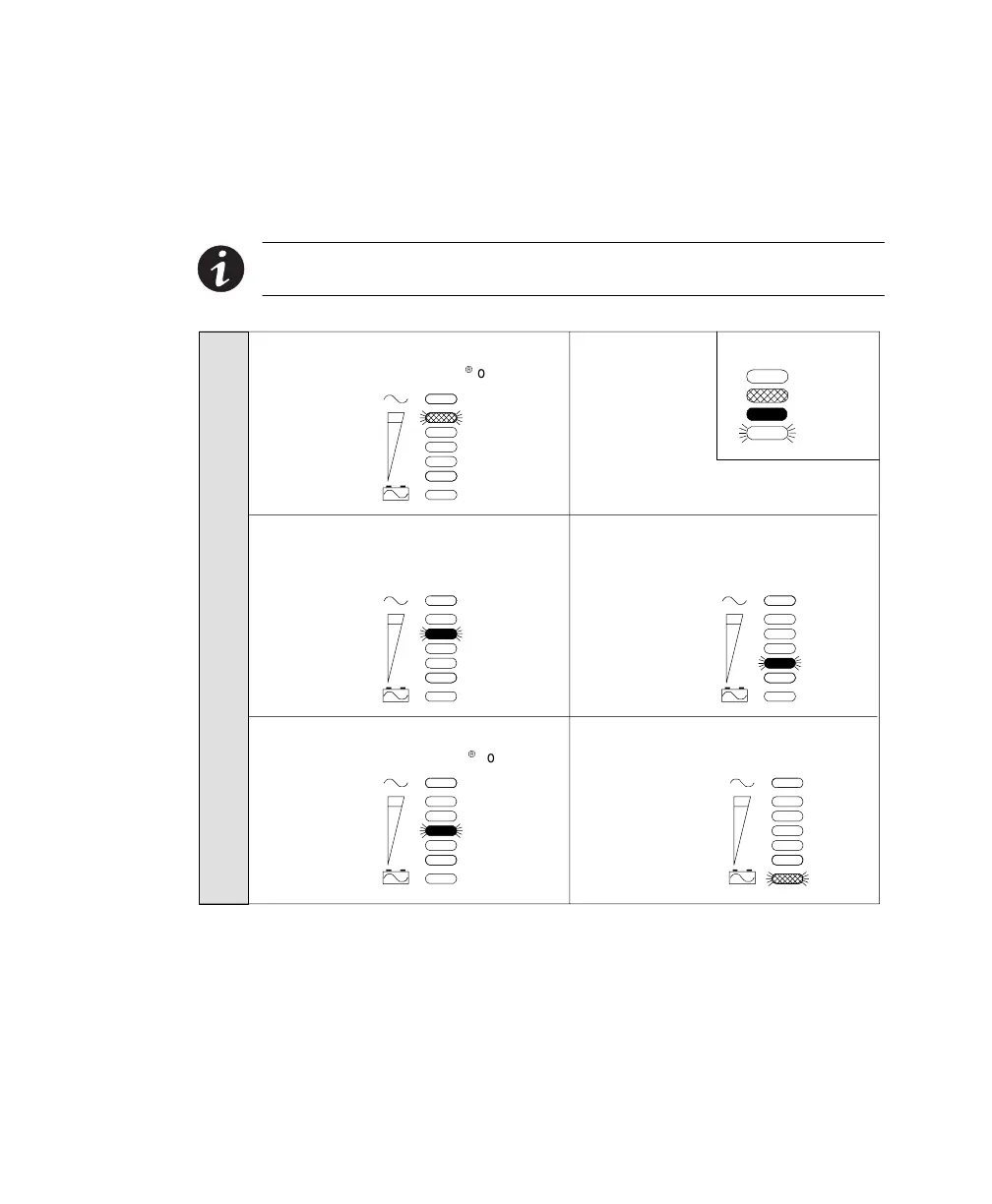
Front Panel Communications Access
Before youaccess the front panel,review the following configurations
and note the indicator that corresponds with the communication mode.
NOTE Onlythe Printer modefront paneloptionschange thebaud rate.Use theUPS
SerialCommunicationsMenu to selectother baudrates (see page 58).
Unlit
Amber
Green
Flashing
IndicatorLegend
OVERLOAD
SITE FAULT
OVERTEMP
BATTERY
SELF TEST
OVERLOAD
SITE FAULT
OVERTEMP
BATTERY
SELF TEST
OVERLOAD
SITE FAULT
OVERTEMP
BATTERY
SELF TEST
FRONT PANEL COMMUNICATION OPTIONS
Printer Mode,2400 Baud, NovellContacts
Select this mode for the OnliNet
9
or LanSafe
software.
OVERLOAD
SITE FAULT
OVERTEMP
BATTERY
SELF TEST
OVERLOAD
SITE FAULT
OVERTEMP
BATTERY
SELF TEST
Novell-Style LAN Contacts
Any baud rate other than 2400 or 19200
with Printer mode, or not Printer mode.
AS/400-Style LAN Contacts, No Serial
Select this mode for the OnliSafe
9
software.
3ComLANManager
Any communication mode and baud rate
option.
Printer Mode,19200 Baud (network
devices),Novell Contacts
Figure 21. Front Panel Communication Options













 To Next Page