UPS Operation
53
Powerware
®
PrestigeSeriesInstallationand Operator’s ManualforIBM Applications (6000 VA)Uncontrolled Copy
Reconnecting the UPS
Use the following procedure to reinstall the PPU and transfer the critical
load from Maintenance Bypass (AC Line operation) to the PPU:
1. Reconnect the battery cabinet to the battery connector on the
PPU rear panel.
2. Switch the circuit breaker on all battery cabinets to the ON (
|
)
position.
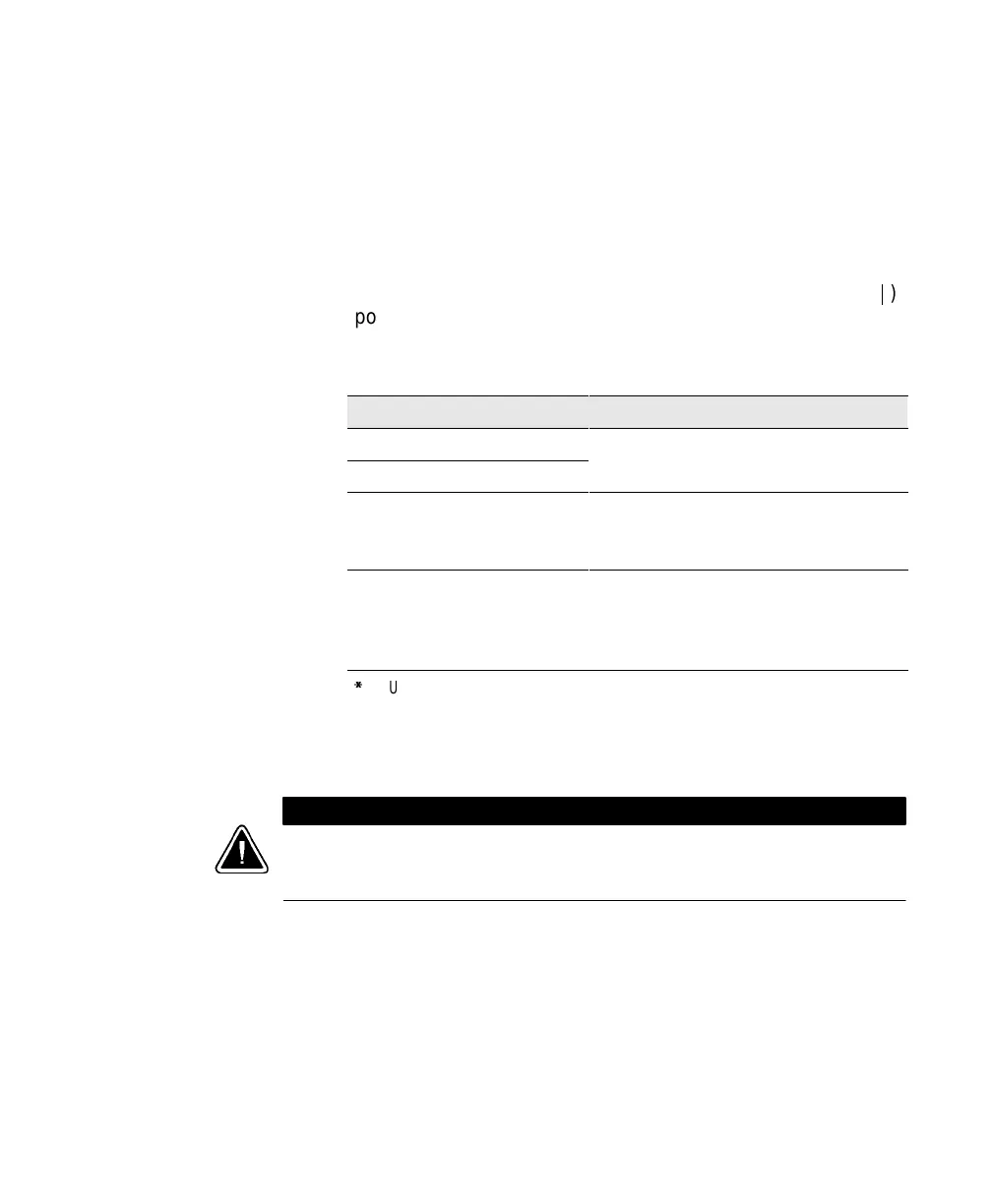
3. Confirm the correct UPS output voltage is selected according to
the PPDM model:
PPDM ModelNumber UPS VoltageSelectorSwitch Position*
L6-30R/IEC 320-C19 208: 120/208
208
L6-30R/5-15R 208: 120/208
IEC 309/IEC 320-C13 240: 240 Set to 220V for 220V PPDM output
Set to 230V for 230V PPDM output
Set to 240V for 240V PPDM output
L6-30R/5-15R 240: 240 Set to 200V for 100/200V PPDM output
Set to 220V for 110/220V PPDM output
Set to 230V for 115/230V PPDM output
Set to 240V for 120/240V PPDM output
*
The UPS output voltage should be set according to local mains voltage.
Using a screwdriver, turn the switch to the corresponding
position of the output voltage required (see Figure 20). The
output voltage is factory-set to 220V.
CAUTION
Donot turnthe VoltageSelectorswitch whilethe UPSisoperating(see“Changing the
OutputVoltage”on page49).Changingthe outputvoltagewhile the UPS isoperating
maycausean emergencypower-off.













 To Next Page