UPS Operation
52
Powerware
®
PrestigeSeriesInstallationand Operator’s ManualforIBM Applications (6000 VA)Uncontrolled Copy
4. Remove the cord connections to the back of the PPU.
5. Switch the circuit breaker onall battery cabinets to the
OFF (O) position.
6. Disconnect the battery connector on the PPU rear panel.
7. Remove the PPU.
5-15R
Circuit
Protectors
Power
Cords
To PPU
PPUPPDM
Power
Processor
Input Plug
Output
Receptacle
Power
Processor
Input
Breaker
Voltage Selector
Switch
REPO
Receptacle
Battery
Connector
Serial PortL6-30R Receptacles
Circuit
Protectors for
Locking
Receptacles
Utility Input
Receptacle
(Cord
Provided)
PPDM
Input
Breaker
Bypass
Switch
5-15R
Receptacles
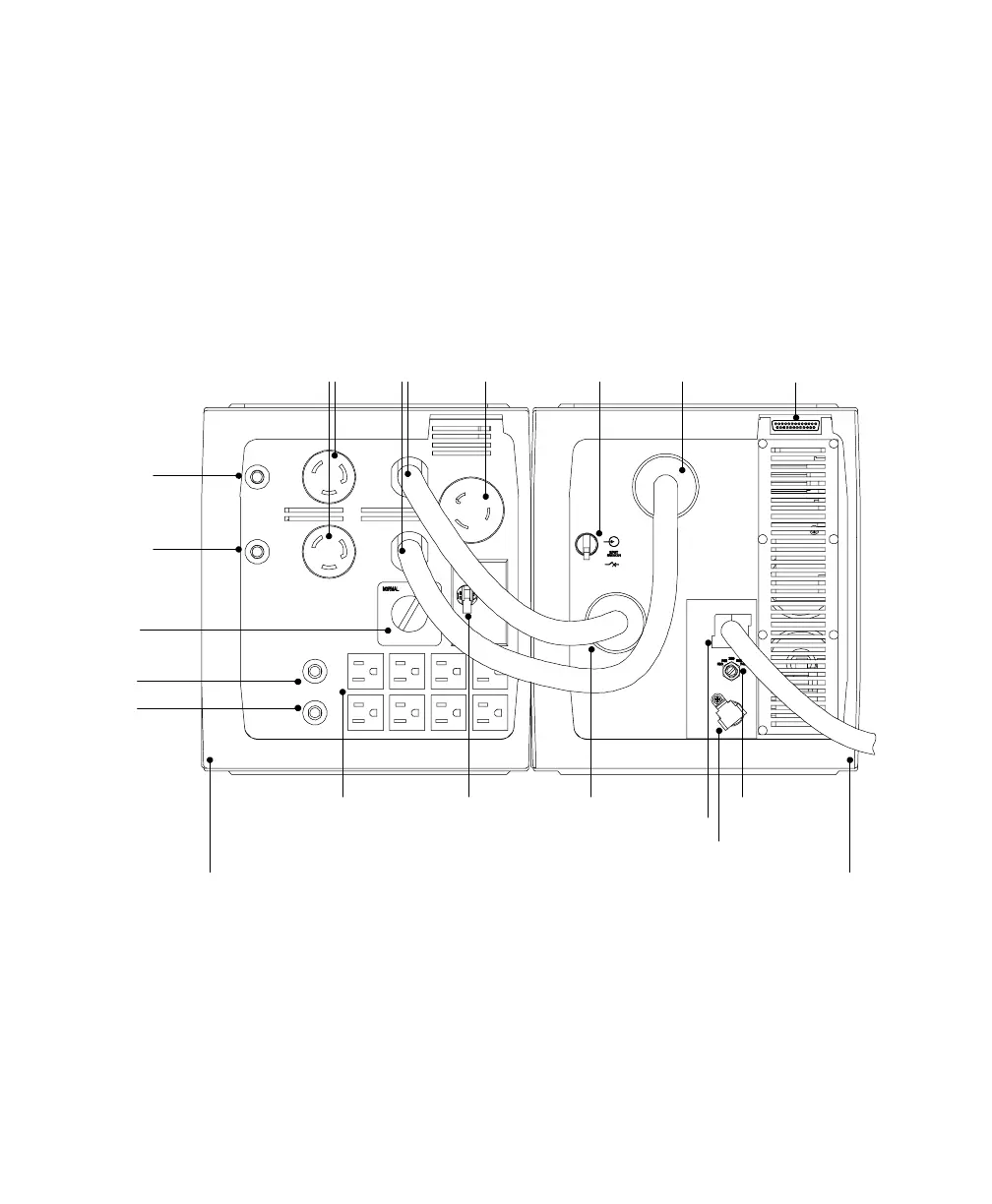
Figure 19. UPSwith PPDM Rear Panel Connections (L6-30R/5-15R PPDM Model Shown)













 To Next Page