71
Powerware
®
PrestigeSeriesInstallationand Operator’s ManualforIBM Applications (6000 VA)Uncontrolled Copy
CHAPTER 7
TROUBLESHOOTING
The Prestige UPS is designed for durable, automatic operation and also
alerts you whenever potential operating problems may occur. Use the
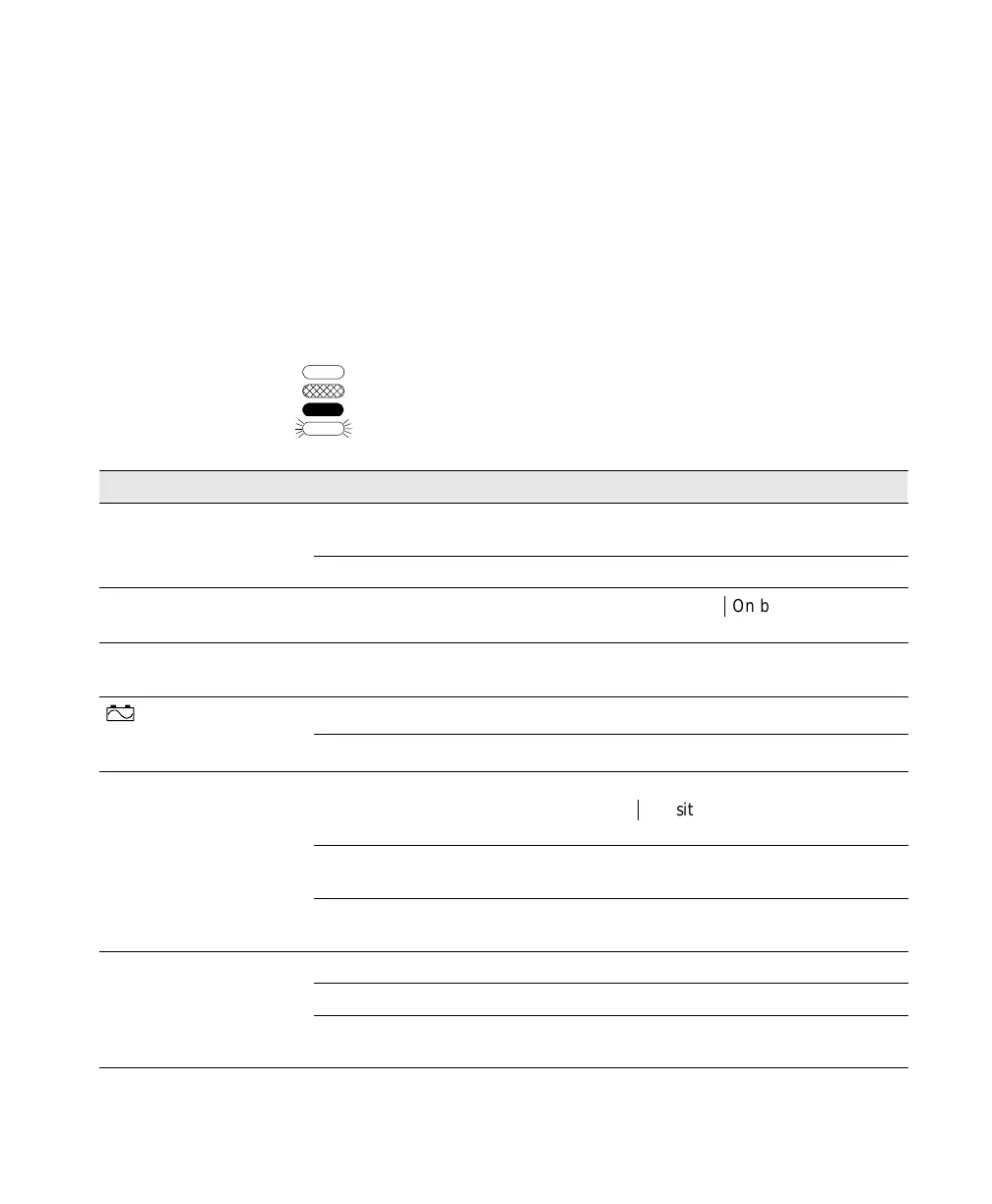
following troubleshooting chart to determine the UPS alarm condition.
Unlit
Amber
Green
Flashing
IndicatorLegend
Condition PossibleCause Action
UPS does not turn on.
UPS is not correctly connected to
the power source.
Check connections to the power source.
UPS input breaker is off. Reduce load, then reset breaker.
Load does not turn on. UPS has not been activated.
Press the Output
|
On button for one
second, then release.
UPS beeps occasionally. Normal operation. None. UPS is protecting your
equipment.
indicator remains
Utility line is out of specification. Test wall socket, repair as required.
lit, even though line
voltage is present.
UPS input breaker is tripped.
Reduce load, then reset breaker.
UPS does not provide
the expected backup time.
Battery circuit breakers are in the
OFF (O) position.
Switch the battery circuit breaker to the
ON (
|
) position for all connected
battery cabinets.
Low battery capacity. Allow battery to charge for 24 hours,
then retest.
Protected equipment power
requirements exceed UPS capacity.
Reduce load, then retest.
Communications do not
Incorrect communications cabling. Verify cable integrity (see page 62).
function properly.
Incorrect baud rate.
Select a new baud rate (see page 61).
Incorrect communication mode. Select a new communication mode (see
Chapter 5).













 To Next Page