Communication
59
Powerware
®
PrestigeSeriesInstallationand Operator’s ManualforIBM Applications (6000 VA)Uncontrolled Copy
&DWDORJ '
1HZ &200 $6&,,
3UHVV VSDFH EDU WR FRQWLQXH
6HULDO
9HUVLRQ
&200 PRGH
%DXG [
/$1 PRGH
%.%
3ULQWHU
1RYHOO
1HZ %DXG
1HZ /$1
1RYHOO
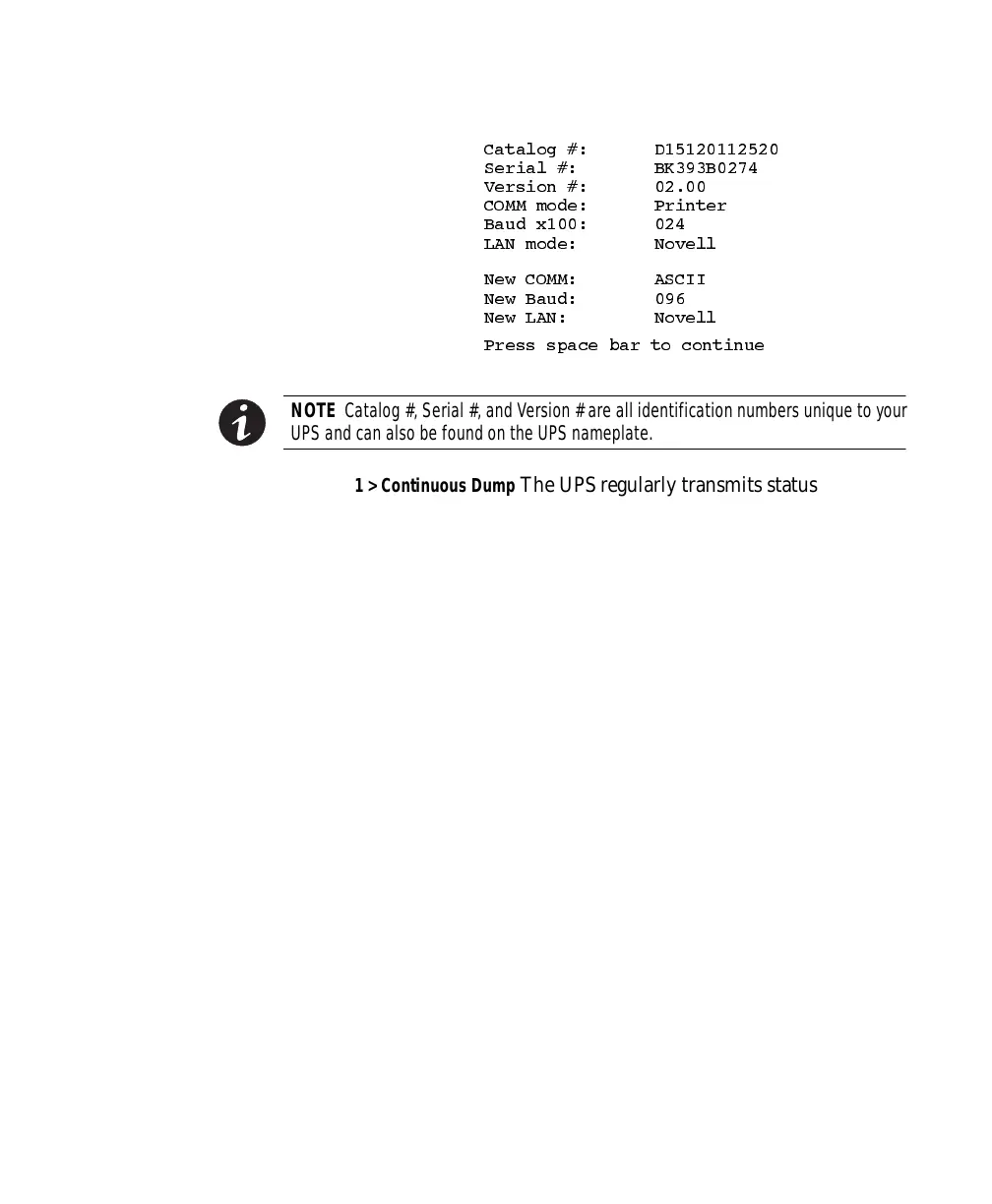
NOTE Catalog #,Serial#, andVersion# are allidentificationnumbersunique toyour
UPSand canalsobe foundon the UPSnameplate.
1 > Continuous Dump The UPS regularly transmits status
information to the computer. Baud rates of 1200 to 2400 are
recommended to reduce host computer overhead when using
this mode.
2 > Polled Dump Status information is transmitted only when
requested by a poll character (Control-E).
3 > Smart Dump Status information is transmitted when polled, as
in the previous mode. However, the transmission also occurs
automatically whenever UPS status changes. For example, if
there is a power outage, UPS status information changes and is
therefore, automatically transmitted.
A > ASCII Terminal TheUPSdisplaystheformatteddataonthe
attached video terminal.
B > VT100 Terminal TheUPSdisplaystheformatteddataonthe
attached video terminal.
P > Printer Dump The UPS prints the formatted data on the
attached printer.
L > LAN Configuration allows you to configure the UPS for a new
LAN mode and displays the Select LAN Configuration Menu.













 To Next Page