13
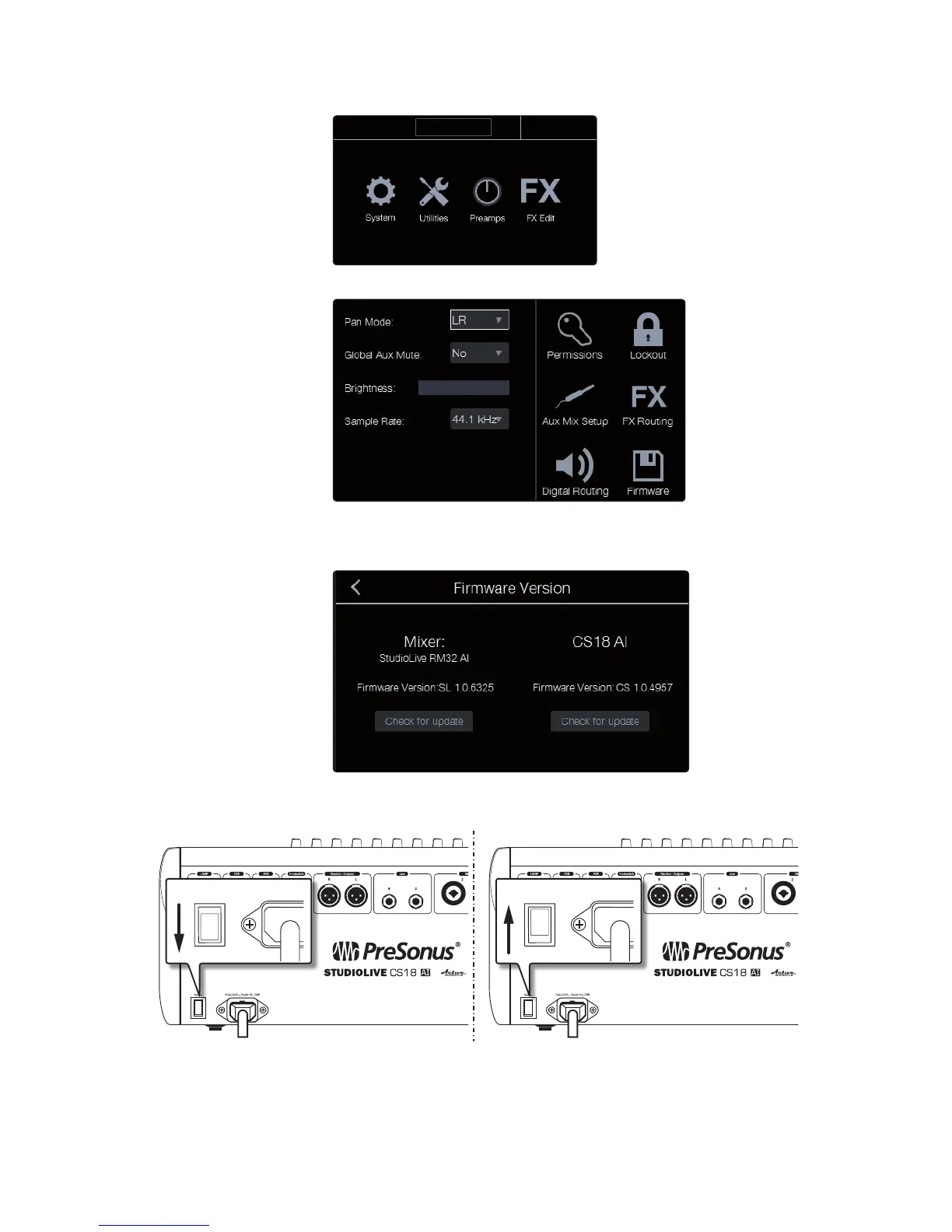
14. From the Home page, click the System button.
15. On the System page, click the Firmware button.
16. The Firmware Version page has a section for the CS18AI and another
for the RM mixer. (The mixer section will be empty if no RM mixer is
connected.) Click the “Check for update” button in the CS18AI section.
17. The update process takes about a minute to complete. When
it finishes, you are prompted to power cycle your unit.
18. Restart the CS18AI, revisit the Firmware Version page from the System page, and
note the firmware version shown. The last four digits of the firmware version
reported there should match the version of the firmware files you downloaded.











 To Next Page