67
Digital Routing
In addition to the 32 input channels, StudioLive RM-series mixers allow you to
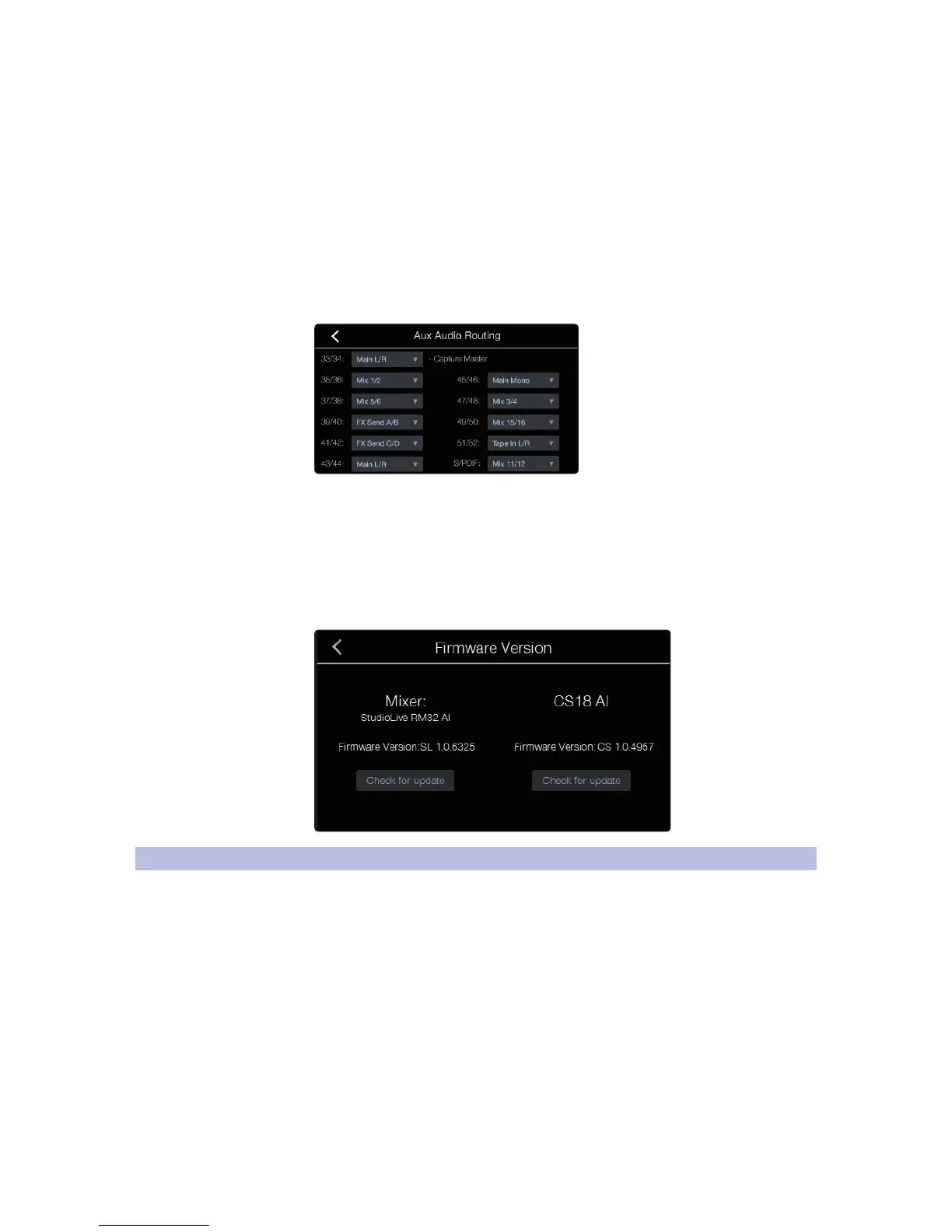
route a number of other buses and inputs out the digital FireWire and Network
sends. This is managed via the Digital Output Routing menu. To route these
additional Digital Sends, simply select the source from the drop-down list for the
output pair you want. Remember, all of these buses and inputs are automatically
set to send their signals post-Fat Channel dynamics and post-EQ (where
applicable). The inputs and buses selected in the Auxiliary Input Router will be
displayed in your recording application, along with the name of their routing.
The Aux Router also allows you to designate a specific bus to
the S/PDIF output and enables you to select which stereo pair
will be recorded on the auxiliary stereo track in Capture.
Firmware Updates
The Firmware Version screen provides valuable information about the
firmware versions being run on your StudioLive CS18AI and connected
StudioLive RM mixer. The left side of the screen will show the firmware
version and update button for the connected StudioLive RM mixer. The right
side shows the same for the StudioLive CS18AI. For detailed instructions on
updating your firmware refer to Section 2.4 Updating CS18AI Firmware.
5.8 Working with Filter DCA Groups
Professional mixing consoles have addressed the problem of managing
complex mixes with population groups that reduce the channels you’re viewing
at one time and DCAs to control the overall level of a group of channels.
We’ve combined the best aspects of these solutions with Filter DCAs. A Filter DCA
can contain any combination of the available input channels and effects returns,
and you can create as many Filter DCA Groups as you need. You can even include
the same channel in multiple Filter DCAs so you can manage your mixes in multiple
ways. Each group is given a master level control, so you can control the overall
level of the group while maintaining each channel’s relative balance in the mix.
In this way, for example, you can create a single fader to control every drum in a
monitor mix and maintain the relative level of the drum mix that you created.
Once selected, a Filter DCA group stays active until exited regardless of which mix is
selected. This allows you to adjust the group independently across different mixes.
You can also flip between groups on the fly to change the view of a selected mix.











 To Next Page