3 Networking the StudioLive CS18AI Control Surface
3.3 Connecting the CS18AI to an RM Mixer and Studio One
23
3.3 Connecting the CS18AI to an RM Mixer and Studio One
Your CS18AI can be used to control the transport, markers, automation, and
mix of your Studio One DAW software. The layer buttons enable control by
the CS18AI to be instantly switched between Studio One and RM mixers.
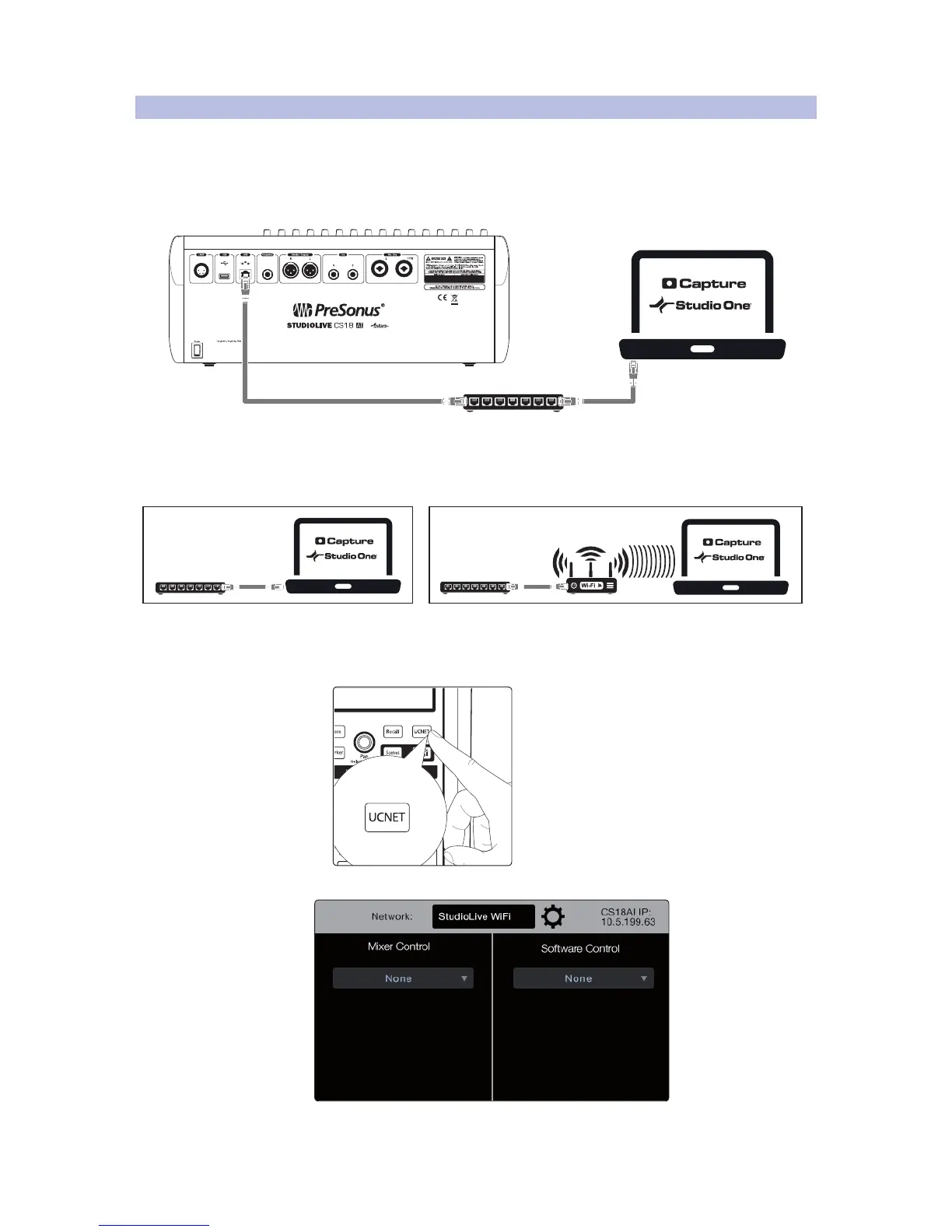
1. Run a CAT5e or CAT6 cable from your CS18AI’s AVB port to an
Ethernet switch on the same network as your computer.
2.
Note: You can connect your computer to the network with either
a wired Ethernet connection or wirelessly. Audio between the RM
mixer and the computer will be carried over FireWire.
3. Power on the CS18AI and computer and launch Studio One. Allow a few
minutes for Studio One to make its presence known to the CS18AI.
4. On the CS18AI press the UCNET button in the Master Control area.
The network connection page appears on the display.











 To Next Page