3 Networking the StudioLive CS18AI Control Surface
3.3 Connecting the CS18AI to an RM Mixer and Studio One
24
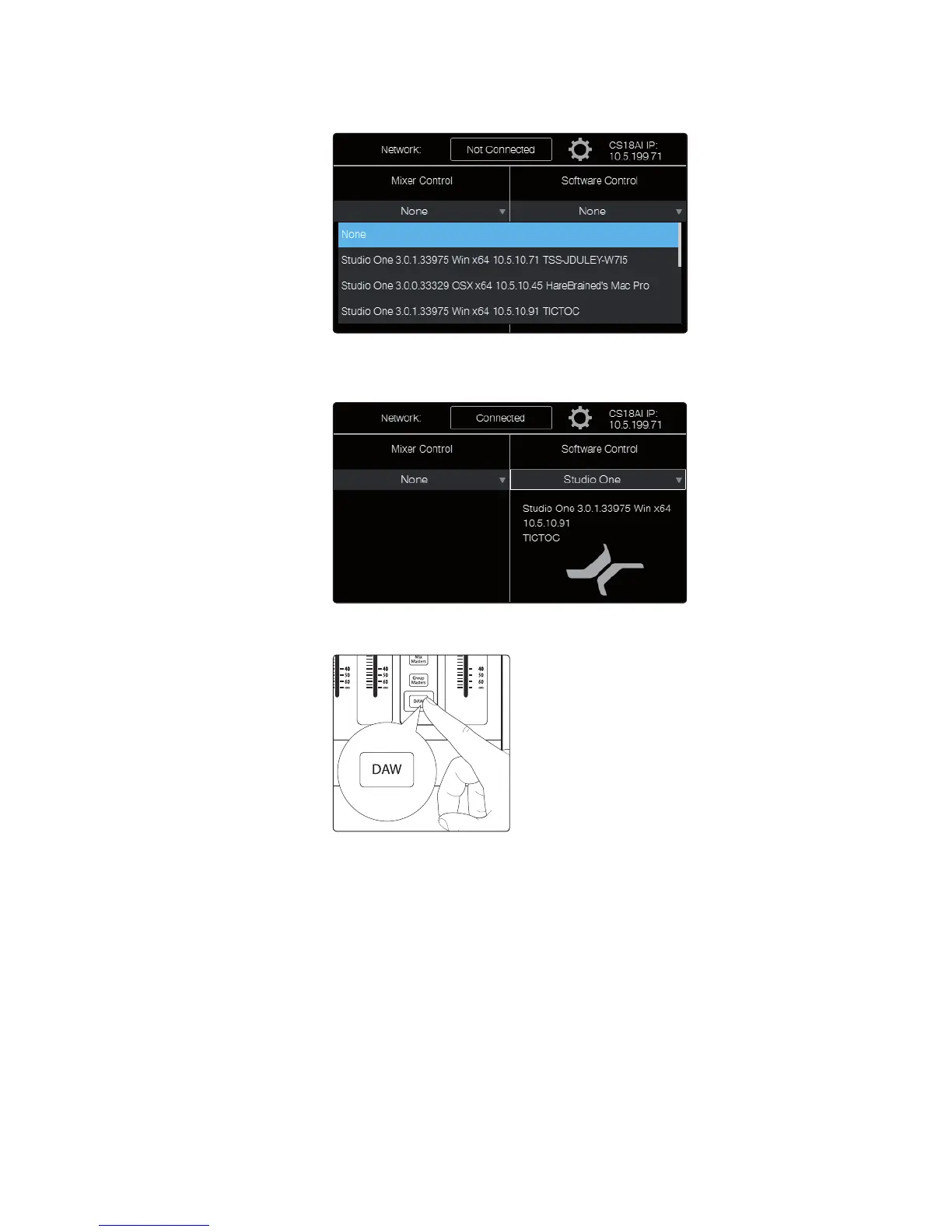
5. Touch the Software Control field. A menu drops down listing all available
instances of Studio One running on computers on the network.
6. Touch the name of the instance of Studio One you want to control in
the list to select it. The menu disappears and the Software Control field
displays the name of the Studio One instance to show it is connected.
7. Press the DAW button in the Faders area of the CS18AI front
panel. Your CS18AI controller now controls Studio One.











 To Next Page