12
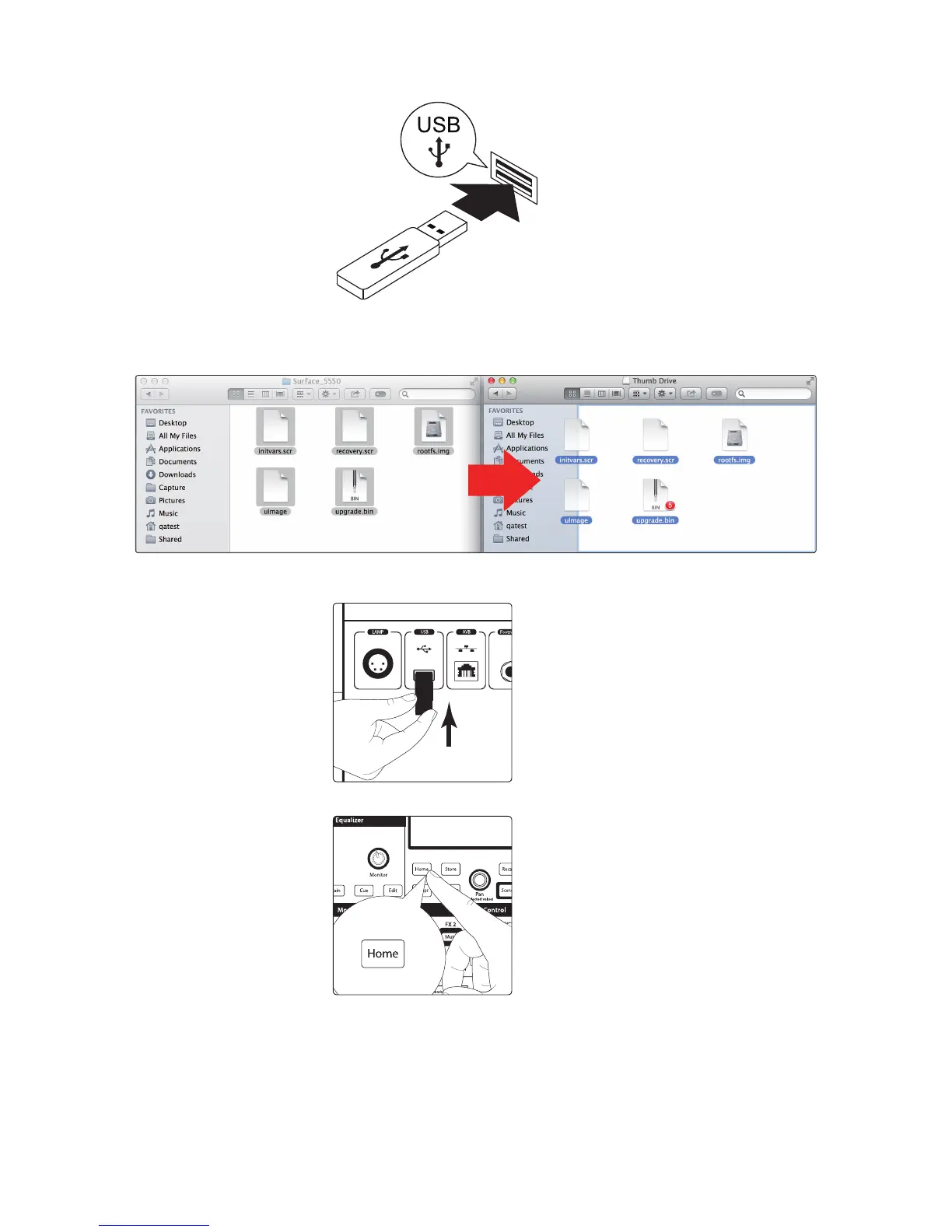
11. Select and copy/paste or drag the five firmware files to the root directory of
your thumb drive. If the files are inside a folder, the update will not execute
correctly. Eject the flash drive and disconnect it from your computer.
12. Insert the thumb drive into the USB slot on the rear of your CS18AI
controller and power on the unit if it is not already on.











 To Next Page