3 Networking the StudioLive CS18AI Control Surface
3.2 Connecting the StudioLive CS18AI to one StudioLive RM Mixer
22
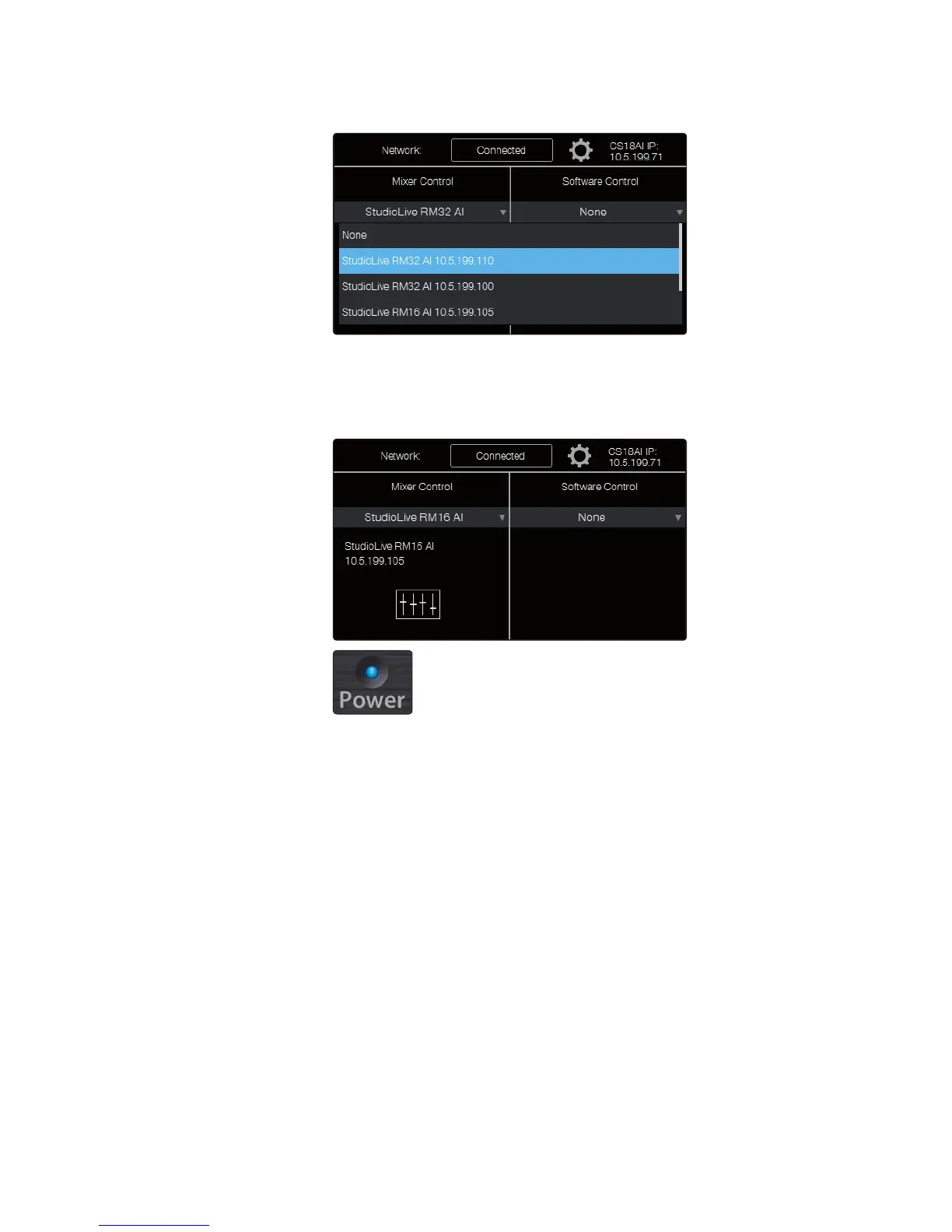
4. Touch the Mixer Control field. A menu drops down with a list
of RM-series mixers currently available on the network.
5. Touch the name of the StudioLive RM-series mixer you want to control in
the list to select it. The menu disappears, and the Mixer Control field displays
the name of the RM-series mixer to show it is connected. The power LED
on the RM mixer turns blue to show it is under the control of the CS18AI.
Your CS18AI controller is now connected to control the RM mixer.
Note: If you also want wireless control of your RM-series mixer from UC Surface or
QMix-AI software, you’ll need to connect a wireless router to the AVB switch or use
the USB Wi-Fi LAN adapter included with the RM mixer and a wireless router.











 To Next Page