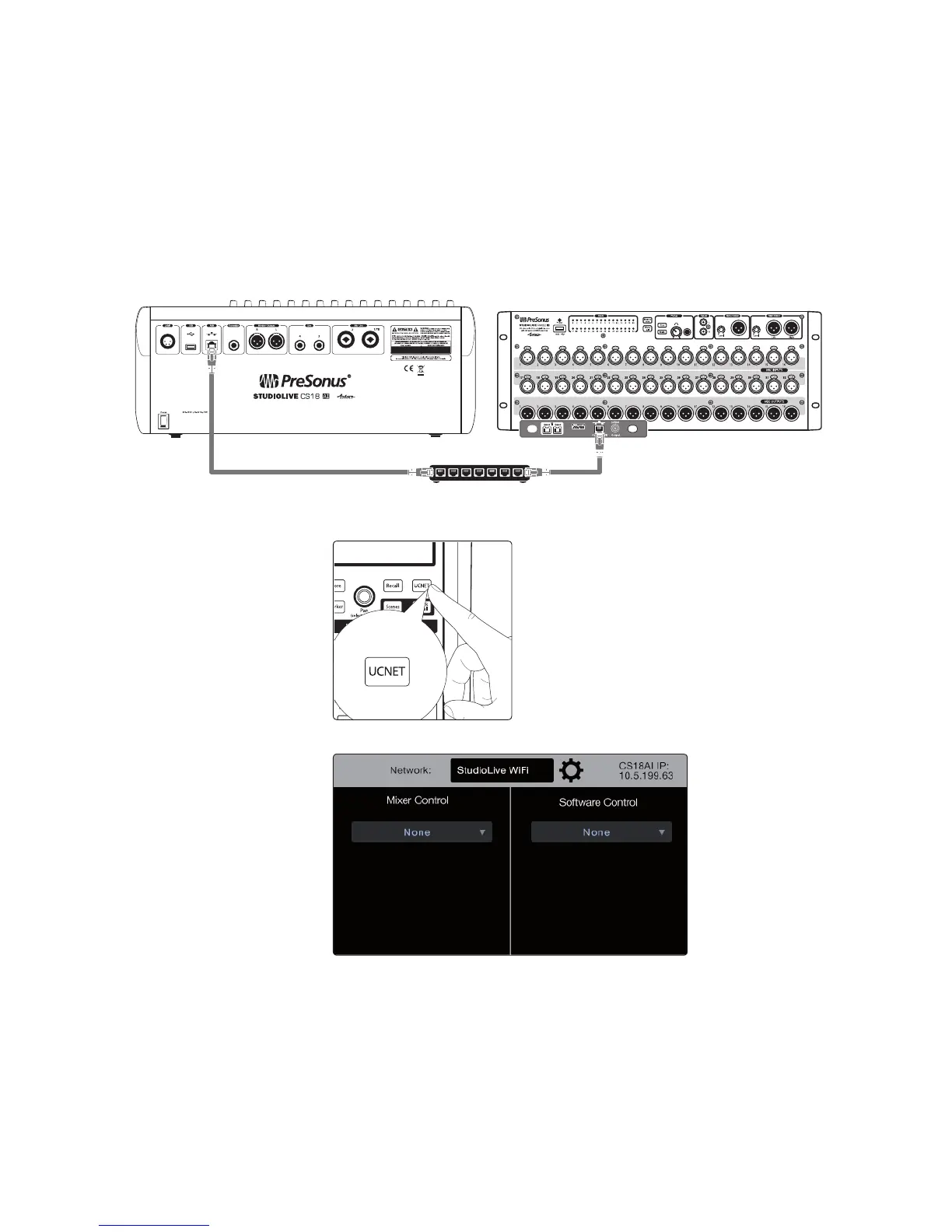
3 Networking the StudioLive CS18AI Control Surface
3.2 Connecting the StudioLive CS18AI to one StudioLive RM Mixer
21
Connecting to Your RM Mixer with an AVB Switch
When connecting using an AVB switch, you can also connect a wireless
router to the AVB switch for wireless control from UC Surface and QMix-
AI. For the most current list of compatible AVB switches please refer to this
article on AVB switches approved for use with PreSonus products.
Note: A standard Ethernet switch allows control of an RM-series mixer
from the CS18AI but routing audio to and from the CS18AI’s audio
inputs and outputs requires an AVB-compatible switch.
1. Connect your StudioLive CS18AI to your StudioLive RM mixer using
an AVB switch, as shown, before powering on your system.
2. Power on the switch and then power on both the CS18AI and the RM mixer.
3. On the CS18AI, press the UCNET button in the Master Control area.
The Network Connection page appears on the display.











 To Next Page