66
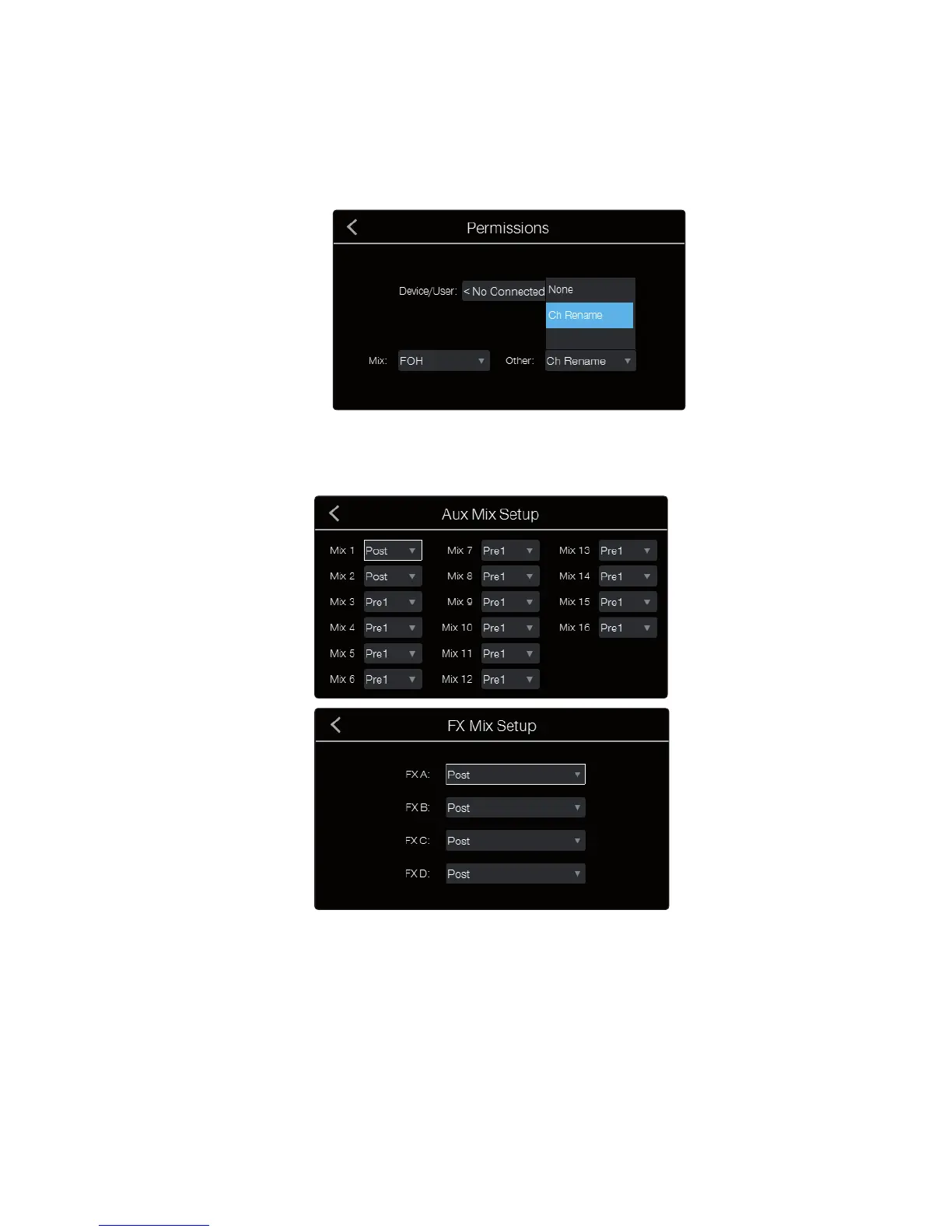
4. Touch the Other field and set the option as desired. For devices running
QMix-AI, the choices are None or Wheel Only. Wheel Only restricts the user
to using only the Wheel of Me on the mix to which the device has access.
For devices controlled by the CS18AI, the choices are None
or Ch Rename. When None is selected, input channel and
aux mix names are locked and cannot be edited.
Aux Mix and FX Mix Routing Setup
The Aux Mix Setup menu is a quick way to configure the pre/
post routing options for all your aux mixes at once.
By default, all aux mixes are set to Pre 1. This places the send of every input
channel to each aux bus before the fader, limiter, EQ, and compressor
but after the Polarity Invert switch, highpass filter, and gate.
Pre 1: Sends each channel to the Aux bus after the
polarity invert, highpass filter, and gate.
Pre 2: Sends each channel to the aux bus after all Fat Channel processing (polarity
invert, highpass filter, gate, compressor, EQ, and limiter) but before the fader.
Post: Sends each channel to the Aux bus after all Fat Channel processing (polarity
invert, highpass filter, gate, compressor, EQ, and limiter) and after the fader.
Power User Tip: Use the Pre 2 position for headphone and in-ear mixes
to give your performers a polished “studio” sound. This setting should be
avoided for floor wedges, as compression can cause feedback problems.











 To Next Page