29
Accessing Filter DCA Groups
Filter DCA Groups can be accessed using the Groups view on
the touchscreen or from the Group Masters layer.
To access a group from the Groups view on the touchscreen:
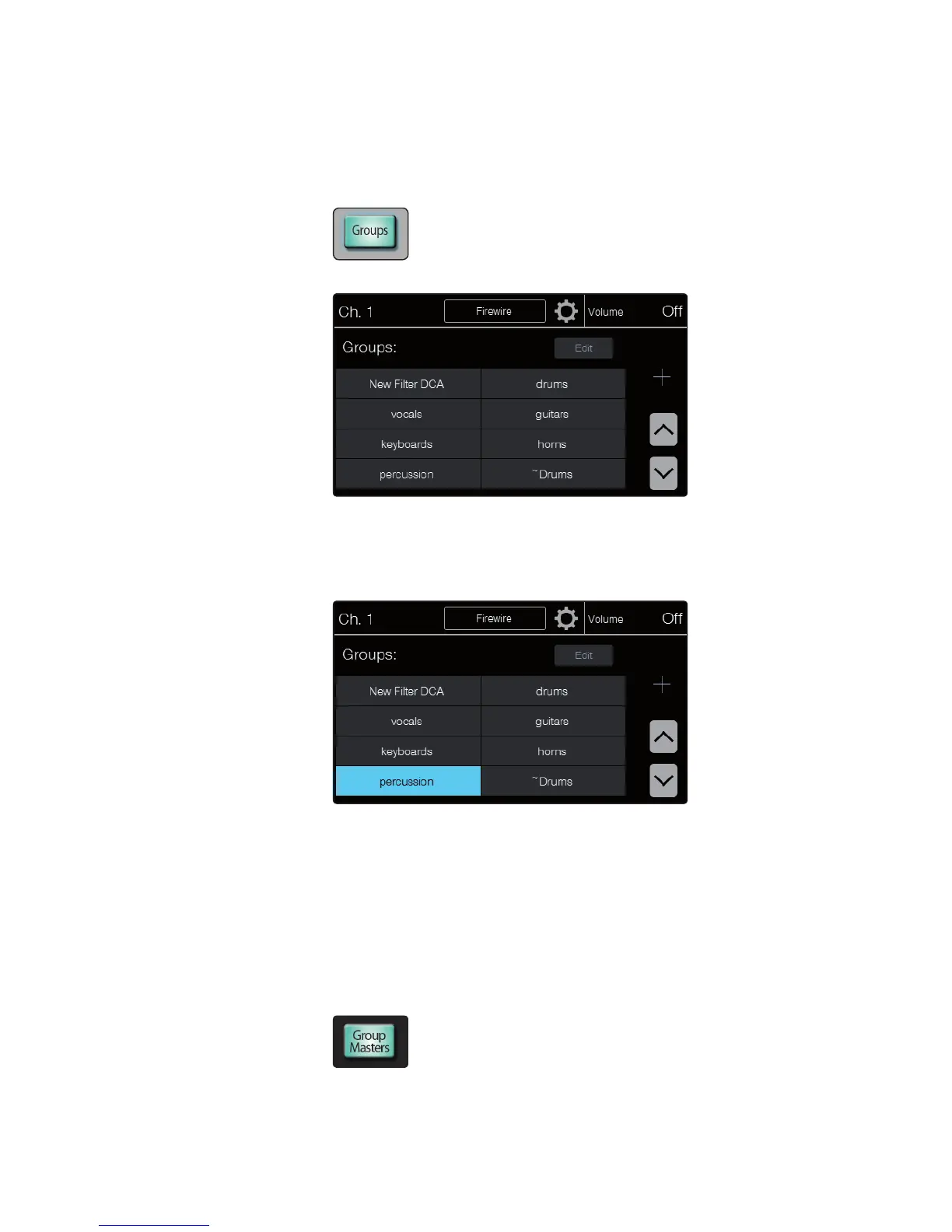
1. Press the Groups button in the Master Control area.
The Groups page appears in the touchscreen.
2. Touch the onscreen button of the group you want to access. If you
don’t see the group you want, use the up and down arrow buttons
to scroll through the list. The onscreen button is highlighted, the
group becomes active, and the group members are available on the
channel strips. The Flex Master fader becomes the group master.
3. When there are more than 16 channels in a group, the
channels are split into multiple layers. Press the Shift button
to access the additional channels in the group.
4. The group remains active on the input channel layers until you exit the
group. To exit a group, return to the Groups page (if necessary) and touch
the button for the group again or touch the button for another group. The
highlight disappears, and the group is no longer active on the control strips.
To access a group from the Filter DCA Group masters:
1. Press the Group Masters button in the Faders area to make the Group Masters
layer active. The channel strips now control the masters for all of the groups.











 To Next Page