41
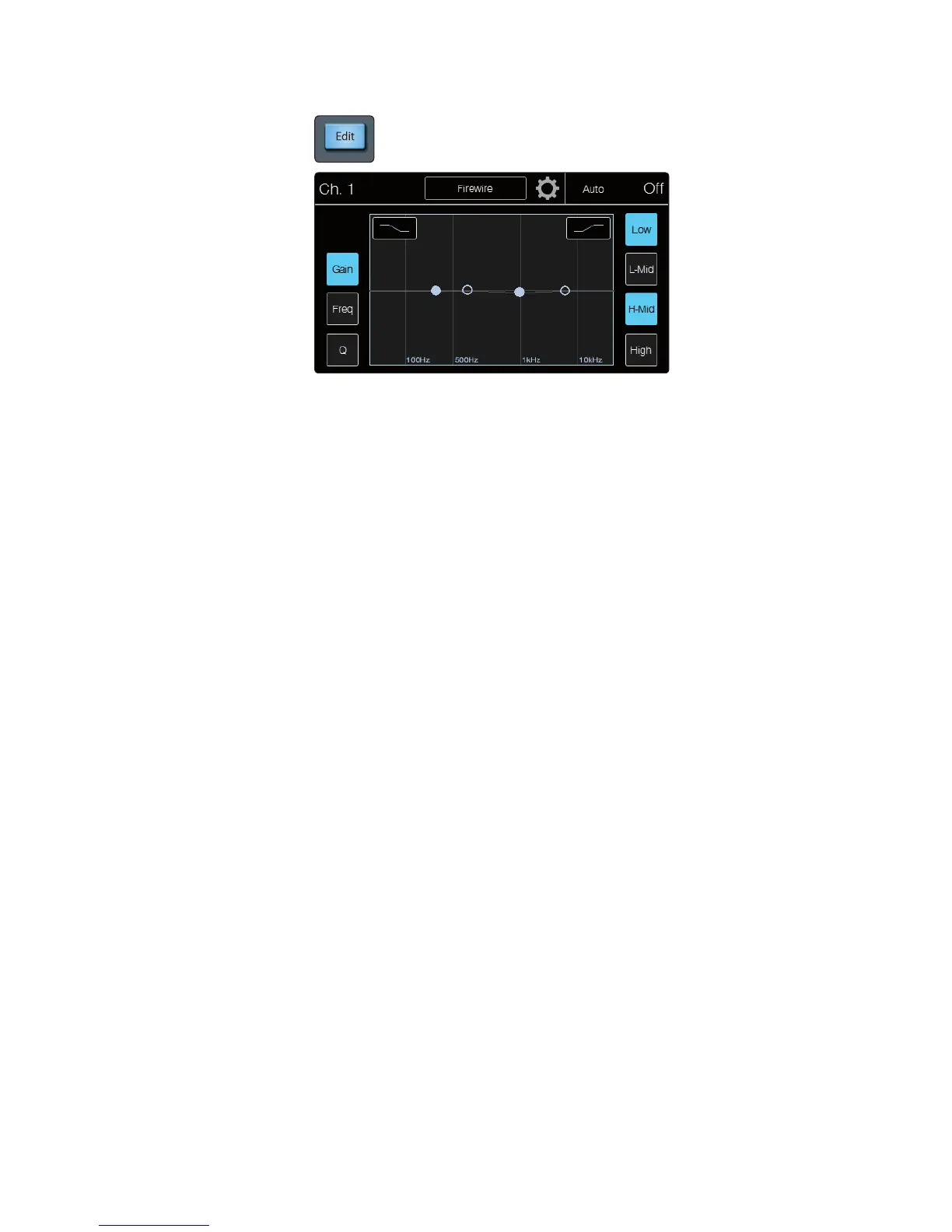
EQ Edit button opens the EQ view on the touchscreen.
The three button on the left of the screen toggle the parameters being
controlled by the four EQ encoders. By default the encoders are set to gain.
They’ll return to controlling the gain when the EQ screen is exited.
Gain sets the four EQ encoders and meters to control the gain of the associated
EQ band. Gain will cut or boost at the center frequency for the Low band.
The level of the center frequency can be set between -15 and +15 dB.
Freq sets the four EQ encoders and meters to control the center frequency
of the associated EQ band. The center frequency is the middle of the
passband (the mean) between the lower and upper cutoff frequencies that
define the limits of the band. You can adjust the center frequency from
36 to 465 Hz on the Low band, 90 Hz to 1.2 kHz on the Low-Mid, 380 Hz
to 5 kHz on the High-Mid, and 1.4 kHz to 18 kHz on the High band.
Q sets the four EQ encoders and meters to control the Q of the associated
EQ band. The Q is the ratio of the center frequency to the bandwidth.
When the center frequency is constant, the bandwidth is inversely
proportional to the Q, so as you raise the Q, you narrow the bandwidth.
In the top left and right corners of the EQ graph are buttons
to engage the High or Low band’s Shelf mode.
Low Shelf turns on the low shelving EQ for the selected input or output bus.
When the Shelf button is not engaged, the Low band is parametric. Enabling
the Shelf button turns the Low band into a low shelving EQ that alters, by a fixed
amount, a band of low frequencies at and below a user-selected frequency.
Power User Tip: A low shelving EQ is like a bass control knob on a stereo. In
this mode, the Center Frequency control selects the shelving frequency.
High Shelf turns on the high shelving EQ for the selected input or output bus.
When the Shelf button is not engaged, the High band is parametric. Enabling the
Shelf button turns the High band into a high shelving EQ that alters, by a fixed
amount, a band of high frequencies at and above a user-selected frequency.
Power User Tip: A high shelving EQ is like a treble control knob on a stereo. In
this mode, the Center Frequency control selects the shelving frequency.
Band On/Off buttons are located on the right of the screen.
These toggle the individual EQ bands on and off.











 To Next Page