38 BEST BOY
®
HP SPOT LUMINAIRE USER MANUAL
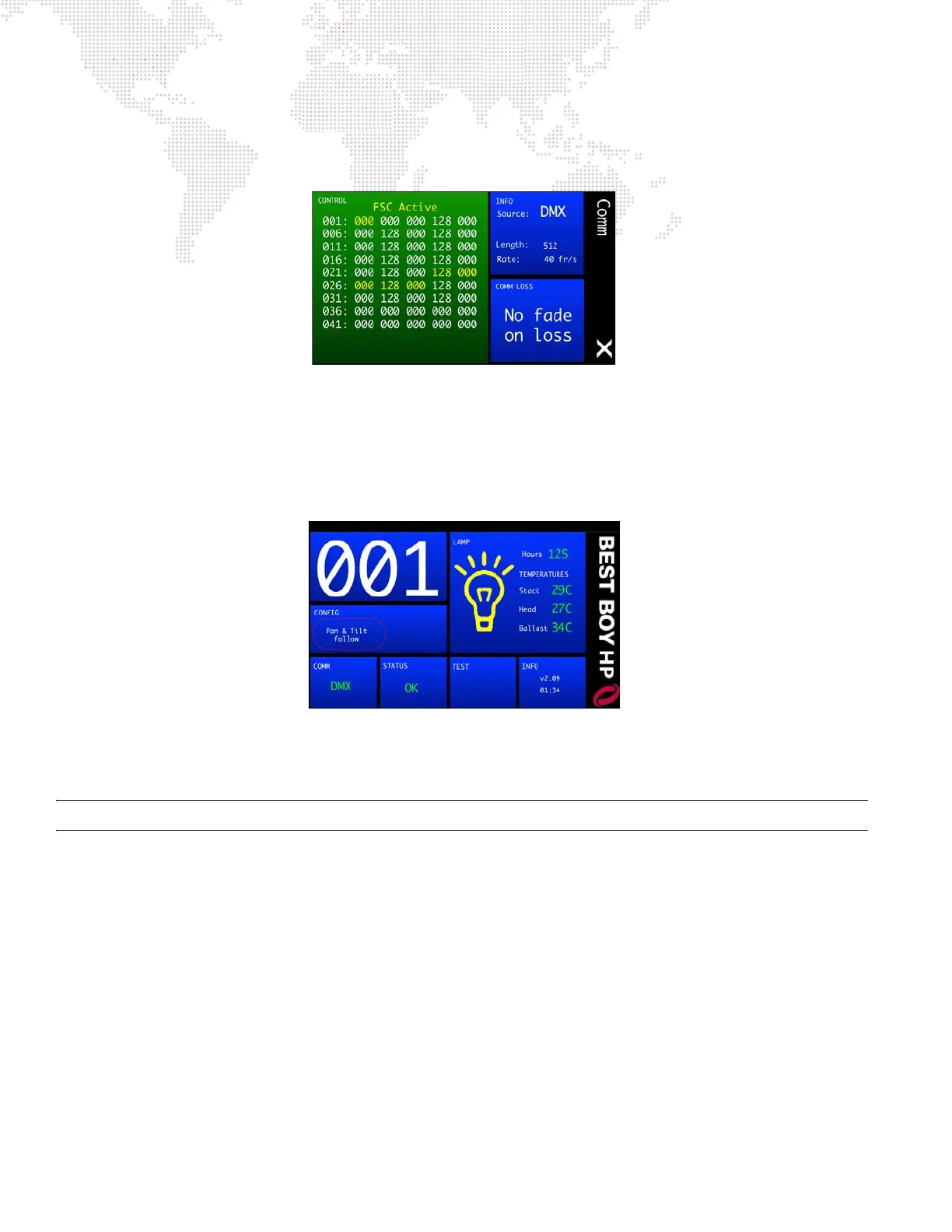
When any or all mechanisms are enabled for followspot control, "FSC Active" will be displayed in the Comm menu.
The DMX channels associated with the active FSC mechanism(s) will be highlighted in yellow to indicate that those
values come directly from the Followspot Controller and are not DMX-controlled.
When any mechanism has been enabled for followspot control, pan and tilt will automatically become free. Pan and
tilt will remain free until Followspot mode is turned off (all mechanisms deselected). At that time, upon exiting the Pan/
Tilt menu, pan and tilt will recalibrate (unless pan/tilt mode is changed to free or locked before exiting the Pan/Tilt
menu).
When pan and tilt are in Free mode due to followspot mechanisms being activated, “Pan & Tilt follow” will be
displayed in the CONFIG panel on the main menu.
Note that the Followspot Controller device does not need to be connected in order to enable followspot control on the
luminaire. If there is no FSC connected while in Followspot mode, the selected mechanisms will simply ignore DMX
until Followspot mode is exited.
Note: The FSC will control the selected mechanisms whether or not DMX is present on the attached fixture.



 To Next Page