BEST BOY
®
HP SPOT LUMINAIRE USER MANUAL 63
Troubleshooting
+ If the LumLoader application does not start up, make sure the Java library is installed.
+ Make sure the network port is active before starting the application. Sometimes it takes several seconds for the
operating system to recognize the network link.
+ Make sure there is only one instance of the LumLoader application running.
+ Wireless should be disabled on the computer.
Software Crossload
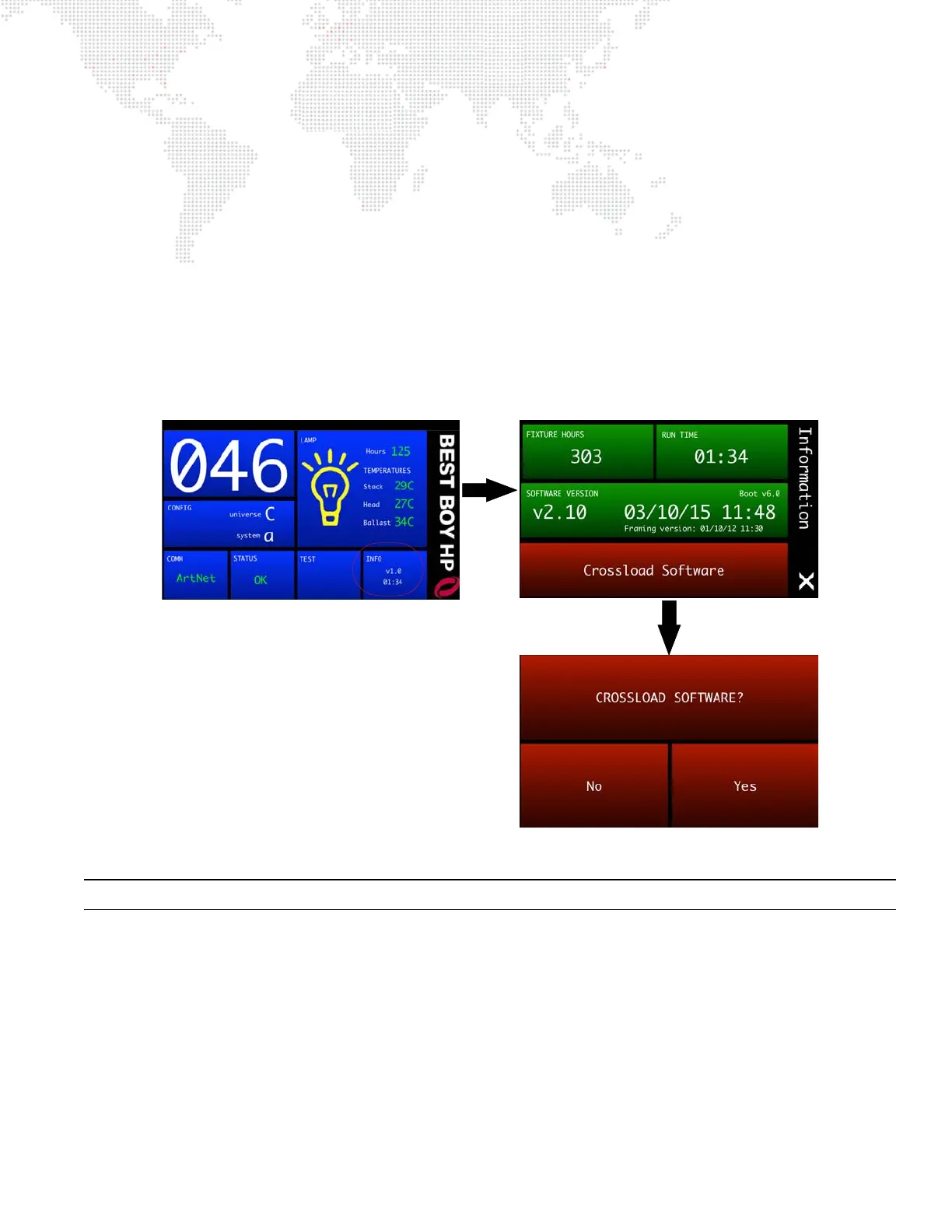
The Information menu provides a method for sending a luminaire’s current software version to all connected
luminaires. (Luminaires can be daisy-chained via DMX512 or Ethernet.)
To initiate the software crossload, press Crossload Software at the Information screen. At confirmation screen, press
"Yes." If a connected luminaire already has that software version, it will do nothing. If it does not have the same
version, it will go into the boot screen and start updating.
Note: There should be no active control (DMX512 or Ethernet) during the update process.



 To Next Page