BEST BOY
®
HP SPOT LUMINAIRE USER MANUAL 69
Removing Head Covers
To access some interior head components, one or both of the Head Covers may need to be removed.
A label on the backcap indicates which wheel components the head cover provides access to.
Parts:
21.9816.0630 2 EA ASSY, HEAD COVER
Tools:
#2 Philips screwdriver
To remove Head Covers:
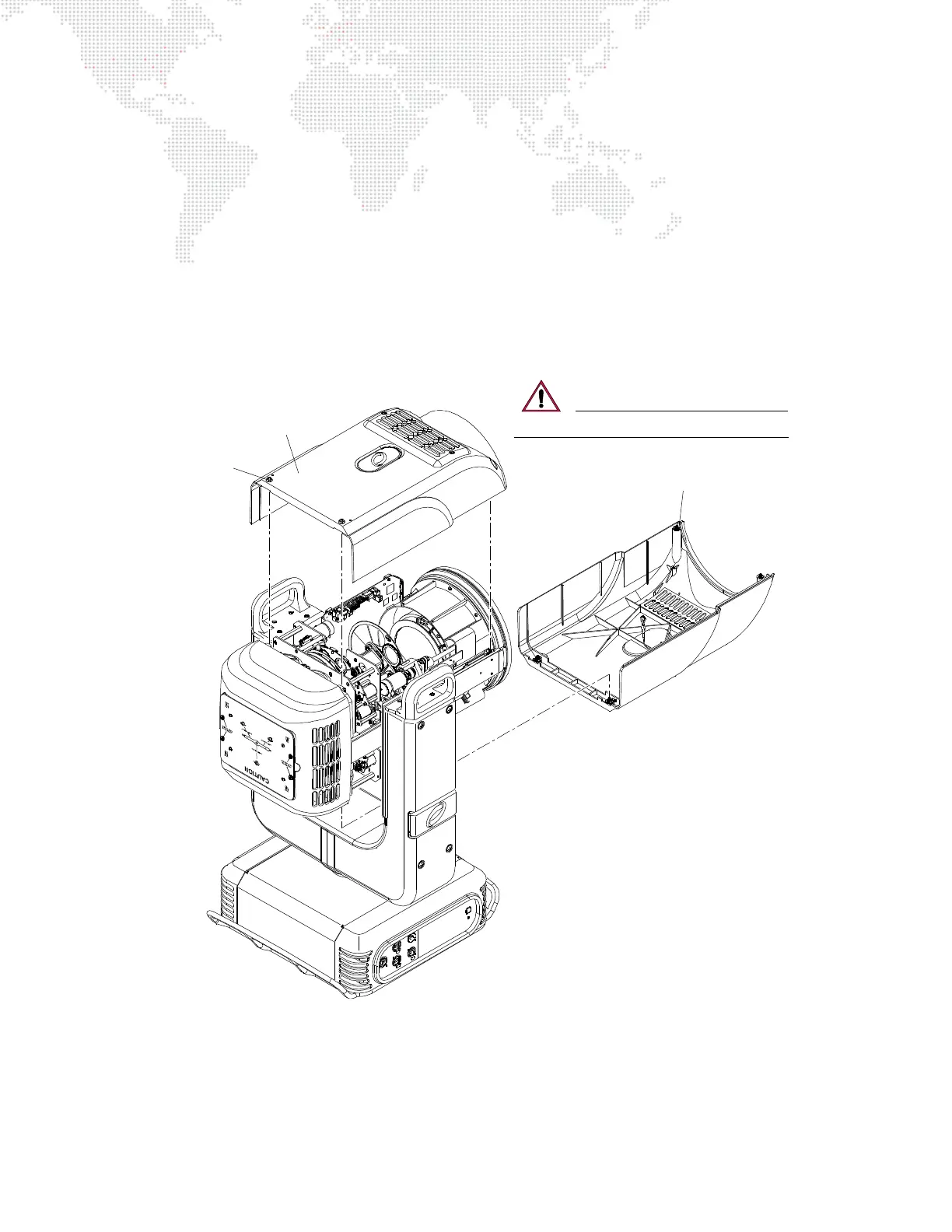
Step 1. At cover, loosen four captive screws (Figure 4-5). (Cover will still be secured by a safety lanyard.)
Step 2. Unclip lanyard to completely remove cover.
Figure 4-5: Removing Head Covers
Step 3. Replace covers as follows:
a. Attach lanyard clip.
b. Fit cover in place.
c. Tighten four captive screws.
R2 / Designer Wheel
Head Cover
R1 Head Cover
Captive
Screw (4)
CAUTION: DO NOT let covers hang by lanyards!



 To Next Page