BEST BOY
®
HP SPOT LUMINAIRE USER MANUAL 79
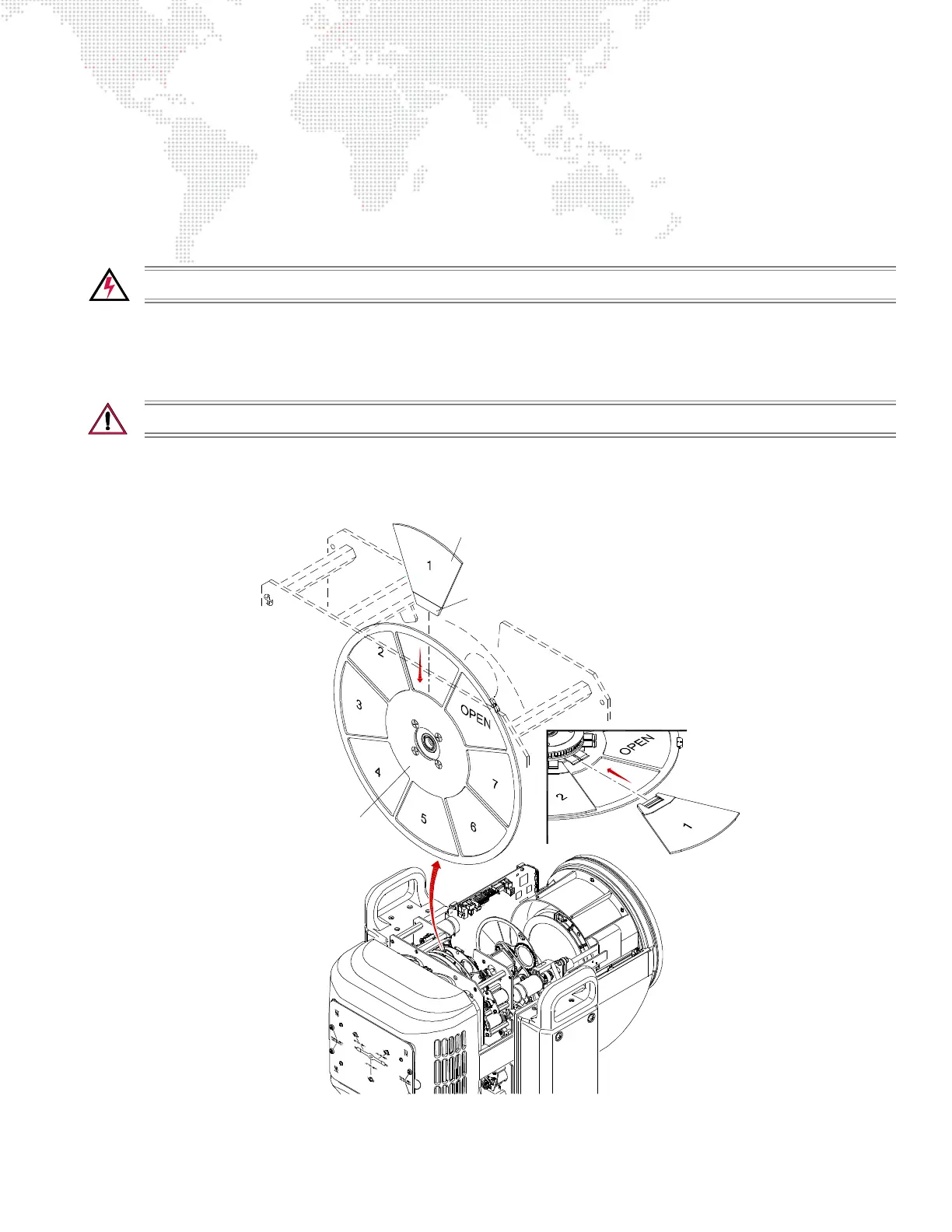
Replacing a Designer Color Filter
Parts:
Designer Color Filter(s), as required. (Refer to "Designer Color Wheel Standard Configuration" on page 7.)
Tools:
#2 Phillips screwdriver
Cotton gloves or finger cots
WARNING: Remove power from luminaire before performing any maintenance procedures.
To replace a designer color filter:
Step 1. Remove power from luminaire.
Step 2. Remove R2/Designer Head Cover. (Refer to "Removing Head Covers" on page 69.)
CAUTION: Do not touch color filters with bare fingers. Wear cotton gloves or finger cots when handling.
Step 3. Rotate wheel until desired designer color filter is accessible (Figure 4-12).
Step 4. Using fingers, grasp frame of color filter and pull straight out of wheel hub.
Figure 4-12: Removing a Designer Color Filter
Designer Color Filter
Wheel Hub
Carrier



 To Next Page