PRODIGY
®
- DIGITAL VAV DIFFUSERS
DISPLAY NAVIGATION
priceindustries.com
|
PRICE PRODIGY
®
- Manual
15
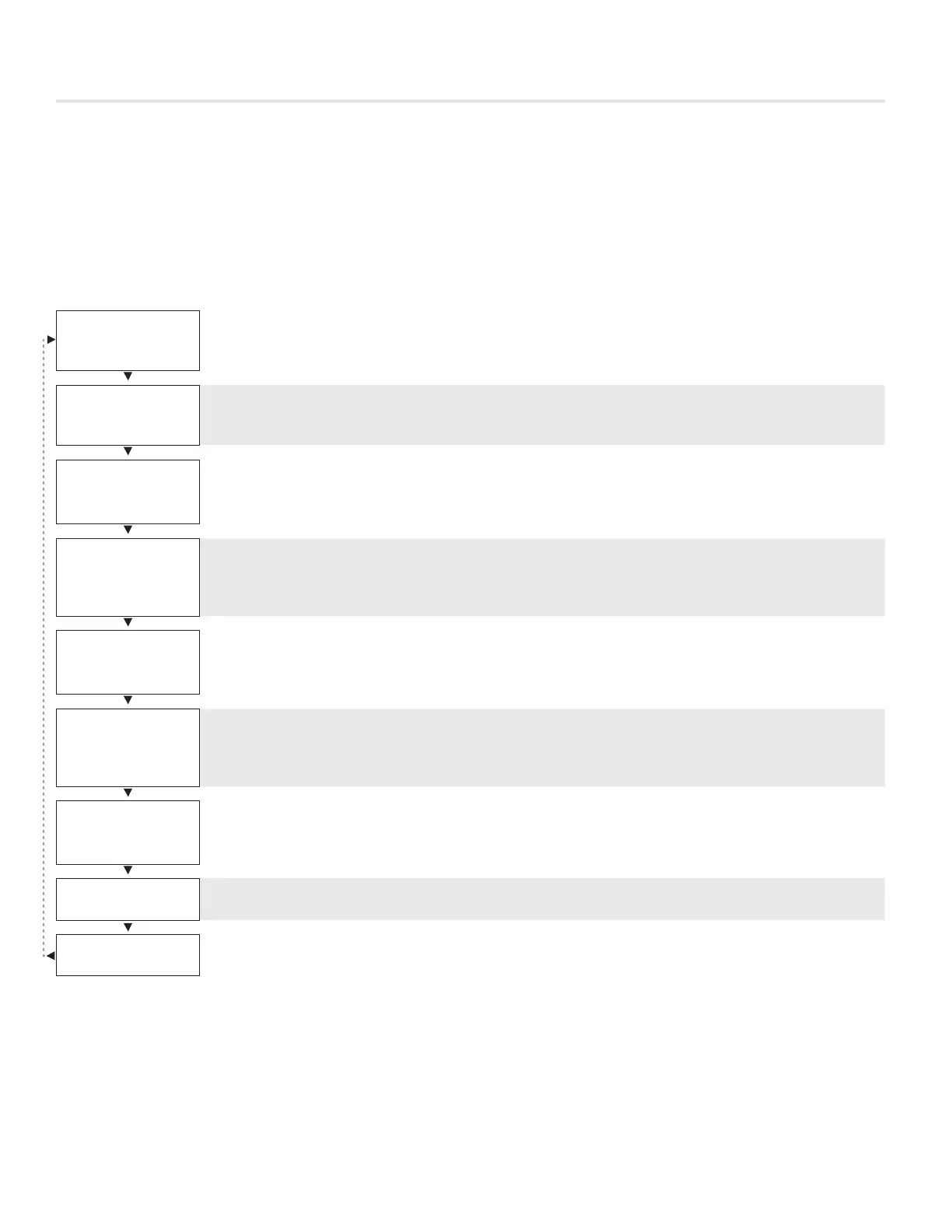
Service Menu
LCD Stats Only
The service menu allows the balancer/installer to access to the controller setup to change settings. For example setting flows,
heating outputs, etc.
Hold down Menu button for 5 seconds; display will show ‘Passcode:’ Use the Up and Down buttons to enter the password in
this sequence: Down, Up, Up, Down
BALANCING
Balancing
· Allows you to force damper open/close/min/max
· See page 16
VVT
VVT
· Allows you to set limits (%) in VVT mode
· See page 17
SETPOINT
Setpoint
· Setup of Setpoint limits (day minimum/maximum)
· °F / °C selection
· See page 18
INPUT
Input
· Shows supply air temperature reading
· Shows if VAV and BACnet modules are attached
· See page 19
OUTPUT
Output
· Allows setup of Aux Binary, Analog outputs
· Allows setup of room light output (motion stat only)
· See page 20-21
BACNET
BACnet
· Allows setup of BACnet addresses
· MAC address, Device Instance Baud Rate
· See page 22
STAT SETUP
Stat Setup
· Allows setup of LCD back lighting, sounds, motion sensor
· Adjustment of HVAC and room lighting timeouts
· See page 23
CO2 SETTINGS
CO2 Settings
· Only available with LCD Tstat with CO2 and Humidity (See page 11)
PRESS MENU
TO EXIT
Exit – This will exit the info menu if you select Yes
Note: Info menu will automatically time out after 60 seconds


 To Next Page