16
PRICE PRODIGY
®
- Manual
|
priceindustries.com
PRODIGY
®
- DIGITAL VAV DIFFUSERS
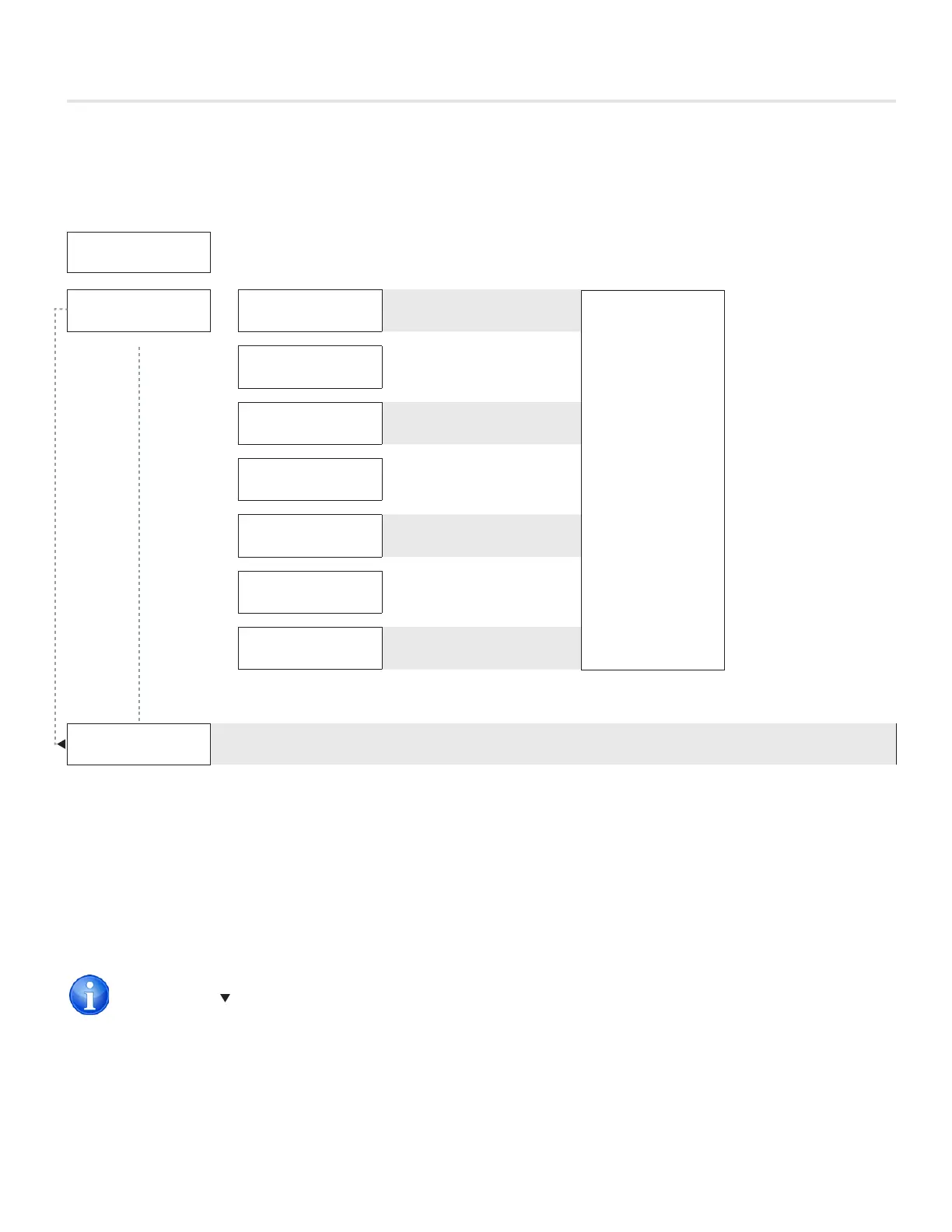
DISPLAY NAVIGATION
BALANCING
DPR. OVERIRIDE*
DISABLED
DPR. OVERRIDE
GOTO COOL MIN
Cool Min
Chases cool min flow
DPR. OVERRIDE
GOTO COOL MAX
Cool Max
Chases cool max flow
DPR. OVERRIDE
GOTO HEAT MIN
Heat Min
Chases heat min flow
DPR. OVERRIDE
GOTO HEAT MAX
Heat Min
Chases heat min flow
DPR. OVERRIDE
GOTO NEUTRAL
Neutral Flow
Chases neutral flow
DPR. OVERRIDE
GOTO FULL OPN
Full Open
Force damper full open
DPR. OVERRIDE
GOTO FULL CLO
Full Close
Force damper full close
PRESS MENU
TO EXIT
Exit – This will exit the info menu if you select Yes
Note: Info menu will automatically time out after 60 seconds
Balancing Menu
Scroll through with Up and Down buttons, press Menu button to apply your changes *---wait---* will display as changes are applied.
TARGET
100%
POS.
60%
· Display shows current
target & position
· Allow 1-5 minutes
for damper to meet
target within 5 %
· Prodigy will remain
in this mode until
user exits the menu
*Also available over BACnet network if diffuser has BACnet option installed.
VAV diffusers are balanced in the full open position. Use the >BALANCING >DPR. OVERRIDE >GOTO FULL OPN to open the
diffuser. Remember to release the override when balancing is complete.
TECH TIP


 To Next Page