Basic Operations (continued)
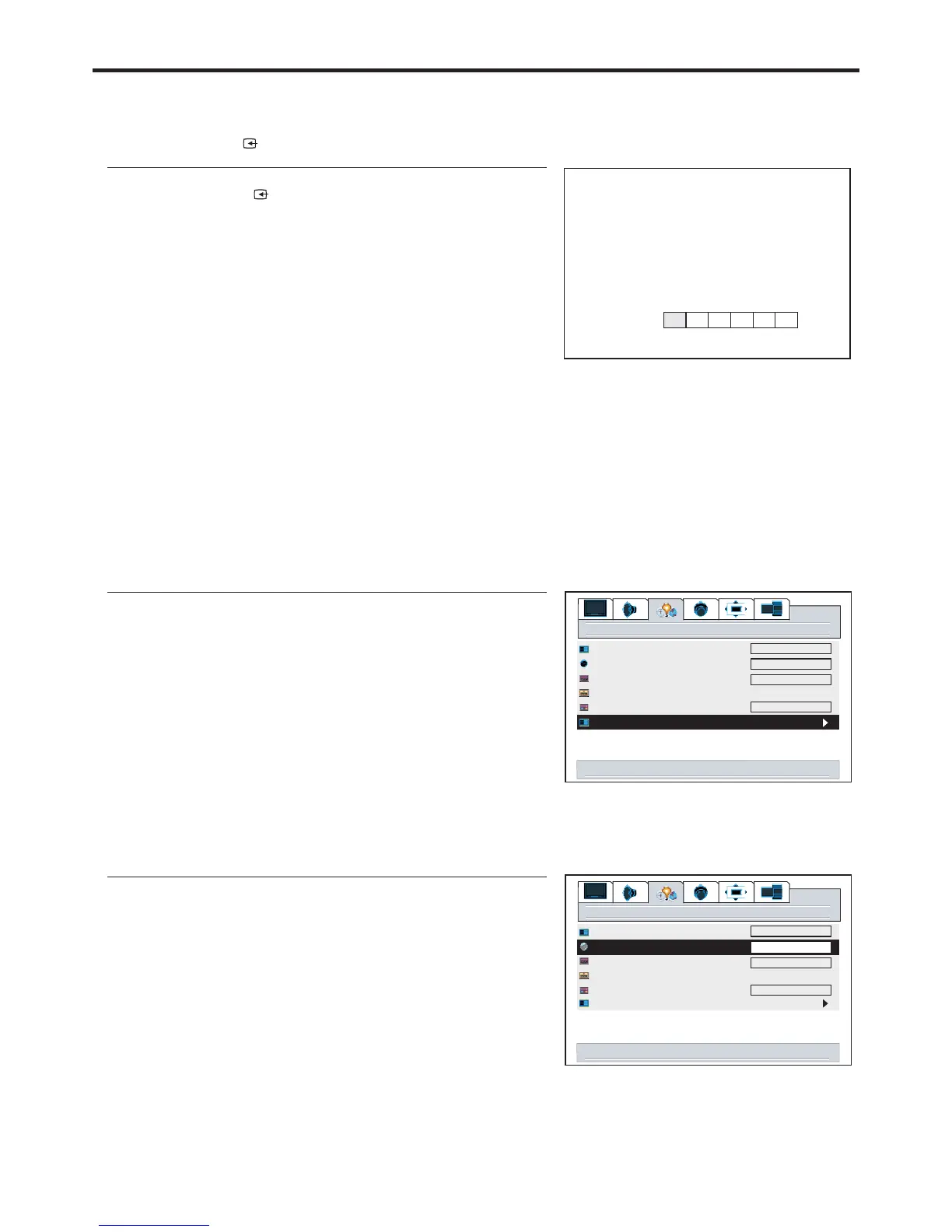
Selecting a MENU language
1
2
3
Press to select the appropriate language:VOL+/-
4
5
Select input source signal
11
2
Press to confirm and the unit display signal from
the selected input channel.
ENTER
3
source
VGA
AD
C1 C2
AV TV
A --------VGA, select signal from VGA (15-pin D-sub) terminals.
D--------DVI, select signal from DVI terminals.
C1 ------YPbPr1/ , select signal from YPbPr1/ terminals.
C2 ------YPbPr2/ , select signal from YPbPr2/ terminals.
AV ------VIDEO (SVIDEO), select signal from S-Video or Video terminal.
The S-Video is prior to Video terminal when they are connected at the same time.
TV ------Select TV signal.
YCbCr1 YCbCr1
YCbCr2 YCbCr2
settings
menu background
language
close caption mode
close caption off on on mute
close capt. background
source select
opaque
cc1
English
right/left to source select
Using the SOURCE button
1
3
4
2
Using source select menu
5
Press to confirm and the unit displays signal from
the selected input channel.
ENTER
6
opaque
settings
menu background
language
close caption mode
close caption off on on mute
close capt. background
source select
opaque
cc1
right/left to change language
opaque
English
22
Note:
This unit identifies the type of component video terminals automatically. If you connect
the screen displays on the bottom-right corner. Similary, if the componentterminals,
Y, Cb, Cr
YCbCr detected


 To Next Page