Adjusting Parental Control Settings (continued)
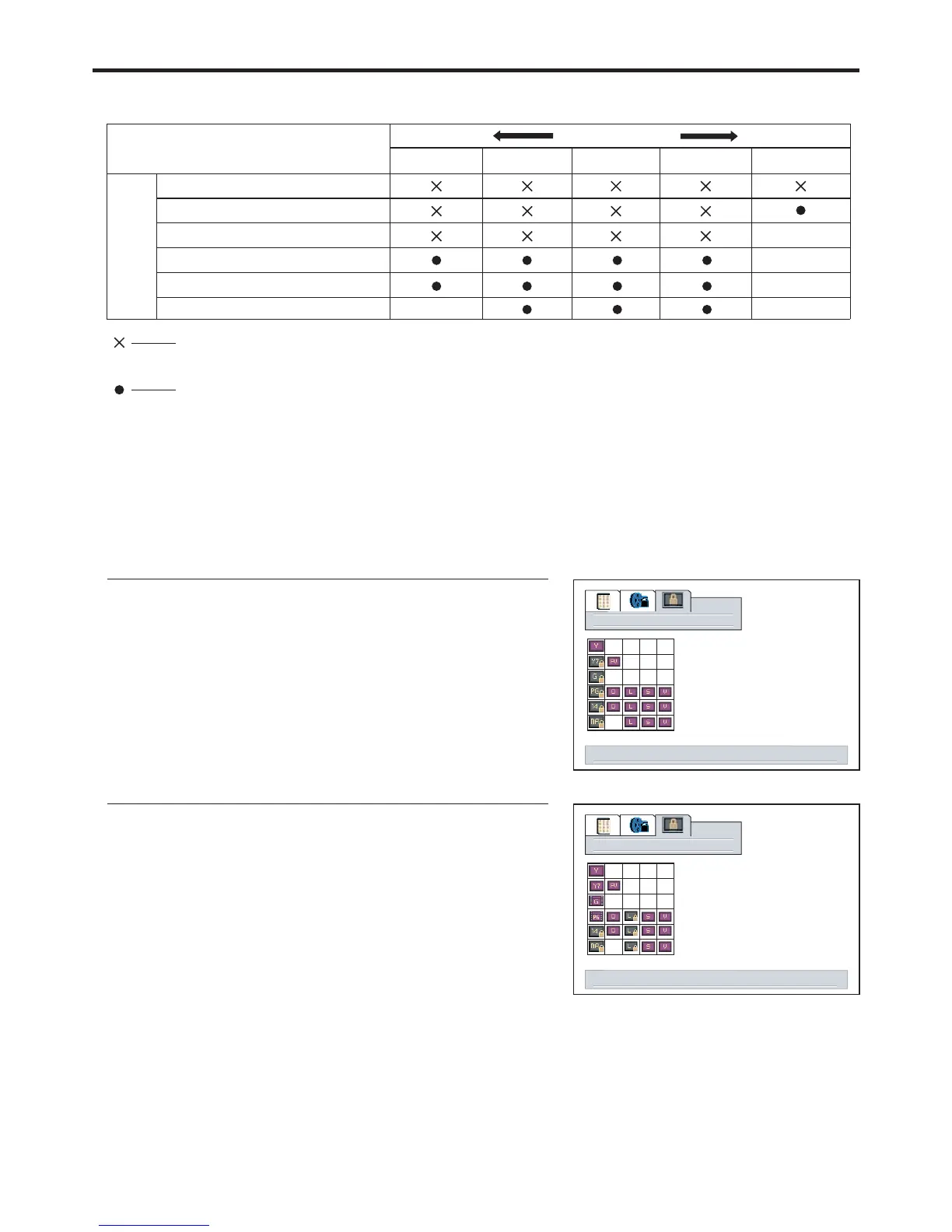
[2] TV Parental Guidelines
Rating
age
based
Note:
Age-based ratings can be modified by the content-based ratings but only in the combinations indicated
by an in the table above.=
TV-Y (All children)
TV-Y7 (Direct to Older Children)
TV-G (General Audience)
TV-PG (Parental Guidance
Suggested)
TV-14 (Parents Strongly
content based
FVV
S
LD
Content Rating can be set but this Rating
is not normally broadcast by TV Station.
Content Rating can be set.
D:
L:
S:
V:
FV:
Sexually Suggestive Dialog
Adult Language
Sexual Situation
Violence
Fantasy Violence
Example 1:
Example 2:
tv blocking
When TV-Y7 in the age-based rating is set to BLOCK, this will
automatically block the higher ratings: TV-G, TV-PG, TV-14
tv blocking
When TV-14 in the age-based rating is set to BLOCK, this will
automatically block the higher ratings: TV-MA.
In addition, if you block “L” sub-rating in TV-PG, then the “L”
sub-ratings in TV-14 and TV-MA will automatically be
select to adjust tv blocking level, menu to return
select to adjust tv blocking level, menu to return
38



 To Next Page