-!change the password of the WiFi network created by EAGLE
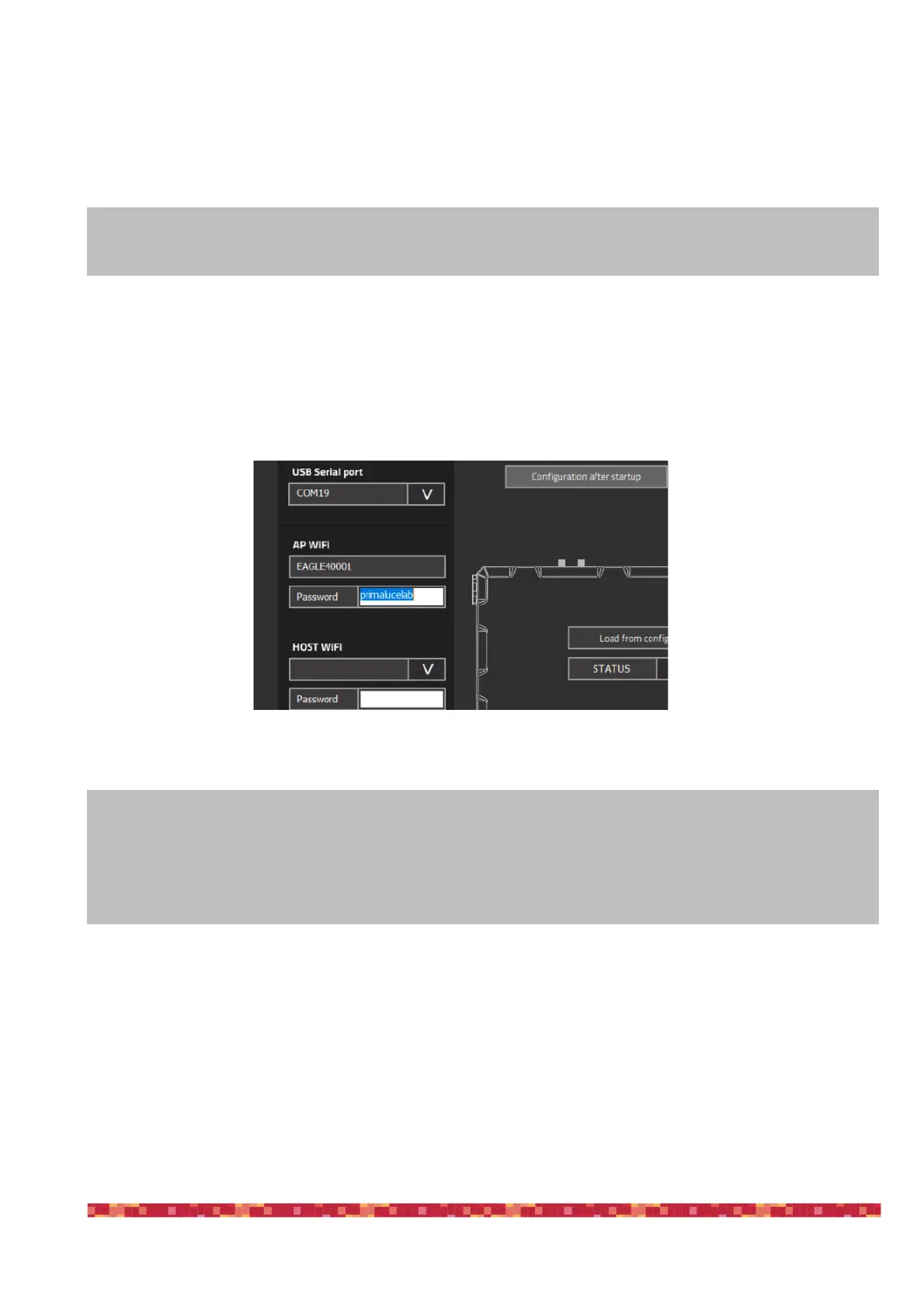
By default, EAGLE generates a WiFi network with EAGLExxxxx name (where xxxx is the serial number of your EAGLE) as
reported also in the front part of the EAGLE. Default password is primalucelab but you can change it for your safety.
In order to do this, please click the ADVANCED PARAMETERS button. In the WiFi area, you can see the WiFi network name
created by your EAGLE (“AP WiFi”). You can modify the “password” field with the password you prefer and click OK to con-
firm (image 36). NOTE: The password has to be 8 characters long, it may contain both letters and numbers, without spa-
ces.
This way, if you’re using the telescope together with other EAGLE users, only you will be able to access to your
EAGLE AP WiFi network.
NOTE!
1) after changing the password, you will need to access the WiFi network created by EAGLE again from
your control device.
2) do not lose your password otherwise you will no longer be able to access EAGLE remotely.


 To Next Page