First use: remotely control devices with EAGLE Manager
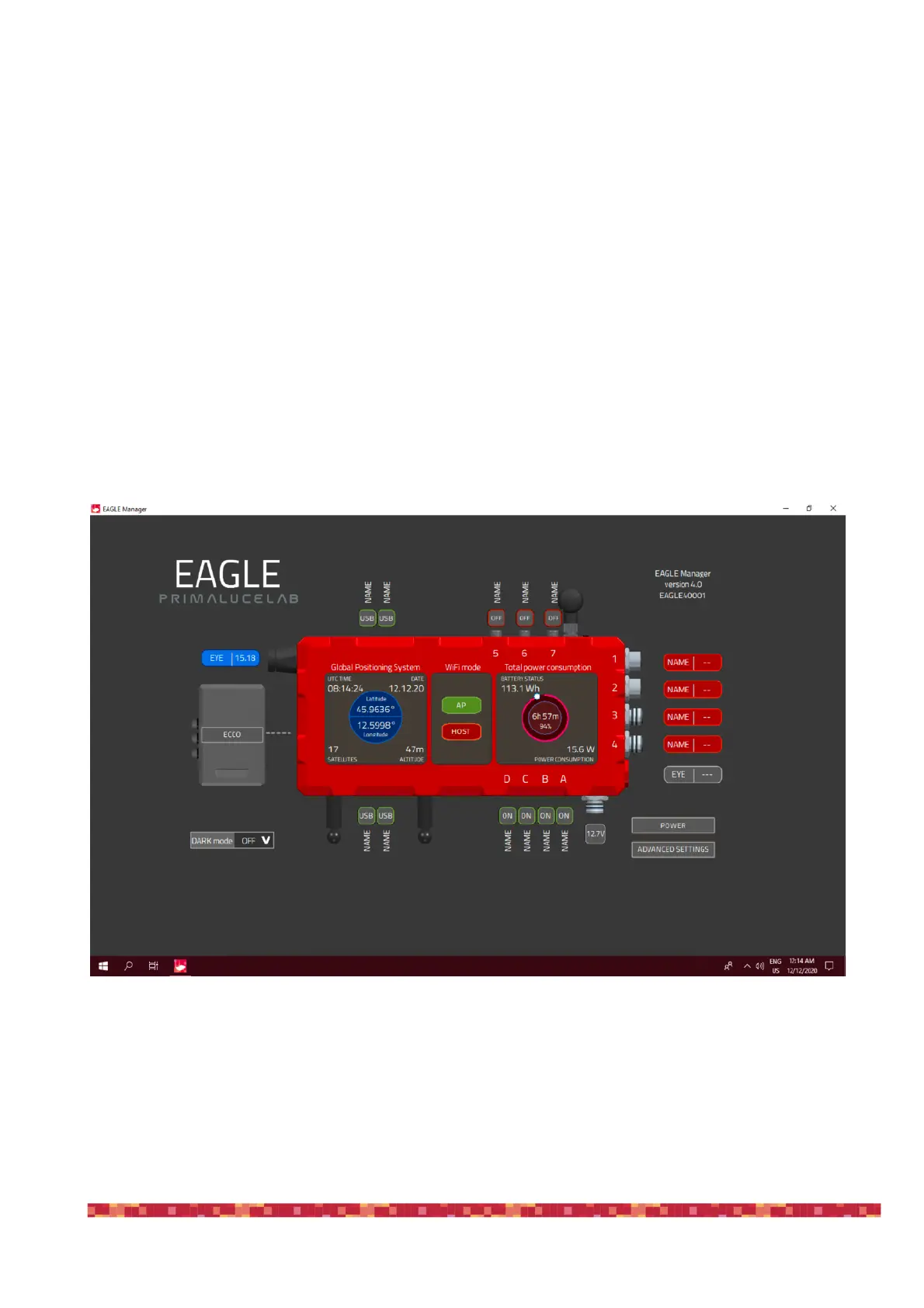
When you remotely (with WiFi or Ethernet wired connection) connect to the EAGLE, you will see the EAGLE Manager con-
trol interface. Thanks to EAGLE Manager, you can:
- Enable/Disable every 12V power out port.
- Check for GPS data
-
Check for EYE sky quality
-
Set the power out voltage of the 3 x 0-12V power out ports
- Activate DARK mode: this turns off all the LED lights
- Connect or disconnect devices connected to the four USB 2.0 ports
- Check power consumption and battery lifetime
-
Set WiFi connectivity
-
Set your automatic power routines


 To Next Page