- Check for GPS data
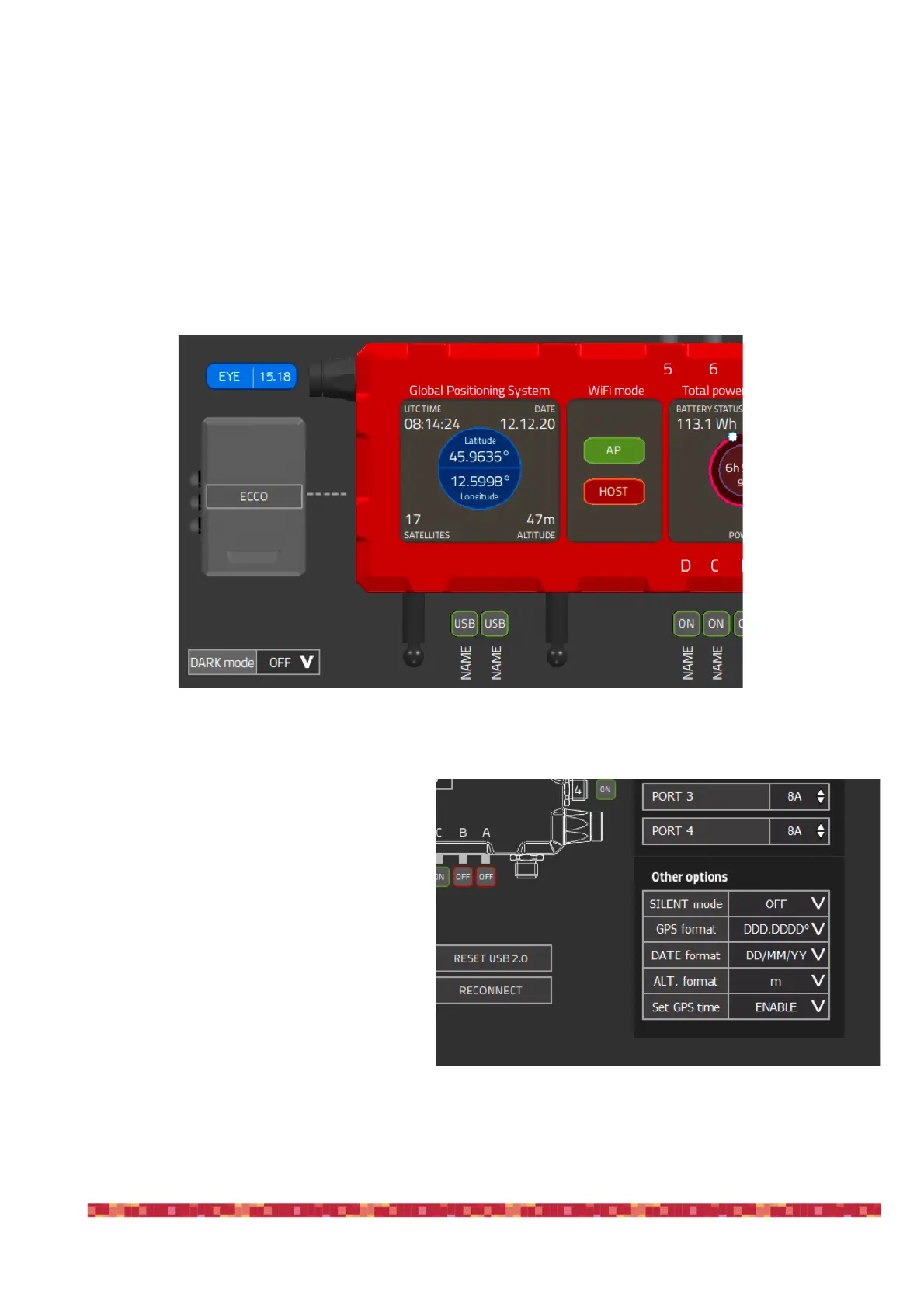
In the left part of the EAGLE Manager interface you can see data automatically captured by the GPS sensor (image 37):
•
UTC Time
•
Date
•
Latitude
•
Longitude
•
Number of satellites
•
Altitude
Under ADVANCED SETTINGS (image 38) you can
modify how the GPS data is visualized. You can
set:
•
GPS format in DDD.DDDD° or DD°MM’SS’’
•
DATE formate in DD/MM/YY or MM/DD/YY
•
ALTITUDE format in m (meters) or ft (feet)
Here you can also modify the “Set GPS time” op-
tion. If it’s set to ENABLE (default), EAGLE Mana-
ger will automatically write UTC time to Widows.
This way the software you use for astrophotogra-
phy will control the telescope with greatest preci-
sion. You just have to select your correct Time
Zone in “Date & time” Windows options. In order
to do this, please click on the date and time (bot-
tom-right part of Windows) and select “Date and
time settings”.


 To Next Page