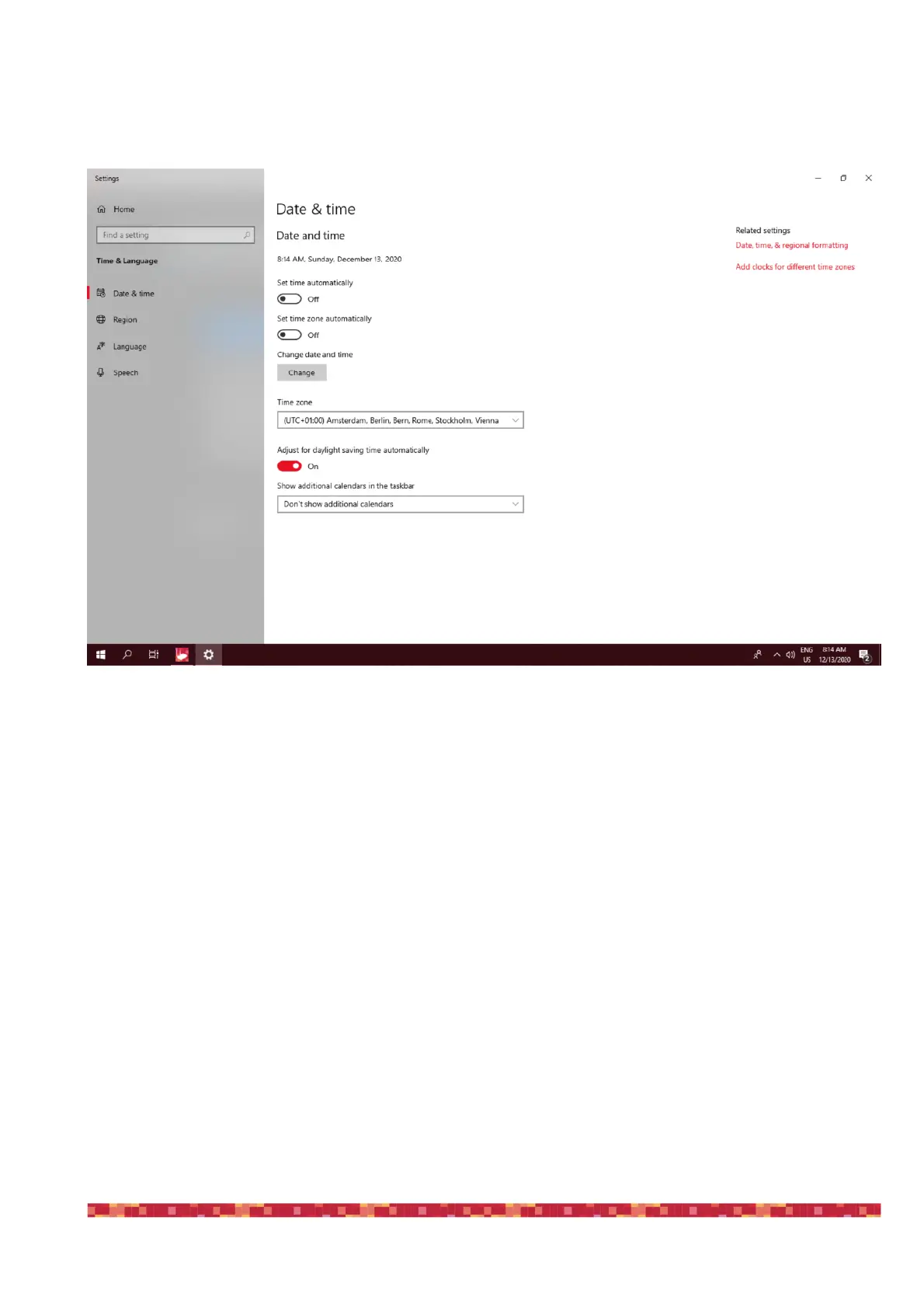
This will open a new window. Here please check that the options “Set time automatically” and “Set time zone automati-
cally” are both deselected and, user Time Zone, please select your.
This way, every time you will turn on the EAGLE and GPS sensor will detect EAGLE’s position and time, Windows time will
be automatically updated. If you want to manually set your time, in the same Windows window you can manually set
time, in this case please set as DISABLE the “Set GPS time” option in ADVANCED SETTINGS of the EAGLE Manager.


 To Next Page