5
SPA21 SURROUND AMPLIFIER USER GUIDE
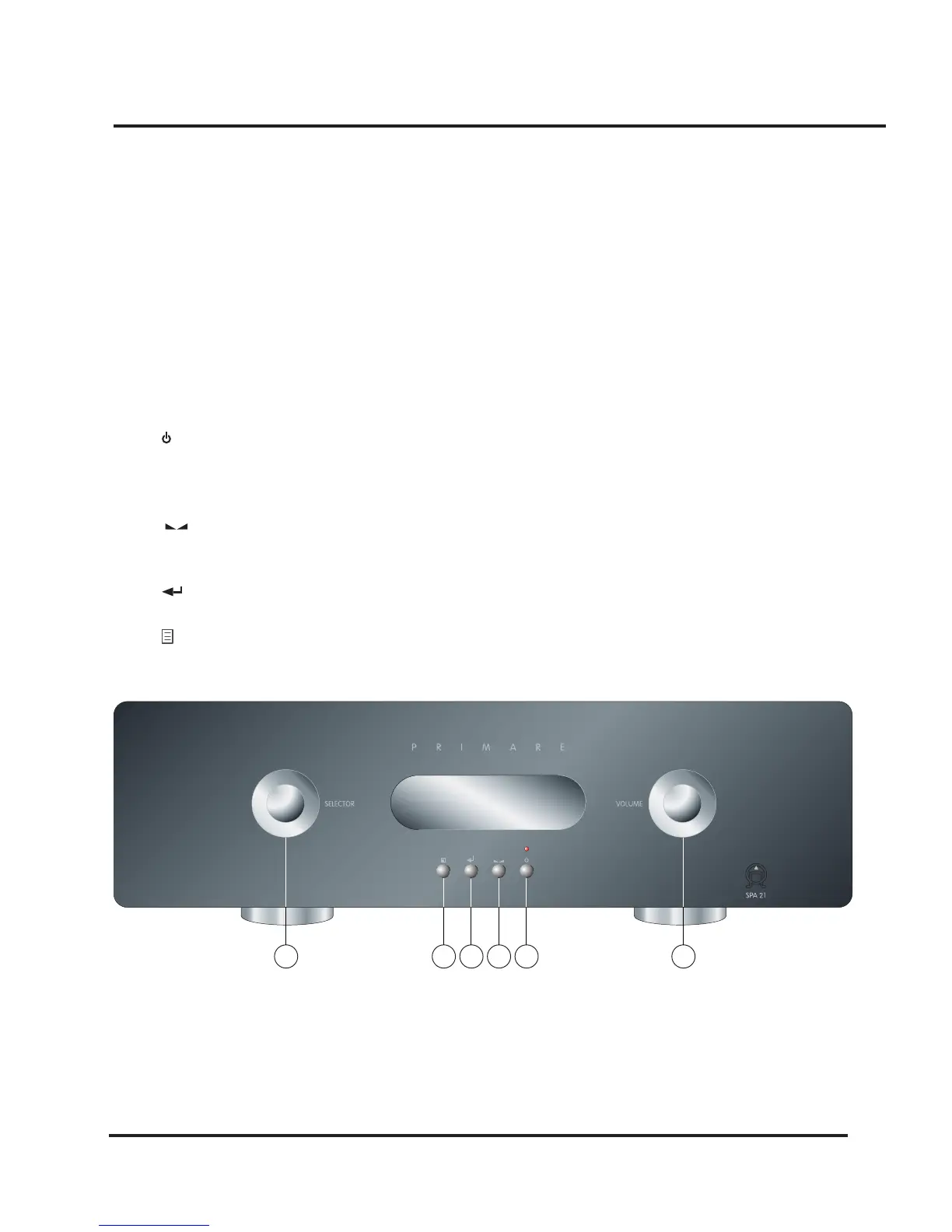
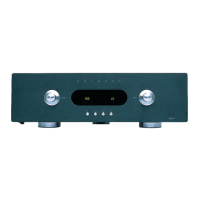
Front panel controls
Almost all the functions of the SPA21 Surround
Amplier can be accessed using the two front panel
controls and four push buttons, and information about its
operation is displayed on the front panel display:
A. The SELECTOR selects an input, or operates the on-
screen menus.
B. The VOLUME control changes the volume, changes
a setting selected with the LEVEL button, or operates
the on-screen menus.
C. The button switches the SPA21 to standby mode
or to on if you press it and hold it for a few seconds.
If you only press and release (as a normal push) it will
simply mute the SPA21.
D. The button selects the balance and the idividual
volume controls for front, center, surround and sub-
woofer.
E. The
button on the front or the
SELECT
button on
the remote control selects the current menu option.
F. The button selects the on-screen menus.
HOW TO GET STARTED
A
BF
E D C


 To Next Page