12
SPA21 SURROUND AMPLIFIER USER GUIDE
13
SPA21 SURROUND AMPLIFIER USER GUIDE
USING MENUS
This chapter explains how to use the menus, how
to save and recall congurations. It also explains
how to change surround mode.
Using the main menu
The advanced options described in this chapter are all
available from the MAIN MENU, which you can display
on the on-screen display using the remote control.
To display the main menu
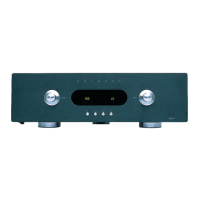
• Press the button on the front panel or remote con-
trol.
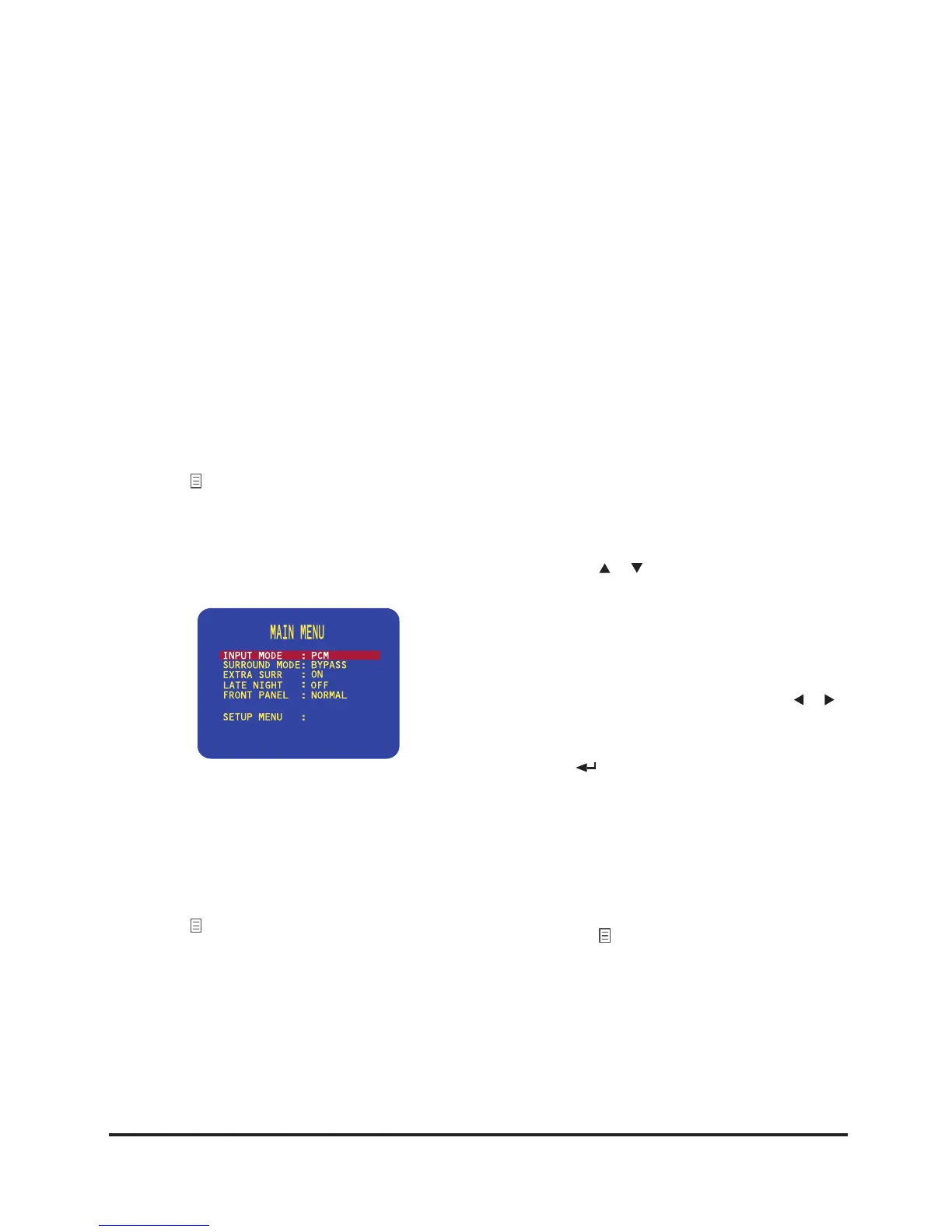
The MAIN MENU will be displayed on the on-screen
display:
The INPUT MODE option is initially highlighted to
show that it is selected.
To exit from the main menu
• Press the button on the front panel or remote con-
trol.
Using the menus
You can select a menu option, and change its value, using
either the front panel controls or the remote control.
To select a menu option
Either:
• Turn the SELECTOR to highlight the menu option
you want to select.
Or:
• Press the or buttons on the remote control to step
between the menu options.
To change the currently highlighted option
Either:
• Turn the VOLUME control or press the or but-
tons on the remote control to step between the alterna-
tive values for the current menu option.
• Press
on the front panel or the
SELECT
button on
the remote control to choose the highlighted option.
Selecting some menu options displays a further menu
of options which you can select and change in a similar
way.
To exit from the current menu
• Press the button on the front panel or remotecontrol.
From the main menu this returns to normal operation of
the SPA21. From the submenus this exits to the previous
menu.


 To Next Page