6
SPA21 SURROUND AMPLIFIER USER GUIDE
7
SPA21 SURROUND AMPLIFIER USER GUIDE
HOW TO GET STARTED
Selecting a preset source
The SPA21 Surround Amplier allows you to dene up
to 15 sources. Each source can use one of the four digital
and eight or ve plus one external analog input, and any
source can be combined with one of the video inputs.
These ve sources shown below are a selection of standard
preset sources.
Source Audio Video Surround Description
mode
CD Analog 1 None Bypass High quality CD
player
DVD Digital 2 S-Video 1 2-CH DVD player
Tuner Analog 2 None Stereo FM radio tuner
TV Analog 3 Video 1 Dolby Pro Television or
Logic II monitor
Sat Analog 5 Video 2 Dolby Pro Satellite receiver
Logic II
To select a source
• Turn the SELECTOR control on the front panel until
the name of the source is shown on the front panel
display.
For example:
• Alternatively, press the or buttons on the remote
control to step between sources.
You will nd more details about what the SPA21
Surround Amplier provides in the following chapters.
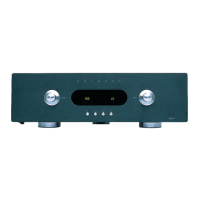
Front panel display
The following illustration shows the information on the
front panel display:
1. Currently selected input, Mute, or level setting.
2. Volume setting.
To dim the front panel display
• Press the DIM button on the remote control.
The display will dim to a single bar. The normal display
will reappear while you adjust any settings.
To restore the front panel display
• Press the DIM button again.
1
2


 To Next Page