15
SPA21 SURROUND AMPLIFIER USER GUIDE
USING MENUS
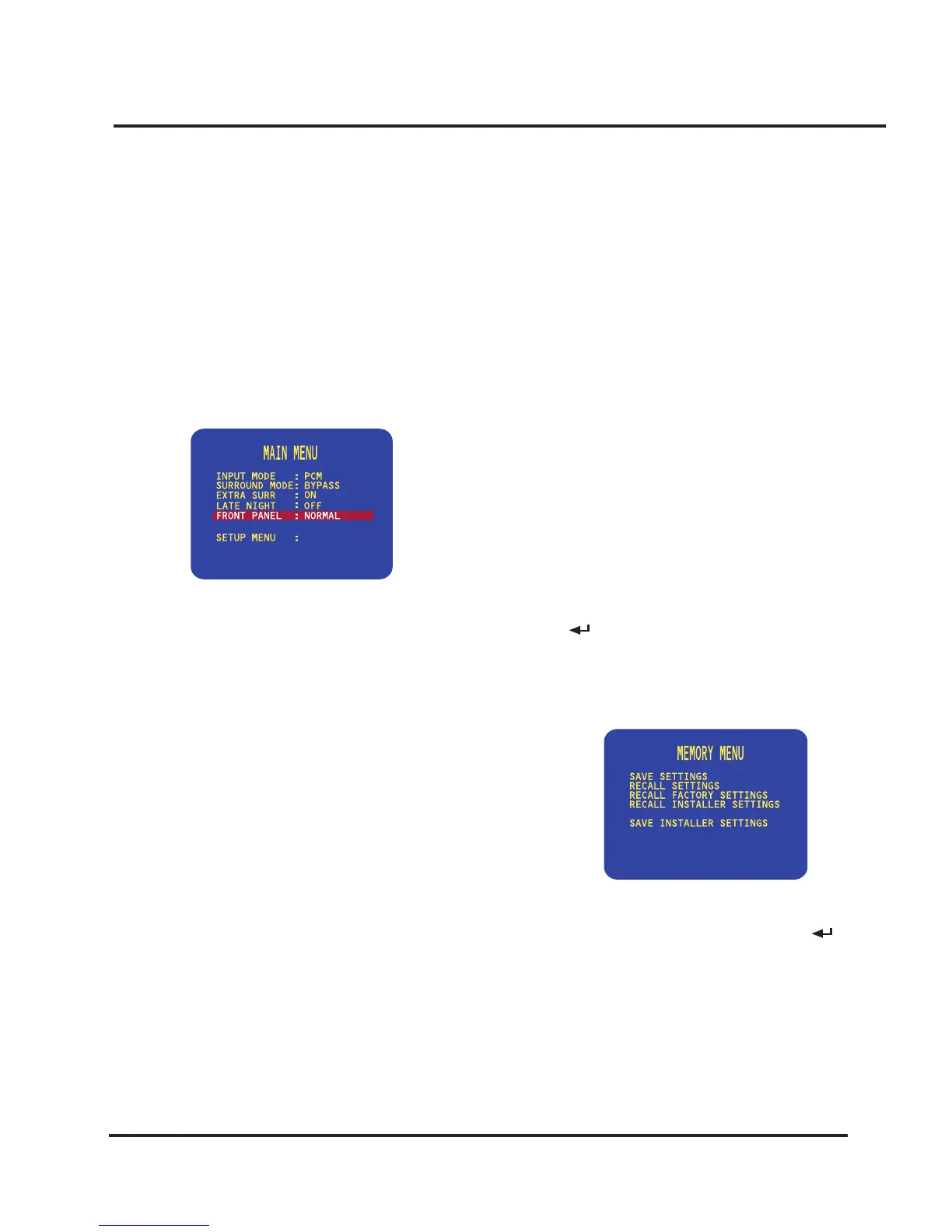
Locking the front panel
If you always control the SPA21 Surround Amplier with
the remote control, you may prefer to lock the front panel
controls so they cannot be used.
To lock or unlock the front panel
• On the MAIN MENU highlight the FRONT PANEL
option.
• Change the menu option to LOCKED to lock the
front panel, or NORMAL to unlock it:
You can always unlock the front panel by switching the
SPA21 off and on again, using the main switch.
Saving the conguration
Once you have dened your own custom set of inputs,
and have calibrated the speaker settings and other congu-
ration options to suit your own requirements, you should
save your settings permanently in the SPA21. You can
then return to your saved settings at any time using the
RECALL SETTINGS option to undo any subsequent
conguration changes.
If the SPA21 was set up for you by an installer, the
installer will have saved a set of installer settings. You can
also return the SPA21 to these settings using the RECALL
INSTALLER SETTINGS option.
Finally a RECALL FACTORY SETTINGS option is pro-
vided, to return the SPA21 to the default factory settings.
After saving or recalling settings always wait at least 10
seconds before switching off the unit using the main
switch.
To save your settings
• Highlight MEMORY in the SETUP MENU and press
the
button on the front panel or the
SELECT
but-
ton on the remote control to select it.
The MEMORY MENU will be displayed:
• Highlight SAVE SETTINGS and press the
button
on the front panel or the
SELECT
button on the remote
control to select it.


 To Next Page