Eureka3 User Manual
Eureka3 Page 27
5.5 Pipe Details
It is recommended that a measuring wheel is used
to accurately measure the length of each section of
pipe.
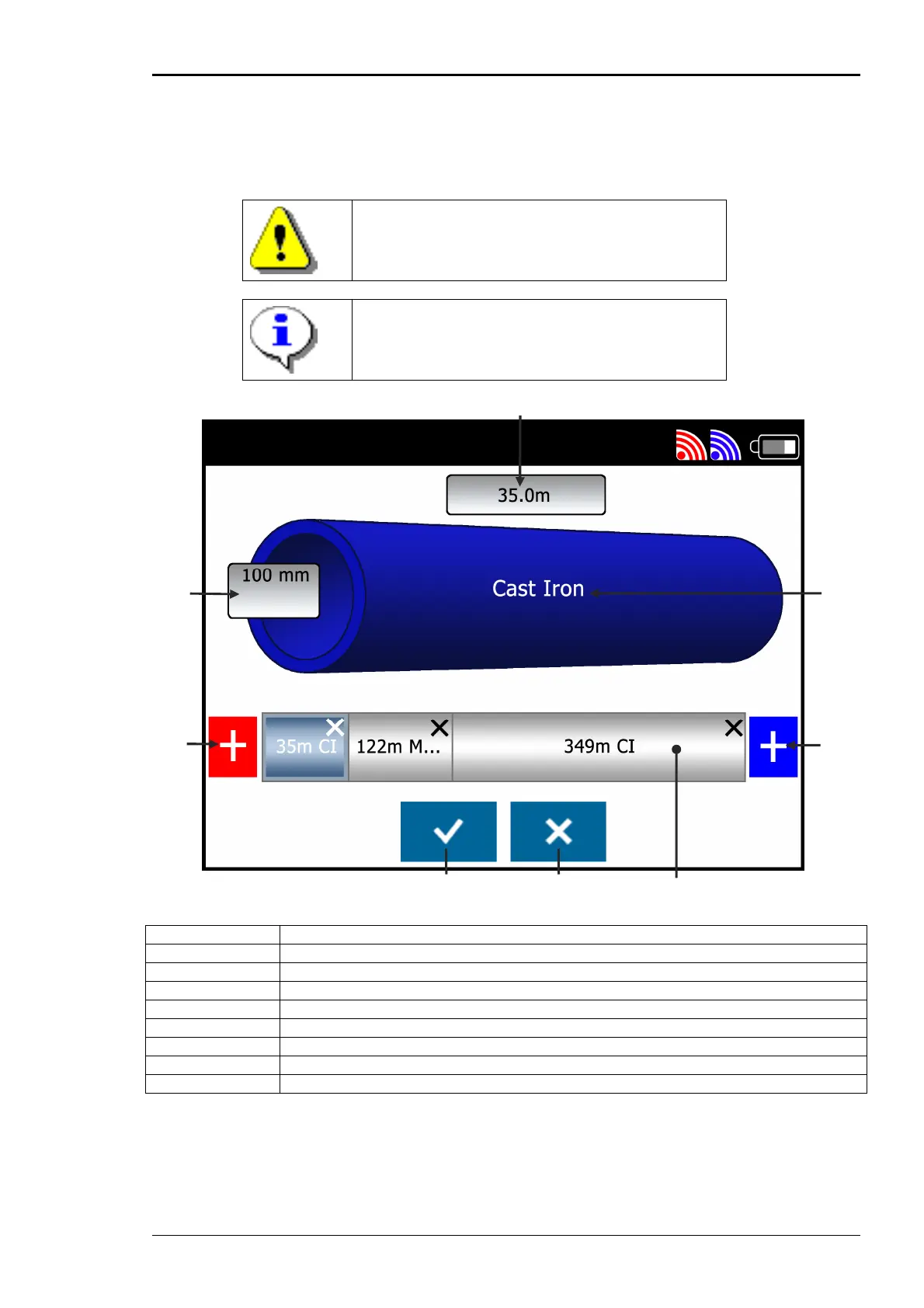
Initially default values for the length, diameter and
pipe material are displayed.
A Pipe Section Length
B Pipe Section Material
C Add Pipe Section (to blue end)
D Full Pipe Model
E Cross Button
F Tick Button
G Add Pipe Section (to red end)
H Pipe Section Diameter
It is possible to edit sections of pipe, changing the length, diameter and pipe material. Extra sections
of pipe can be added as required. When all pipe data has been entered tap on the tick button to
confirm the selected pipe model.
A
H
G
E F
B
C
D


 To Next Page