Printing from a Mac 49
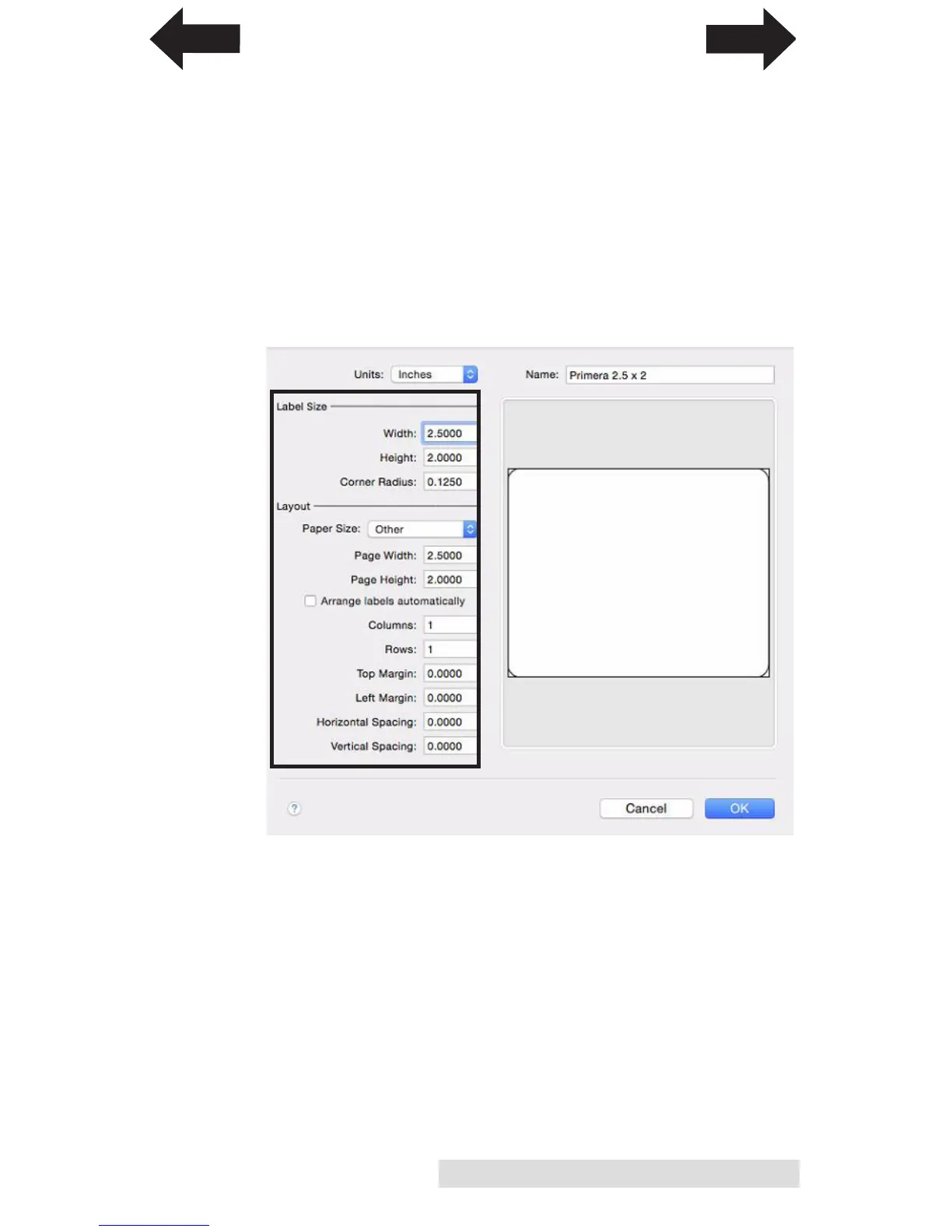
5. Change the Label Size and Layout. Use this information as
a guide. In this example we will setup a 2.5” wide x 2”
high label.
• Label Width and Height should match Page Width and
Height
• A standard Corner radius (rounded corner) is .125
• Paper Size should be set to “Other”
• Rows and Columns should be set to 1
• All Margins should be set to zero.
• All Spacing should be set to zero.
INDEX
TOC


 To Next Page