50 Printing from a Mac
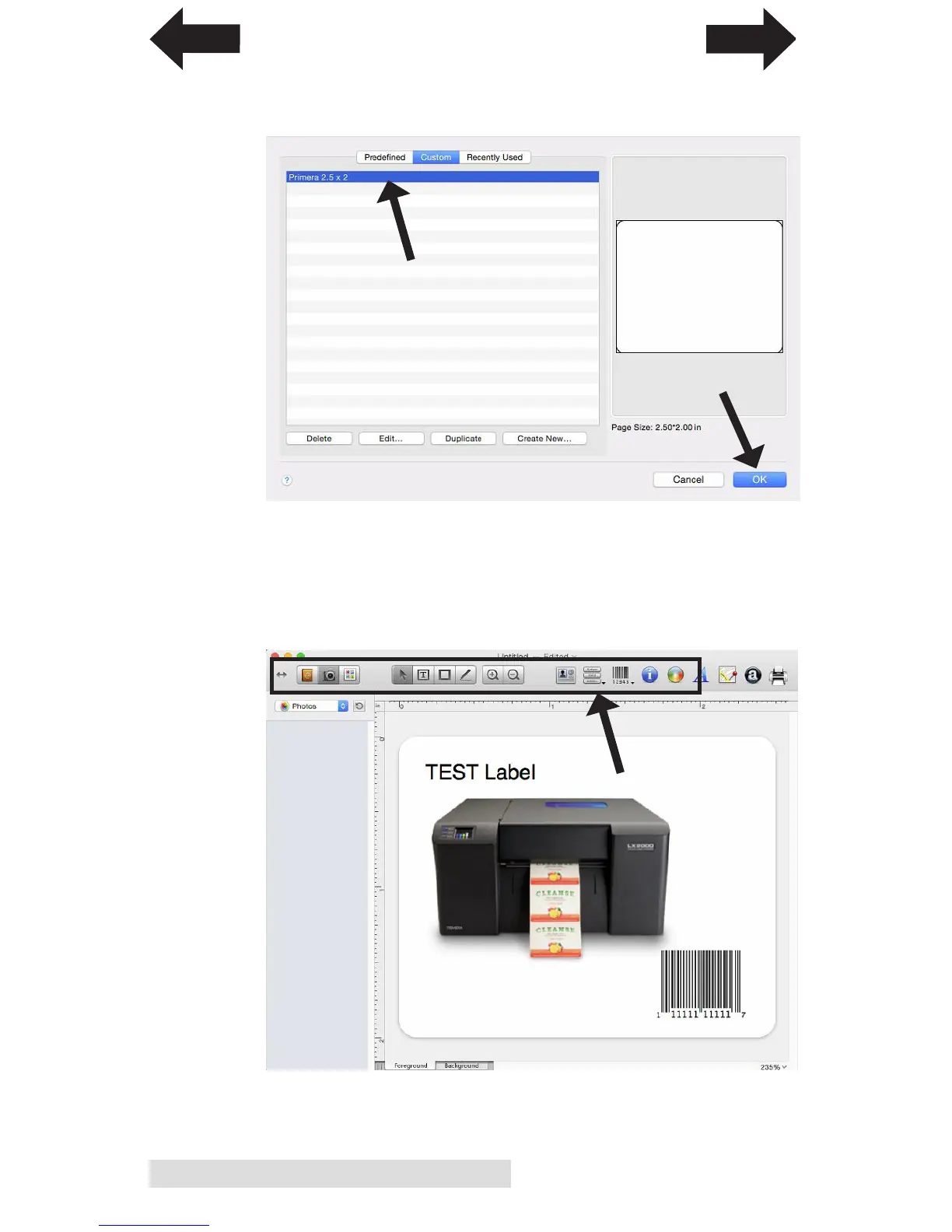
6. Click OK when the label is setup. Now select the label you
setup from the custom tab. Click OK.
7. Add Images, Barcodes or text using the buttons across the
top ribbon. For more information on how to setup a label
and use the software, contact Belight or visit the Help
menu. When you are ready to print, go to the file menu –
print.
INDEX
TOC


 To Next Page