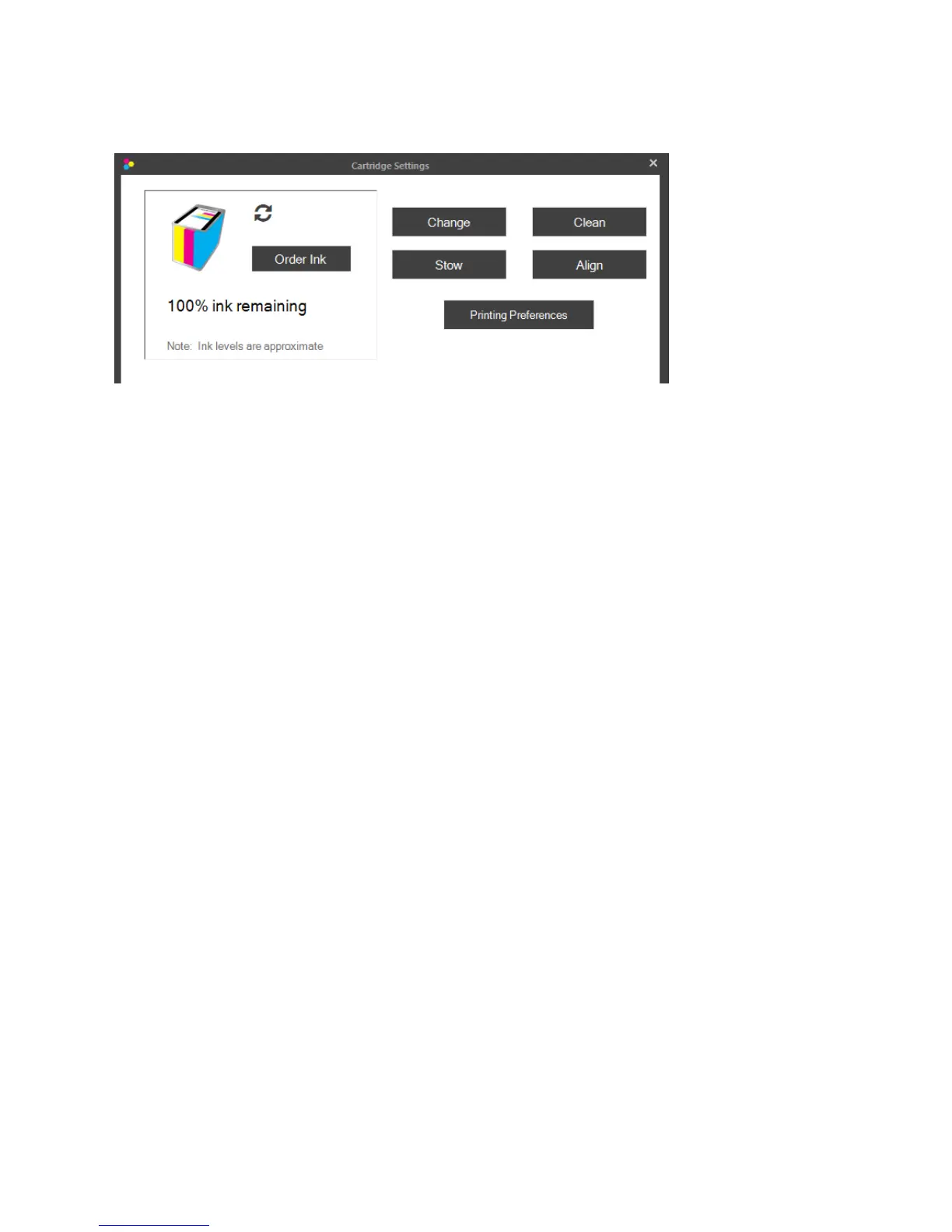
CartridgeSettings.ClicktheCartridgeSettingsbuttontoopenanewwindowwhichdisplaysthecurrent
cartridgelevelandothercartridgerelatedfunctions.
• OrderInk.LinkstothePrimeraTrioStore
• Change.Opensanimatedinstructionsexplaininghowtochangecartridges.
• Stow.Opensanimatedinstructionsexplaininghowtostowcartridgesfortravel.
• Clean.Printsacleaningpatterntowhichcanhelpunclogcartridgesordeterminewhichcolor
nozzlesareclogged.
• Align.Clickthisbuttontoperformamanualalignmentprint.Dothistofixqualityproblems.
Alignmentsareautomaticallyruneverytimeanewcartridgeisinstalled.Thesoftwarewill
promptyoutorunanalignmentifitisnecessary.AlignmentrequiresaletterorA4sizepieceof
paper.Theprinterwillprintseveralblocksofcoloronthepage.Itmaymovethepaperforward
andbackwardduringthisprocedure.AredLEDlightwillilluminatethepageasthesensorscans
forthepositionandqualityoftheboxesbeingprinted.Thepaperwillfeedoutoftheprinter
completewhenthescaniscomplete.
• PrintingPreferences.LinkstotheWindowsPrimeraTrioPrintingPreferencesdescribed in
section5D.
Page|20



 To Next Page