6E.ScanningaMulti‐PageDocument
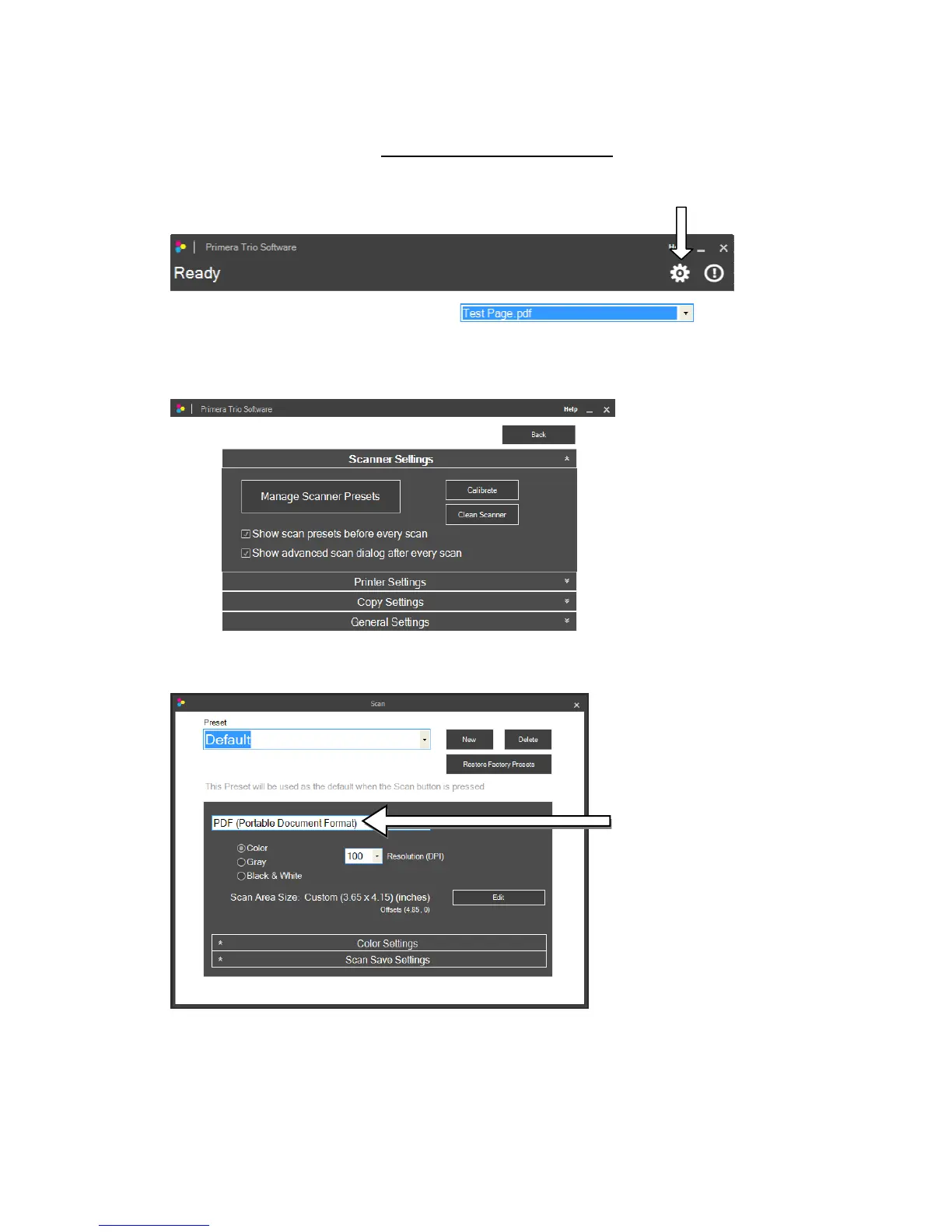
1.Toscanamulti‐pagedocumentyoumustsetthescanfiletypetoPDF
inscannersettings.Toaccess
scannersettingsclickonthegear iconatthetopofthePrimeraTrioapplication.
Page|35
2.TheScannerSettingswindowwillopen.
3.Clickonthe“ManageScannerPresets”button.SelectPDF(PortableDocumentFormat).
4.Closethe“ManageScannerPresets”windowby
clickingtheXandthenClickthe“back”buttontogo
backtothemainwindow.



 To Next Page