6C.ManageScannerPresets
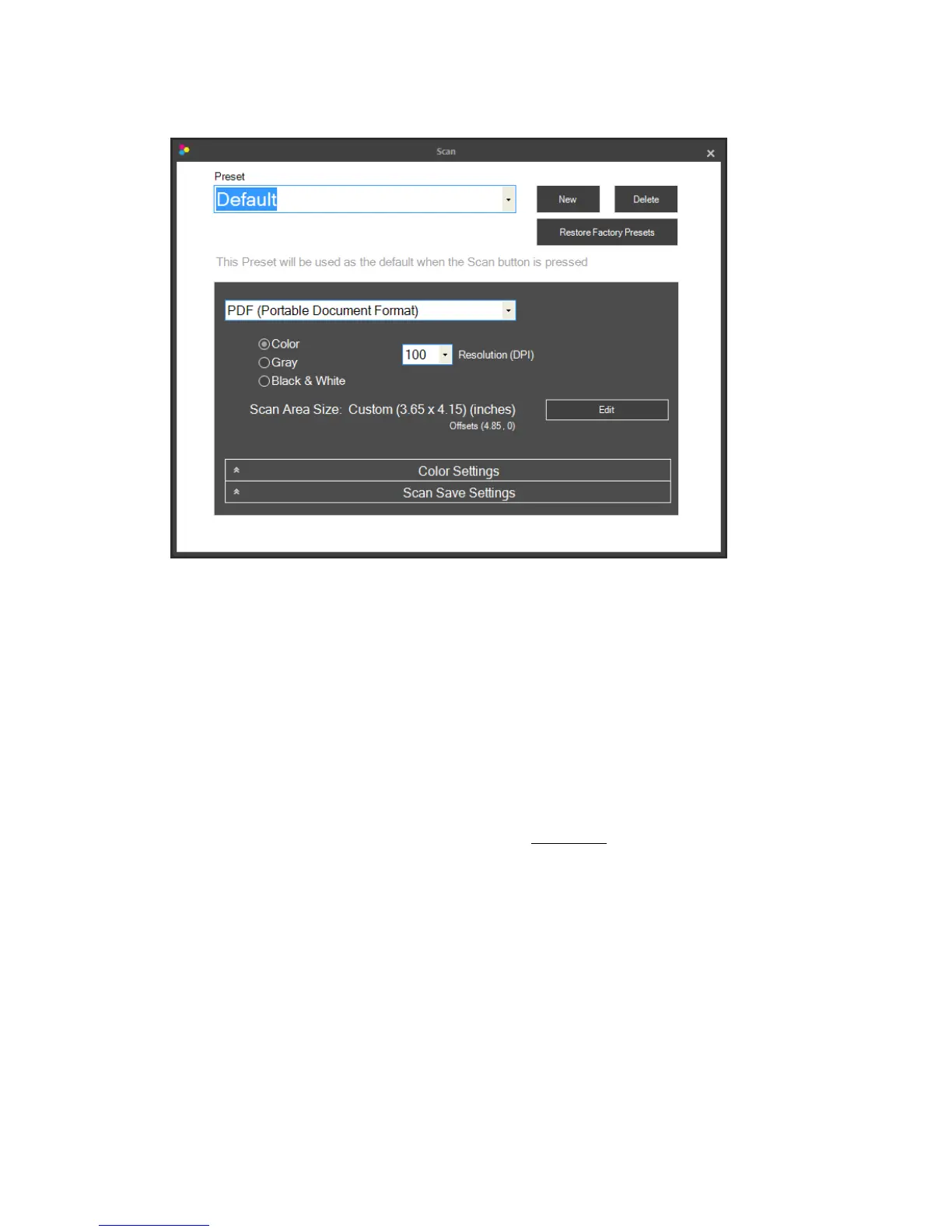
Presets.APresetisagrou pofsettingsthataresavedtogetherunderonename.Allsetti ngsinthis
windowwillsavewiththepresetnamecurrentlydisplayed.Thepresetnamecanbechangedbysimply
highlightingthetextandtypinga newname.The“Default”namecanalsobechanged.Youmaycreate
multiplepresetsbyclickingthe“New”button.Anewnameof“Preset2”willbecreated.Again, you
maychangethisnamebysimplytypinganewname.OnceasecondPresetiscreatedyouwillhavethe
optiontosetthatpresetasthedefault.Checktheboxnextto“Usethispresetasdefaultwhenthe
Scanbuttonispressed.”
FileType.Youmaychooseanyofthefiletypesbelow asthefiletypeforyourscannedimage.Some
typesarebetterthanothersforvariousapplications.
• PDF–Choosethisformatifyouwouldliketoscanamulti‐page
documentoranytextbased
document.Thefilesizeisverysmallformostdocuments.Itisnotpossibletocroporrotatea
PDFdocumentafterithasbeenscanned.However,youcanstilleditPDFsinanyediting
softwarecapableofeditingaPDF.
• JPG–Thisisacompressedformatthatisagoodchoiceforphoto graphicimagesandtext.The
filesizeisverysmall.
• PNG–Thisisacompressedformatthatisa goodchoiceforgraphicalimag esandtext.Thefile
sizeisverysmall.
• TIF‐Thisisanuncompressedformatthatisa good choiceforpho tographs. Th efilesizeisvery
large.
• GIF‐Thisisacompressedformatthatisagoodchoiceforgraphicalimagesandtext.Thefile
sizeisverysmall.
Page|29


 To Next Page