9D.Troubleshooting
Linesappearinthescan.Thisusuallyindicatesasmallpieceofdustordirtwascaughtinthescanner
duringthescan.Trythescanagain.Itusuallygoesawaybecausethedirtordustwasonthephotoor
documentitselfandfallsoffbetweenscans.Ifitconsistentlyappearsinthesameplaceyoumayneed
toperformaScannercleaningprocedure.
ExtraCartridgesaredryingout.Whenswitchingbetweenthecolorandblackcartridgesbesuretoput
thecartridgewhichisnotcurrentlyintheprinterinsidethecartridgegaragewhichcamewiththe
cartridge.
PrinterStopsPrinting.
1. CheckforapaperJam.ClearthepaperjamandpresstheRetry(leftside)buttontoresume
printing.
2. Lookforflashinglights.Iftheretrybuttonisflashingpressittoretrytheprint.
3. Resettheprinter.Pressthepowerbuttontopowerofftheprinter.Pressitagainpoweritback
on.Printingwillresumeiftheprintjobisstillinthequeue.
ReplacingtheInkSaturationPads,nozzlewiperandcappingstation.Theinksaturationpad,nozzle
wiperandcappingstation(maintenancesled)canallbereplacedsimultaneously.Withthecartridgein
theparkedposition,pushthesledoutofpositionusingtheholeonthebottomoftheprinter.Itmaybe
necessarytousethebackofpenorpenciltopushthesledout. Theleftsideofthesledwillliftoutof
theprinterfirst.Youcanthenunhooktherightside.Installthenewsledbypushingtherightsideinto
theprinterfirstandthens nappingintheleftside.ContactTechSupporttoorderreplacementInk
SaturationPads.
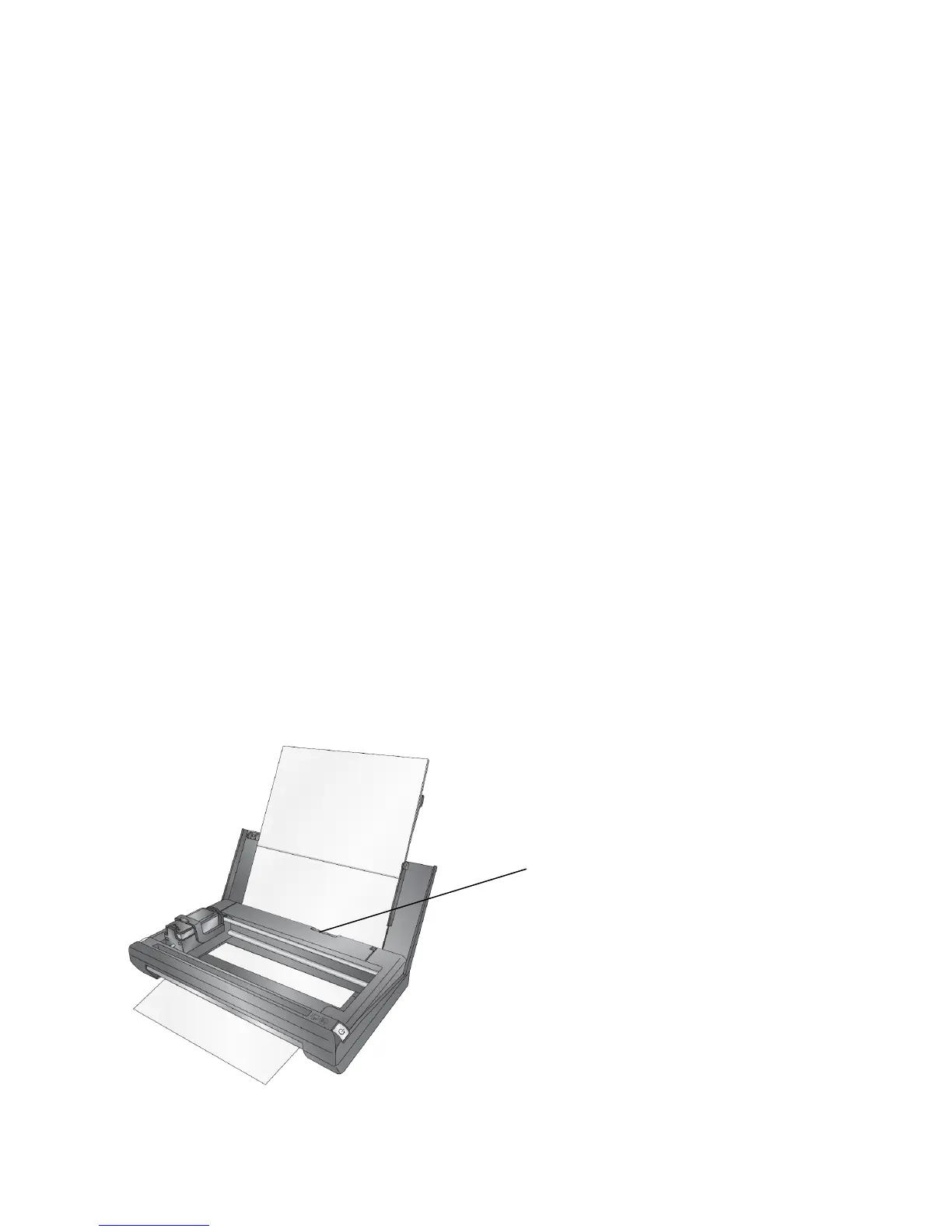
ClearingPaperJams.Ifpaperbecomesjammedintheprinterpr essthepaperreleasebuttonandpull
thepaperthroughtheprinter.
Page|54
PaperReleaseButton


 To Next Page