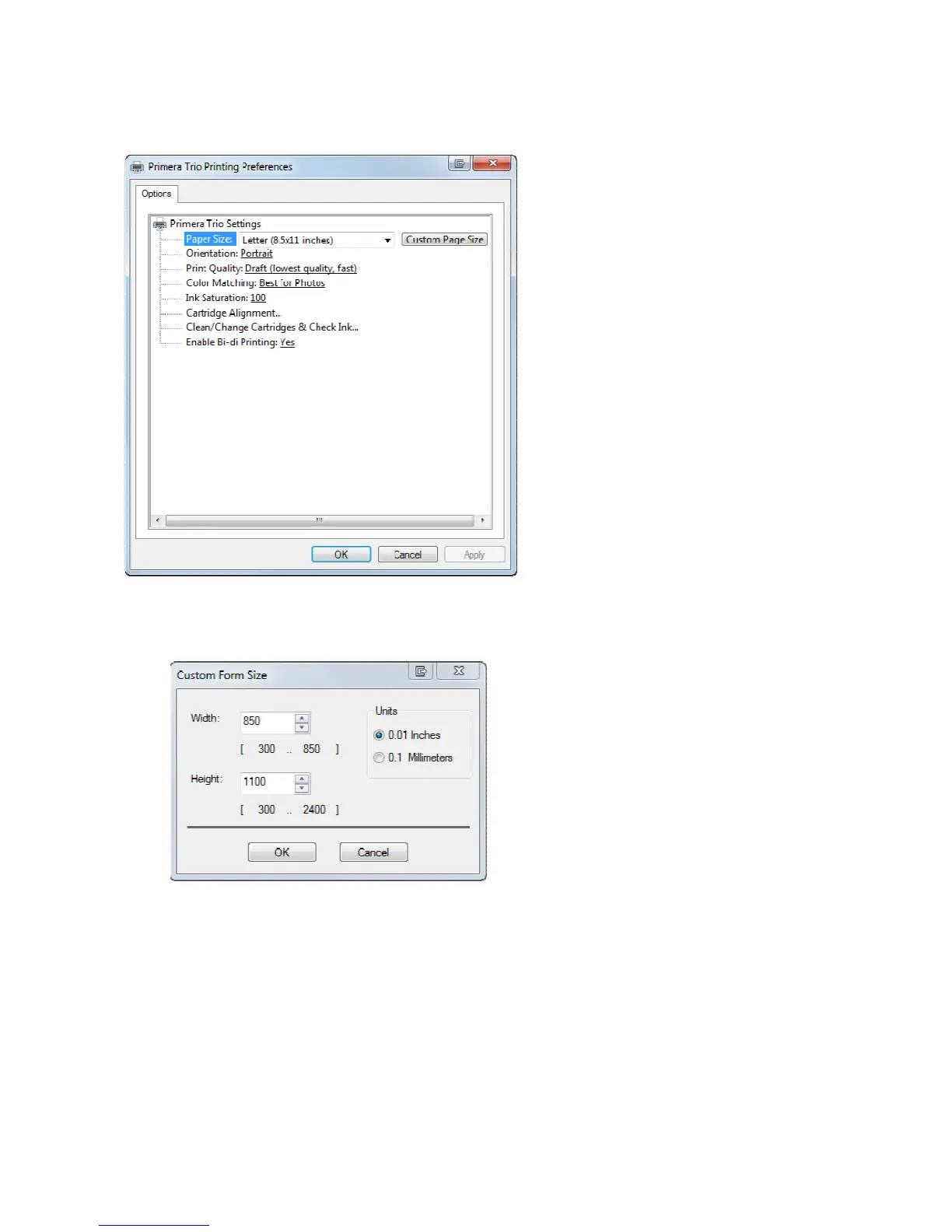
Nomatterhowyouaccessit,thesame PrimeraTrio PrintingPreferencesScreenwillopen.Thevarious
availablesettingsaredescribedbelow.
• PaperSize.Changethissettingtomatchthepapersizeinstalledintheprinter.Manystandard
sizesareavailableincludingLetter,Legal,4x6,Envelope#10,A4,A5,A6,andHagaki.Setthis
settingto“Custom”toprintonanysizepagelessthan8.5incheswideand24incheshigh.
• Orientation.ChangetheorientationtoPortraitorLandscape.
• PrintQuality.PrintQualitycanbeadjustedtoimproveordecreasequalityorchangetheprint
speed.DraftQualityisthefastestprintspeedwithlowestquality.PhotoQualityisthehighe st
qualitywiththeslowestprintspeed.
• ColorMatching.ColormatchingcanbeadjustedtoachievethebestmatchforPhotos,Graphics
orDocuments.Dependingonwhatyouareprinting,thebestsettingmaybeonethatdoesnot
necessarilymatchthetypeyouareprinting.
• InkSaturation.Inksaturationcontrolstheamountofinkplacedonthepaper.Ifyounotice ink
bleedingoutfromtheedgesoftextorgraphicsyoumayde creaseink saturati ontofixthis
Page|22



 To Next Page